







Question: you have to format the linux bash script output to look like powershell output Hi guys, I need bash scripting expert help. #Linux #Powershell #Bash
you have to format the linux bash script output to look like powershell output 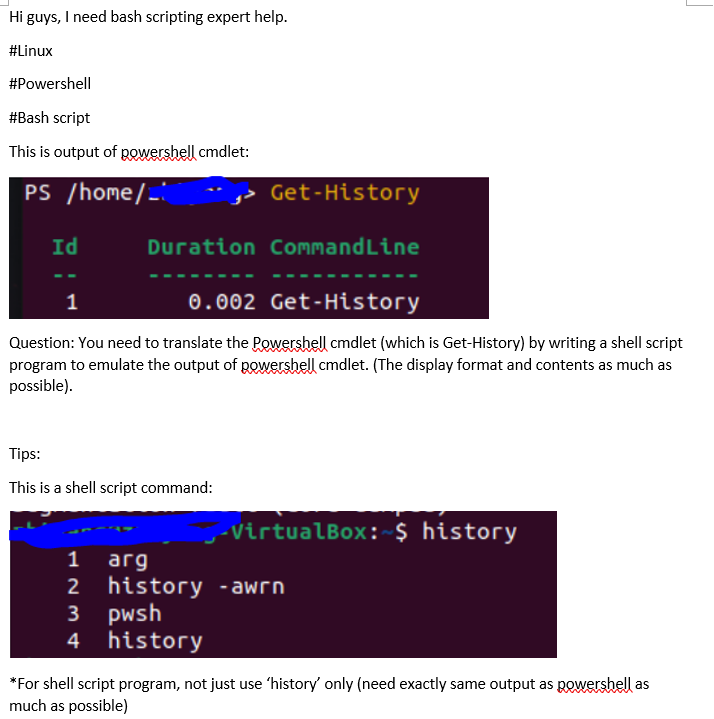
Hi guys, I need bash scripting expert help. #Linux #Powershell #Bash script This is output of powershell cmdlet: PS /home/-: Get-History Id Duration CommandLine 1 0.002 Get-History Question: You need to translate the powershell cmdlet (which is Get-History) by writing a shell script program to emulate the output of powershell cmdlet. (The display format and contents as much as possible). Tips: This is a shell script command: ,-VirtualBox: $ history 1 arg 2 history - awrn 3 pwsh 4 history *For shell script program, not just use 'history' only (need exactly same output as powershell as much as possible)
Step by Step Solution
There are 3 Steps involved in it

Get step-by-step solutions from verified subject matter experts
 Study Help