



Question: You want to use the GetPivotData function to retrieve the total number of Units Sold for the category Electronics in a PivotTable with Store, Month,
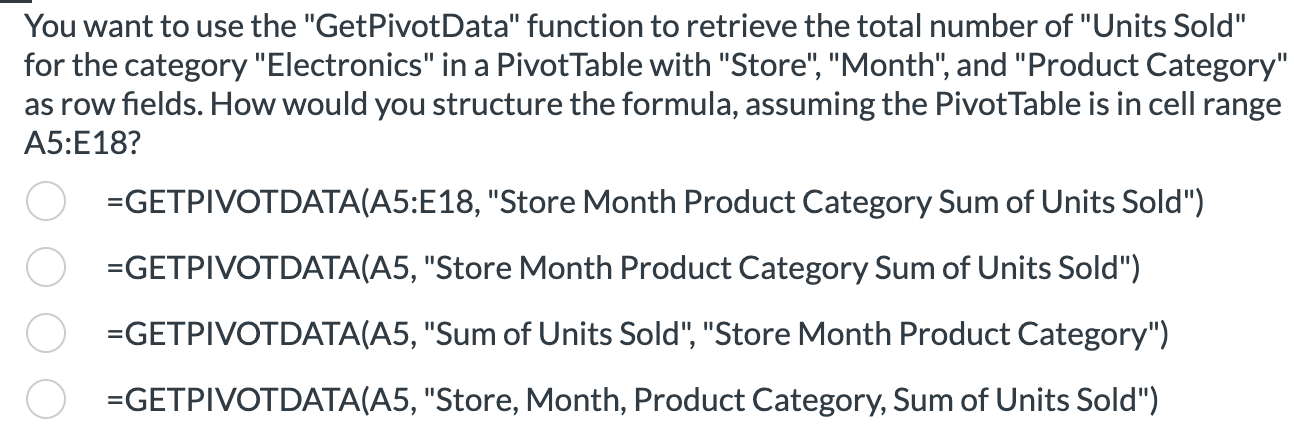
You want to use the "GetPivotData" function to retrieve the total number of "Units Sold"
for the category "Electronics" in a PivotTable with "Store", "Month", and "Product Category"
as row fields. How would you structure the formula, assuming the PivotTable is in cell range
:
GETPIVOTDATAA:E "Store Month Product Category Sum of Units Sold"
GETPIVOTDATAA "Store Month Product Category Sum of Units Sold"
GETPIVOTDATAA "Sum of Units Sold", "Store Month Product Category"
GETPIVOTDATAA "Store, Month, Product Category, Sum of Units Sold"
Step by Step Solution
There are 3 Steps involved in it
1 Expert Approved Answer
Step: 1 Unlock

Question Has Been Solved by an Expert!
Get step-by-step solutions from verified subject matter experts
Step: 2 Unlock
Step: 3 Unlock