







Question: You will create a JavaScript program - embedded on an HTML file - according to the requirements listed on the next pages. Upload and

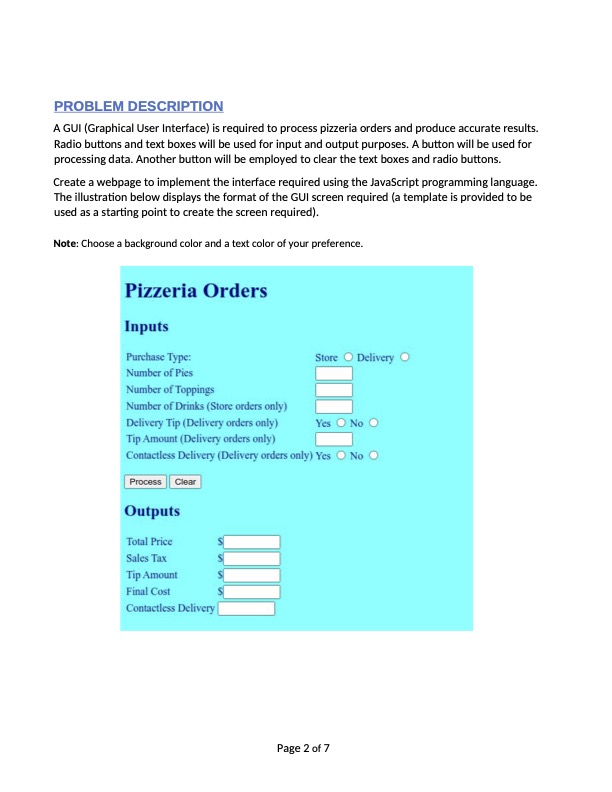
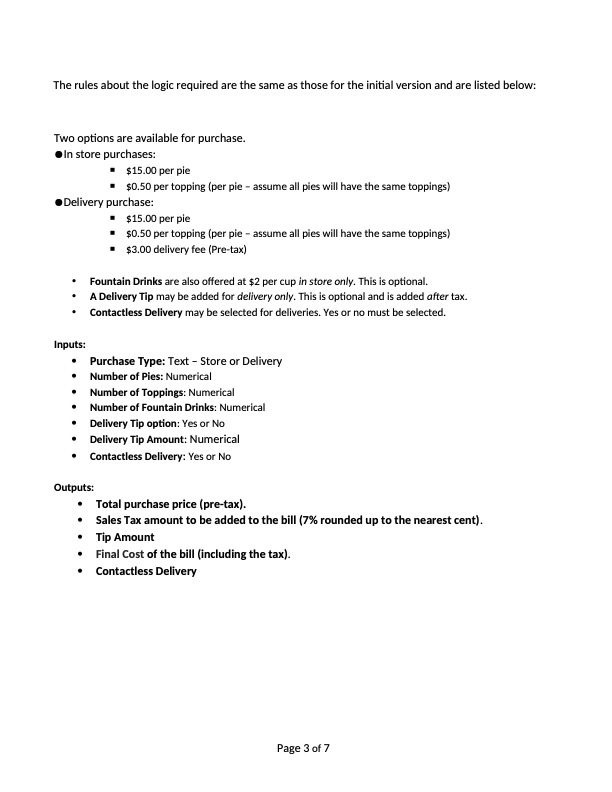
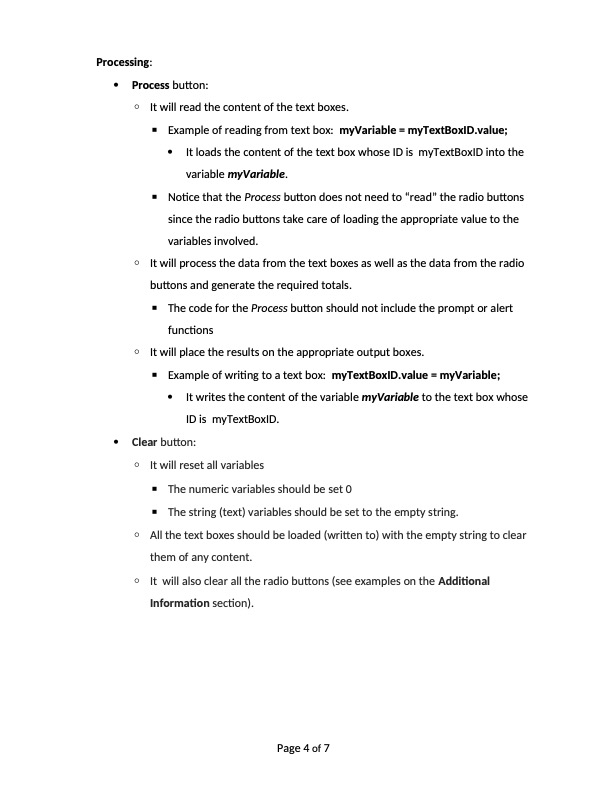
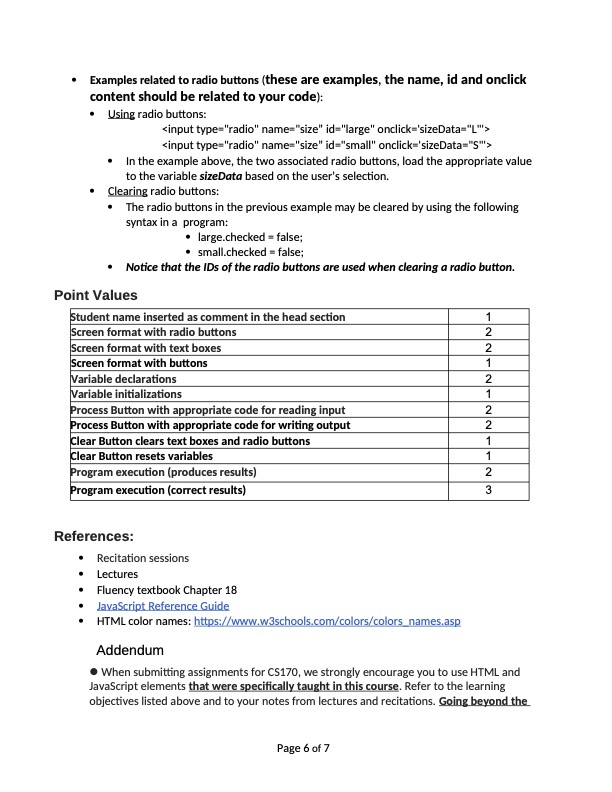
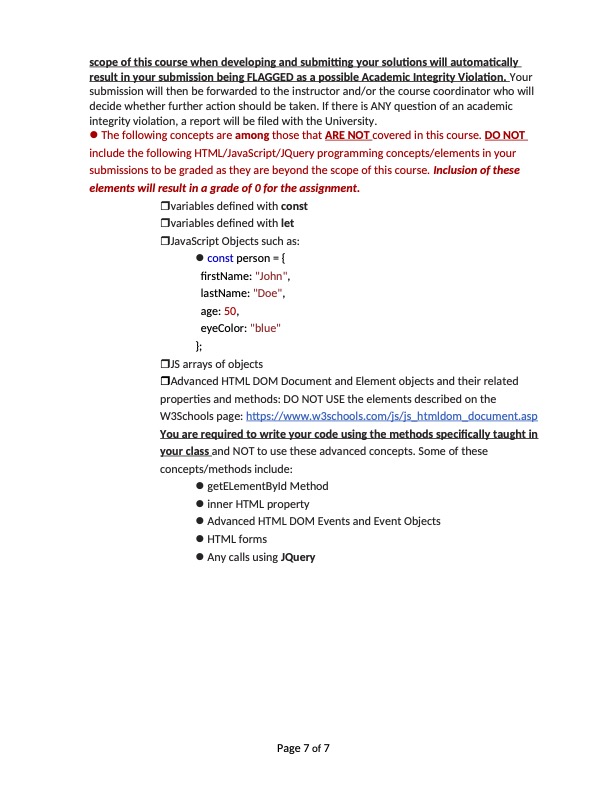
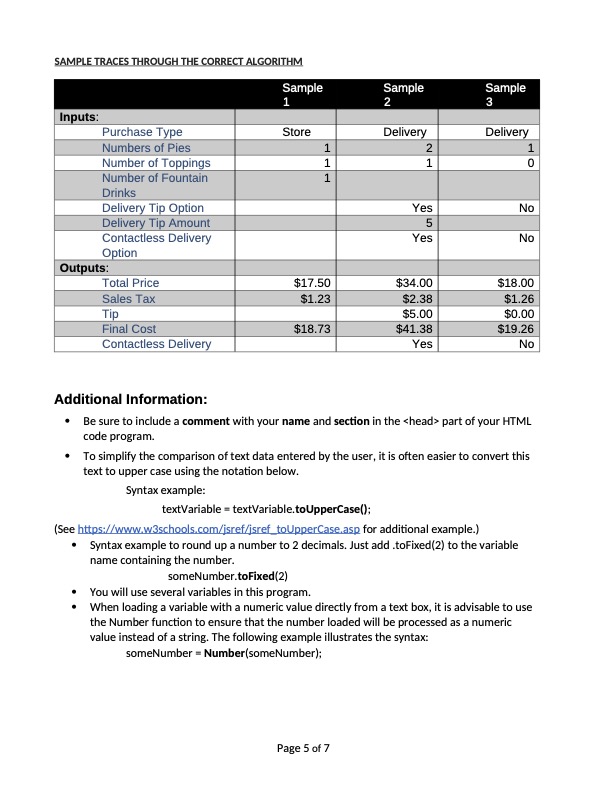
You will create a JavaScript program - embedded on an HTML file - according to the requirements listed on the next pages. Upload and submit a single html file (.html extension) containing the code required. PROBLEM DESCRIPTION A GUI (Graphical User Interface) is required to process pizzeria orders and produce accurate results. Radio buttons and text boxes will be used for input and output purposes. A button will be used for processing data. Another button will be employed to clear the text boxes and radio buttons. Create a webpage to implement the interface required using the JavaScript programming language. The illustration below displays the format of the GUI screen required (a template is provided to be used as a starting point to create the screen required). Note: Choose a background color and a text color of your preference. Pizzeria Orders Inputs Purchase Type: Number of Pics Number of Toppings Number of Drinks (Store orders only) Delivery Tip (Delivery orders only) Tip Amount (Delivery orders only) Store Delivery Yes No Contactless Delivery (Delivery orders only) Yes No Process Clear Outputs Total Price Sales Tax Tip Amount Final Cost Contactless Delivery Page 2 of 7 The rules about the logic required are the same as those for the initial version and are listed below: Two options are available for purchase. In store purchases: $15.00 per pie $0.50 per topping (per pie - assume all pies will have the same toppings) Delivery purchase: . $15.00 per pie $0.50 per topping (per pie - assume all pies will have the same toppings) $3.00 delivery fee (Pre-tax) Fountain Drinks are also offered at $2 per cup in store only. This is optional. A Delivery Tip may be added for delivery only. This is optional and is added after tax. Contactless Delivery may be selected for deliveries. Yes or no must be selected. Inputs: Purchase Type: Text - Store or Delivery Number of Pies: Numerical Number of Toppings: Numerical Number of Fountain Drinks: Numerical Delivery Tip option: Yes or No Delivery Tip Amount: Numerical Contactless Delivery: Yes or No Outputs: Total purchase price (pre-tax). Sales Tax amount to be added to the bill (7% rounded up to the nearest cent). Tip Amount Final Cost of the bill (including the tax). Contactless Delivery Page 3 of 7 Processing: Process button: It will read the content of the text boxes. Example of reading from text box: myVariable = myTextBoxID.value; It loads the content of the text box whose ID is myTextBoxID into the variable myVariable. Notice that the Process button does not need to "read" the radio buttons since the radio buttons take care of loading the appropriate value to the variables involved. It will process the data from the text boxes as well as the data from the radio buttons and generate the required totals. The code for the Process button should not include the prompt or alert functions It will place the results on the appropriate output boxes. Example of writing to a text box: myTextBoxID.value = myVariable; It writes the content of the variable myVariable to the text box whose ID is myTextBoxID. Clear button: It will reset all variables The numeric variables should be set 0 The string (text) variables should be set to the empty string. All the text boxes should be loaded (written to) with the empty string to clear them of any content. It will also clear all the radio buttons (see examples on the Additional Information section). Page 4 of 7 Examples related to radio buttons (these are examples, the name, id and onclick content should be related to your code): Using radio buttons: scope of this course when developing and submitting your solutions will automatically result in your submission being FLAGGED as a possible Academic Integrity Violation. Your submission will then be forwarded to the instructor and/or the course coordinator who will decide whether further action should be taken. If there is ANY question of an academic integrity violation, a report will be filed with the University. The following concepts are among those that ARE NOT covered in this course. DO NOT include the following HTML/JavaScript/JQuery programming concepts/elements in your submissions to be graded as they are beyond the scope of this course. Inclusion of these elements will result in a grade of 0 for the assignment. Ovariables defined with const Ovariables defined with let JavaScript Objects such as: }; const person = { firstName: "John", lastName: "Doe", age: 50, eyeColor: "blue" JS arrays of objects Advanced HTML DOM Document and Element objects and their related properties and methods: DO NOT USE the elements described on the W3Schools page: https://www.w3schools.com/js/js_htmldom document.asp You are required to write your code using the methods specifically taught in your class and NOT to use these advanced concepts. Some of these concepts/methods include: getElementByld Method inner HTML property Advanced HTML DOM Events and Event Objects HTML forms Any calls using JQuery Page 7 of 7 SAMPLE TRACES THROUGH THE CORRECT ALGORITHM Sample 1 Sample 2 Sample 3 Delivery Delivery 1 1 21 1 0 1 Inputs: Purchase Type Numbers of Pies Number of Toppings Number of Fountain Drinks Store Delivery Tip Option Delivery Tip Amount Contactless Delivery Yes No 5 Yes No Option Outputs: Total Price $17.50 $34.00 $18.00 Sales Tax $1.23 $2.38 $1.26 Tip $5.00 $0.00 Final Cost $18.73 $41.38 $19.26 Contactless Delivery Yes No Additional Information: Be sure to include a comment with your name and section in the part of your HTML code program. To simplify the comparison of text data entered by the user, it is often easier to convert this text to upper case using the notation below. Syntax example: textVariable textVariable.toUpperCase(); (See https://www.w3schools.com/jsref/jsref_toUpperCase.asp for additional example.) Syntax example to round up a number to 2 decimals. Just add.toFixed(2) to the variable name containing the number. someNumber.toFixed(2) You will use several variables in this program. When loading a variable with a numeric value directly from a text box, it is advisable to use the Number function to ensure that the number loaded will be processed as a numeric value instead of a string. The following example illustrates the syntax: someNumber = Number(someNumber); Page 5 of 7
Step by Step Solution
3.35 Rating (155 Votes )
There are 3 Steps involved in it
Below is a HTML file with embedded JavaScript code to cr... View full answer

Get step-by-step solutions from verified subject matter experts
 Study Help