







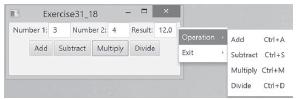
Question: Modify Listing 31.9, MenuDemo.java, to create a popup menu that contains the menus Operations and Exit, as shown in Figure 31.56. The popup is displayed
Modify Listing 31.9, MenuDemo.java, to create a popup menu that contains the menus Operations and Exit, as shown in Figure 31.56. The popup is displayed when you click the right mouse button on the panel that contains the labels and the text fields.
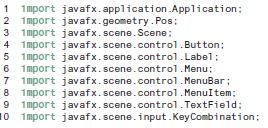
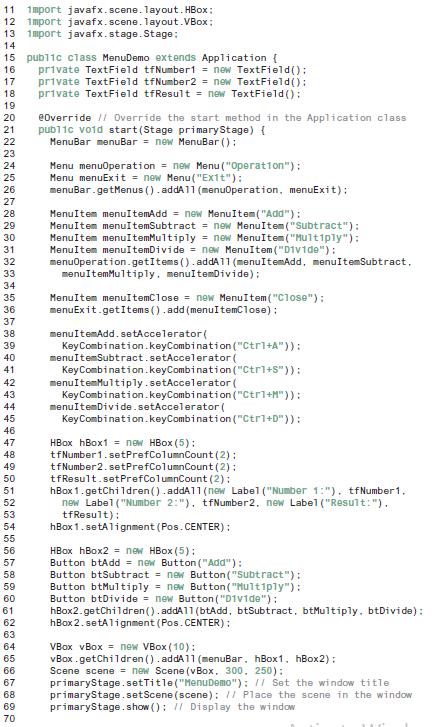
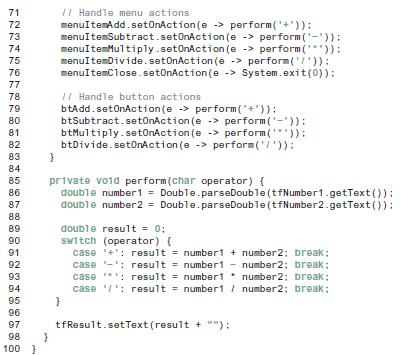
Data from Listing 31.9,
Exercise31 18 Numrber 1 3 Result 12.0 Number 21 4 Operstion Add CrA Add Subtract Multipy Divide Eit Subtract Ctrl+s Multiply Ctri+M Divide Ctrl+D
Step by Step Solution
3.48 Rating (174 Votes )
There are 3 Steps involved in it
import javafxapplicationApplication import javafxgeometryPos import javafxsceneScene import javafxscenecontrolButton import javafxscenecontrolContextMenu import javafxscenecontrolLabel import javafxsc... View full answer

Get step-by-step solutions from verified subject matter experts
 Study Help