







Question: Create a Windows Forms application. Use the following names for the project and solution, respectively: OnYourOwn Project and OnYourOwn Solution. Save the application in the
Create a Windows Forms application. Use the following names for the project and solution, respectively: OnYourOwn Project and OnYourOwn Solution. Save the application in the VB2017\Chap11 folder. Plan and design an application of your choice. The only requirement is that you must follow the minimum guidelines listed in Figure 11-69. Before starting the application, be sure to verify the name of the startup form. Save the solution and then start and test the application.
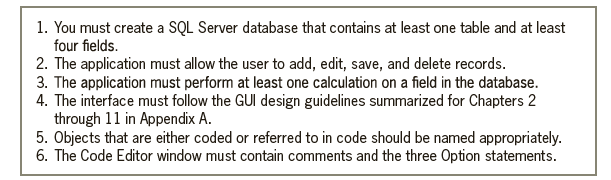
1. You must create a SQL Server database that contains at least one table and at least four fields. 2. The application must allow the user to add, edit, save, and delete records. 3. The application must perform at least one calculation on a field in the database. 4. The interface must follow the GUI design guidelines summarized for Chapters 2 through 11 in Appendix A. 5. Objects that are either coded or referred to in code should be named appropriately. 6. The Code Editor window must contain comments and the three Option statements.
Step by Step Solution
3.51 Rating (174 Votes )
There are 3 Steps involved in it

Get step-by-step solutions from verified subject matter experts
 Study Help