







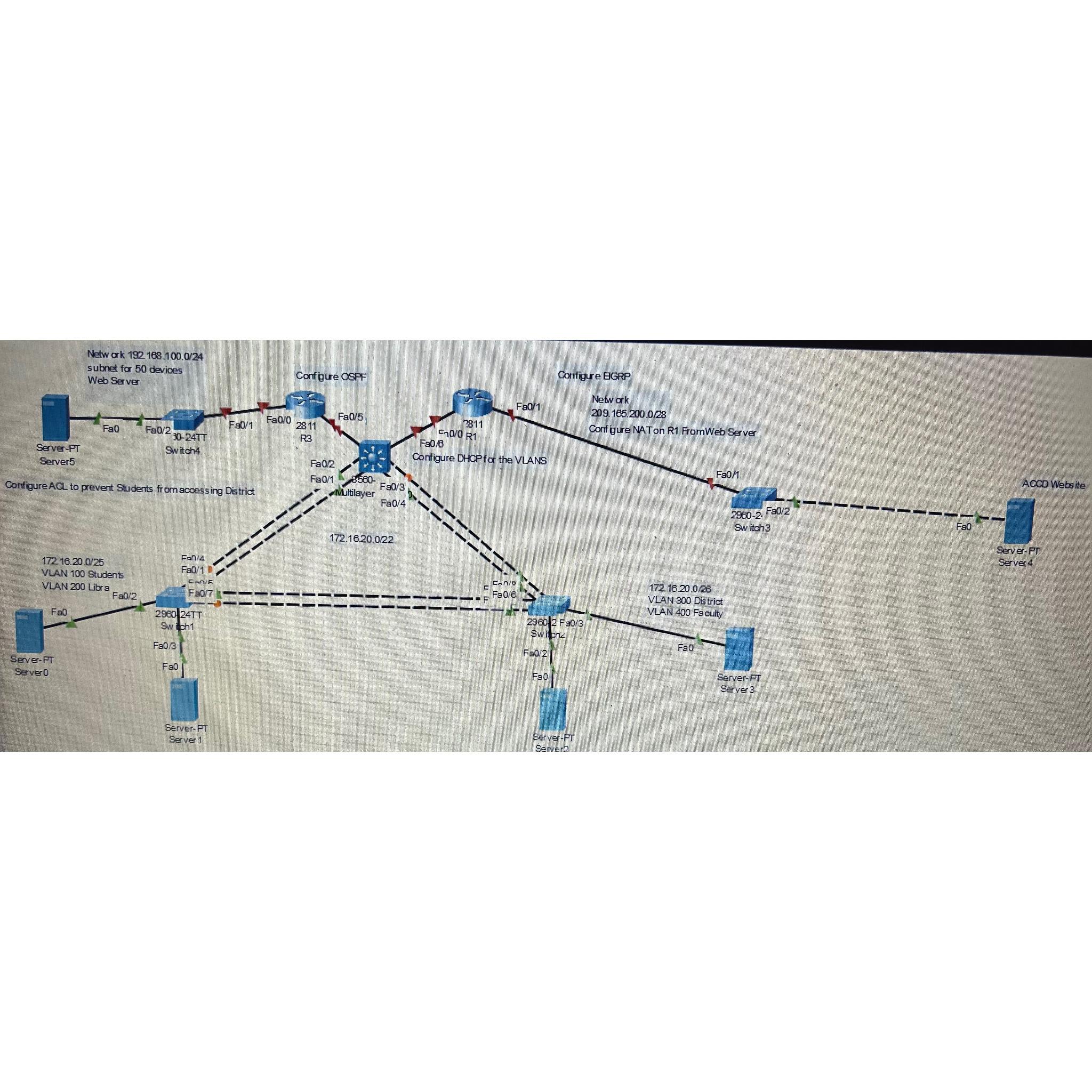
Question: 1 ) 2 2 8 1 1 routers with serial interfaces 2 ) 2 2 9 6 0 switches 3 ) 1 3 5 6
routers with serial interfaces switches multilayer switch this is the routing device end devices connected to each switch end device connected to each router IP addressing; on Switch devices for each VLAN derived from the address scheme configure VLAN Name Students and VLAN Name Library IP addressing; on Switch ; VLAN Name District and VLAN Name FacultyConfigure DHCP for servers on both switches each subnet on the VLAN will have a DHCP pool Router addressing to server is Router addressing server is devices use OSPF protocol to communicate from Server to mulitlayer switch and VLANs switch is the routing switch for the layer switches Configure VLAN routing for the VLAN on layer switch Configure management VLAN on each switch. Configure an ACL to prevent Students server VLAN from accessing District server VLAN Configure NAT translation from on R to WEB Server server using as the translated address Configure EIGRP from Server to multilayer switch Configure redistribution on multilayer switch to handle EIGRP and OSPF Ping across from Server to Server from Server to VLANS, from Server to VLANs, from VLANs to Server and Server Please make sure to include the commands i will need to put in and where
Step by Step Solution
There are 3 Steps involved in it
1 Expert Approved Answer
Step: 1 Unlock

Question Has Been Solved by an Expert!
Get step-by-step solutions from verified subject matter experts
Step: 2 Unlock
Step: 3 Unlock
 Study Help