







Question: 1) Create a new Quartus Prime project with the following attributes: - Project Directory: lab3ab3_task2 - Project Name: lab3_task2 - Top-Level Design: compare_2bit_vector - Device:

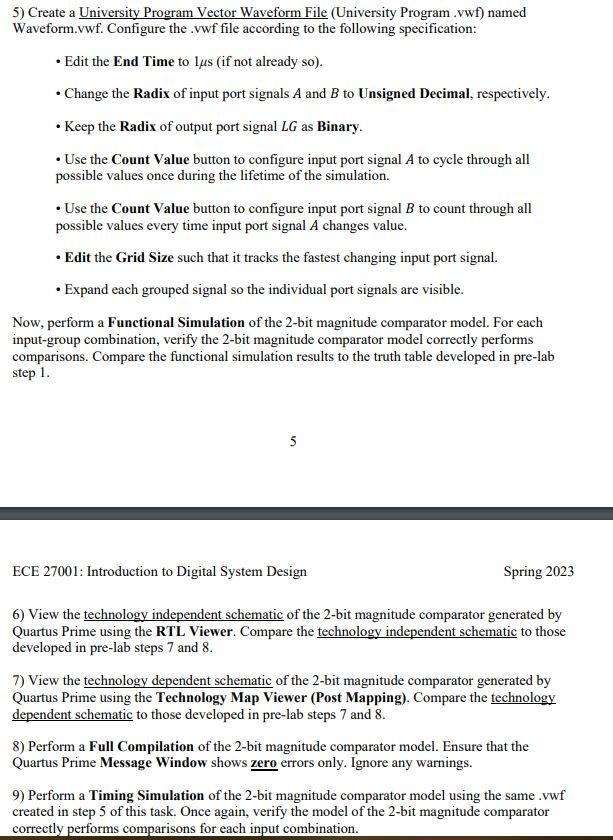
1) Create a new Quartus Prime project with the following attributes: - Project Directory: lab3\ab3_task2 - Project Name: lab3_task2 - Top-Level Design: compare_2bit_vector - Device: Cyclone IVE EP4CE115F29C7 (DE2), MAX 1010 M50DAF484C7G (DE10) 2) Navigate to and click on the Assignments > Settings... menu item in Quartus Prime. In the Settings dialog box, perform the following actions: 4 ECE 27001: Introduction to Digital System Design Spring 2023 - Click on the Compilation Process Settings category within the Category pane. In the Parallel Compilation section of the dialog box, click the Radio Button "Use all available processors". Then, click the OK button. 3) Use the Quartus Prime Text Editor to implement a behaviorally model of a 2-bit magnitude comparator in a file named compare_2bit_vector.sv. Specify the 2-bit magnitude comparator module according to the interface specification given in the table below. Within the implementation portion of the module, use a combination of continuous assignment statements, logic operators (i.e., NAND, NOR, XNOR), and bit manipulation to model the 2-level NAND-NAND/NOR-NOR logic networks corresponding to the 2-bit magnitude comparator developed in pre-lab steps 7 and 8 . Note: The leftmost (rightmost) element of vector LG represents the L(G) output port signal. 4) Perform an Analysis and Synthesis of the 2-bit magnitude comparator model. Ensure that the Quartus Prime Message W indow shows zero errors and zero warnings. 5) Create a University Program Vector Waveform File (University Program .vwf) named Waveform.vwf. Configure the .vwf file according to the following specification: - Edit the End Time to 1s (if not already so). - Change the Radix of input port signals A and B to Unsigned Decimal, respectively. - Keep the Radix of output port signal LG as Binary. - Use the Count Value button to configure input port signal A to cycle through all possible values once during the lifetime of the simulation. - Use the Count Value button to configure input port signal B to count through all possible values every time input port signal A changes value. - Edit the Grid Size such that it tracks the fastest changing input port signal. - Expand each grouped signal so the individual port signals are visible. Now, perform a Functional Simulation of the 2-bit magnitude comparator model. For each input-group combination, verify the 2-bit magnitude comparator model correctly performs comparisons. Compare the functional simulation results to the truth table developed in pre-lab step 1. ECE 27001: Introduction to Digital System Design Spring 2023 6) View the technology independent schematic of the 2-bit magnitude comparator generated by Quartus Prime using the RTL Viewer. Compare the technology independent schematic to those developed in pre-lab steps 7 and 8. 7) View the technology dependent schematic of the 2-bit magnitude comparator generated by Quartus Prime using the Technology Map Viewer (Post Mapping). Compare the technology dependent schematic to those developed in pre-lab steps 7 and 8. 8) Perform a Full Compilation of the 2-bit magnitude comparator model. Ensure that the Quartus Prime Message Window shows zero errors only. Ignore any warnings. 9) Perform a Timing Simulation of the 2-bit magnitude comparator model using the same .vwf created in step 5 of this task. Once again, verify the model of the 2-bit magnitude comparator correctly performs comparisons for each input combination. 1) Create a new Quartus Prime project with the following attributes: - Project Directory: lab3\ab3_task2 - Project Name: lab3_task2 - Top-Level Design: compare_2bit_vector - Device: Cyclone IVE EP4CE115F29C7 (DE2), MAX 1010 M50DAF484C7G (DE10) 2) Navigate to and click on the Assignments > Settings... menu item in Quartus Prime. In the Settings dialog box, perform the following actions: 4 ECE 27001: Introduction to Digital System Design Spring 2023 - Click on the Compilation Process Settings category within the Category pane. In the Parallel Compilation section of the dialog box, click the Radio Button "Use all available processors". Then, click the OK button. 3) Use the Quartus Prime Text Editor to implement a behaviorally model of a 2-bit magnitude comparator in a file named compare_2bit_vector.sv. Specify the 2-bit magnitude comparator module according to the interface specification given in the table below. Within the implementation portion of the module, use a combination of continuous assignment statements, logic operators (i.e., NAND, NOR, XNOR), and bit manipulation to model the 2-level NAND-NAND/NOR-NOR logic networks corresponding to the 2-bit magnitude comparator developed in pre-lab steps 7 and 8 . Note: The leftmost (rightmost) element of vector LG represents the L(G) output port signal. 4) Perform an Analysis and Synthesis of the 2-bit magnitude comparator model. Ensure that the Quartus Prime Message W indow shows zero errors and zero warnings. 5) Create a University Program Vector Waveform File (University Program .vwf) named Waveform.vwf. Configure the .vwf file according to the following specification: - Edit the End Time to 1s (if not already so). - Change the Radix of input port signals A and B to Unsigned Decimal, respectively. - Keep the Radix of output port signal LG as Binary. - Use the Count Value button to configure input port signal A to cycle through all possible values once during the lifetime of the simulation. - Use the Count Value button to configure input port signal B to count through all possible values every time input port signal A changes value. - Edit the Grid Size such that it tracks the fastest changing input port signal. - Expand each grouped signal so the individual port signals are visible. Now, perform a Functional Simulation of the 2-bit magnitude comparator model. For each input-group combination, verify the 2-bit magnitude comparator model correctly performs comparisons. Compare the functional simulation results to the truth table developed in pre-lab step 1. ECE 27001: Introduction to Digital System Design Spring 2023 6) View the technology independent schematic of the 2-bit magnitude comparator generated by Quartus Prime using the RTL Viewer. Compare the technology independent schematic to those developed in pre-lab steps 7 and 8. 7) View the technology dependent schematic of the 2-bit magnitude comparator generated by Quartus Prime using the Technology Map Viewer (Post Mapping). Compare the technology dependent schematic to those developed in pre-lab steps 7 and 8. 8) Perform a Full Compilation of the 2-bit magnitude comparator model. Ensure that the Quartus Prime Message Window shows zero errors only. Ignore any warnings. 9) Perform a Timing Simulation of the 2-bit magnitude comparator model using the same .vwf created in step 5 of this task. Once again, verify the model of the 2-bit magnitude comparator correctly performs comparisons for each input combination
Step by Step Solution
There are 3 Steps involved in it

Get step-by-step solutions from verified subject matter experts
 Study Help