Question: 1. Project Schedule . . . You will now take the information from your WBS & RACI Matrix Assignment as well as your Network Diagram
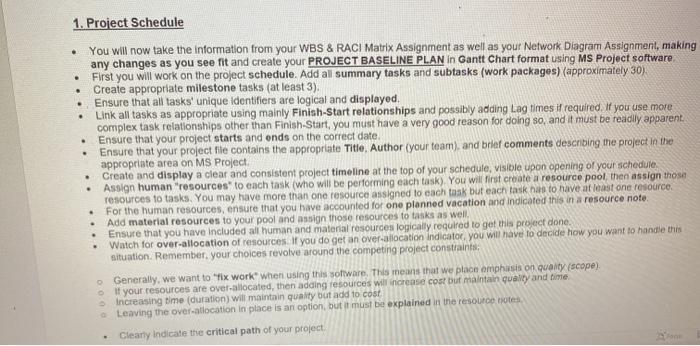
1. Project Schedule . . . You will now take the information from your WBS & RACI Matrix Assignment as well as your Network Diagram Assignment, making any changes as you see fit and create your PROJECT BASELINE PLAN in Gantt Chart format using MS Project software First you will work on the project schedule. Add all summary tasks and subtasks (work packages) (approximately 30) Create appropriate milestone tasks (at least 3). Ensure that all tasks' unique identifiers are logical and displayed, Link all tasks as appropriate using mainly Finish-Start relationships and possibly adding Lag times it required. If you use more complex task relationships other than Finish-Start, you must have a very good reason for doing so, and it must be readily apparent Ensure that your project starts and ends on the correct date Ensure that your project file contains the appropriate Title, Author your team), and brief comments describing the project in the appropriate area on MS Project Create and display a clear and consistent project timeline at the top of your schedule, visible upon opening of your schedule Assign human resources to each task (who will be performing each task). You will first create a resource pool the assign those resources to tasks. You may have more than one resource assigned to each task but each task as to have at least one resource For the human resources, ensure that you have accounted for one planned vacation and indicated this in a resource note Add material resources to your pool and assign those resources to tasks as well Ensure that you have include all human and material resources logically required to get this project done Watch for over-allocation of resources. If you do get an over-allocation indicator, you will have to decide how you want to handle this situation. Remember your choices revolve around the competing project constraints Generally, we want to "fix work when using this software. This means that we place emphasis on quanty (scope). If your resources are over allocated, then adding resources will increase cost but maintain quality and time increasing time (duration) will maintain quality but add to cost Leaving the over-allocation in place is an option, but it must be explained in the resource notes Clearly indicate the critical path of your project . 1. Project Schedule . . . You will now take the information from your WBS & RACI Matrix Assignment as well as your Network Diagram Assignment, making any changes as you see fit and create your PROJECT BASELINE PLAN in Gantt Chart format using MS Project software First you will work on the project schedule. Add all summary tasks and subtasks (work packages) (approximately 30) Create appropriate milestone tasks (at least 3). Ensure that all tasks' unique identifiers are logical and displayed, Link all tasks as appropriate using mainly Finish-Start relationships and possibly adding Lag times it required. If you use more complex task relationships other than Finish-Start, you must have a very good reason for doing so, and it must be readily apparent Ensure that your project starts and ends on the correct date Ensure that your project file contains the appropriate Title, Author your team), and brief comments describing the project in the appropriate area on MS Project Create and display a clear and consistent project timeline at the top of your schedule, visible upon opening of your schedule Assign human resources to each task (who will be performing each task). You will first create a resource pool the assign those resources to tasks. You may have more than one resource assigned to each task but each task as to have at least one resource For the human resources, ensure that you have accounted for one planned vacation and indicated this in a resource note Add material resources to your pool and assign those resources to tasks as well Ensure that you have include all human and material resources logically required to get this project done Watch for over-allocation of resources. If you do get an over-allocation indicator, you will have to decide how you want to handle this situation. Remember your choices revolve around the competing project constraints Generally, we want to "fix work when using this software. This means that we place emphasis on quanty (scope). If your resources are over allocated, then adding resources will increase cost but maintain quality and time increasing time (duration) will maintain quality but add to cost Leaving the over-allocation in place is an option, but it must be explained in the resource notes Clearly indicate the critical path of your project









 Study Help