







Question: 1 Use Error Checking to check for errors in the worksheet. Do not make any changes in cell F 7 . For cell F 1
Use Error Checking to check for errors in the worksheet.
Do not make any changes in cell F For cell F replace
the cell reference for cell B with C in the formula bar.
Close the Error Checking dialog box when finished.
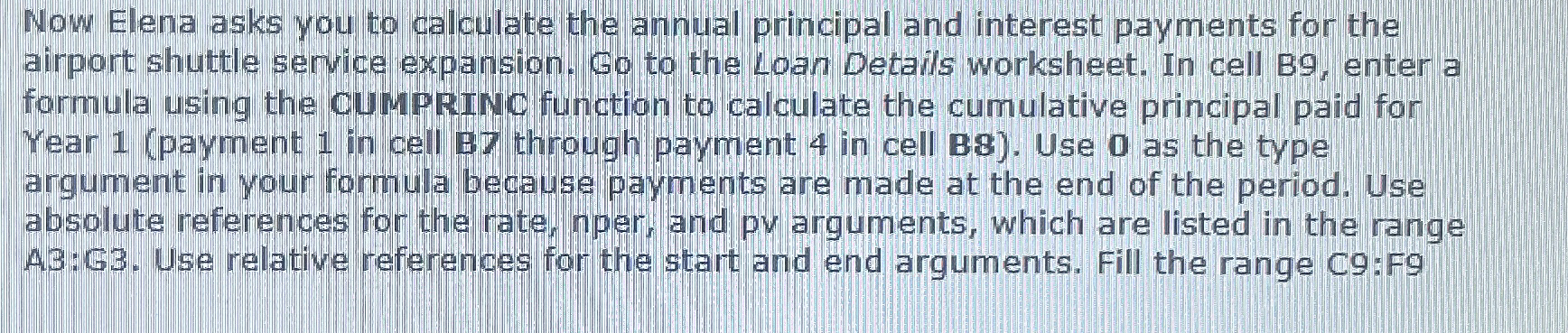
Now Elena asks you to calculate the annual principal and interest payments for the
airport shuttle service expansion. Go to the Loan Details worksheet. In cell B enter a
formula using the CUMPRINC function to calculate the cumulative principal paid for
Year payment in cell through payment in cell B Use as the type
argument in your formula because payments are made at the end of the period. Use
absolute neferences for the rate, nper, and pv arguments, which are listed in the range
A:G Use relative references for the start and end arguments. Fill the range C:F
Now Elena asks you to calculate the annual principal and interest payments for the
airport shuttle service expansion. Go to the Loan Details worksheet. In cell B enter a
formula using the CUMPRINC function to calculate the cumulative principal paid for
Year payment in cell through payment in cell B Use as the type
argument in your formula because payments are made at the end of the period. Use
absolute neferences for the rate, nper, and pv arguments, which are listed in the range
A:G Use relative references for the start and end arguments. Fill the range C:F
Now Elena asks you to calculate the annual principal and interest payments for the
airport shuttle service expansion. Go to the Loan Details worksheet. In cell B enter a
formula using the CUMPRINC function to calculate the cumulative principal paid for
Year payment in cell through payment in cell B Use as the type
argument in your formula because payments are made at the end of the period. Use
absolute neferences for the rate, nper, and pv arguments, which are listed in the range
A:G Use relative references for the start and end arguments. Fill the range C:F
Step by Step Solution
There are 3 Steps involved in it
1 Expert Approved Answer
Step: 1 Unlock

Question Has Been Solved by an Expert!
Get step-by-step solutions from verified subject matter experts
Step: 2 Unlock
Step: 3 Unlock
 Study Help