



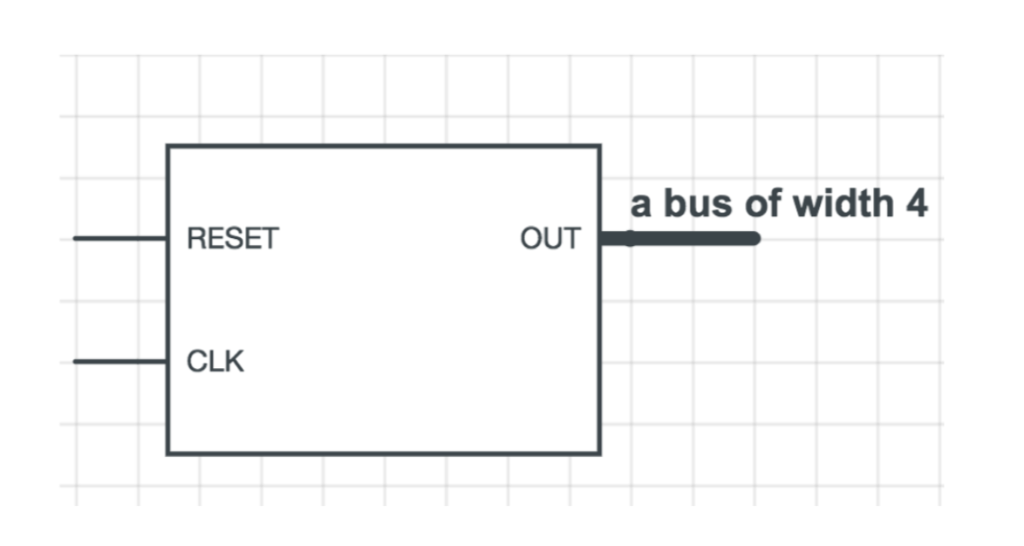
Question: 1. When the RESET pin is set to 1, the OUT is always 0. (This takes priority) 2. At every positive edge of the CLK,
1. When the RESET pin is set to 1, the OUT is always 0. (This takes priority)
2. At every positive edge of the CLK, the value of OUT will decrement by 1.
`default_nettype none
module tb_downcounter;
reg clk, reset; wire [3:0] count;
downcntr dut(clk, reset, count);
initial begin $dumpfile("dump.vcd"); $dumpvars(0, dut); clk
task assertEquals4; input [3:0] val; input [3:0] eq; begin if (val == eq) $display("[TEST][PASSED]"); else $display("[TEST][FAILED] Got %04b expected %04b", val, eq); end endtask
endmodule
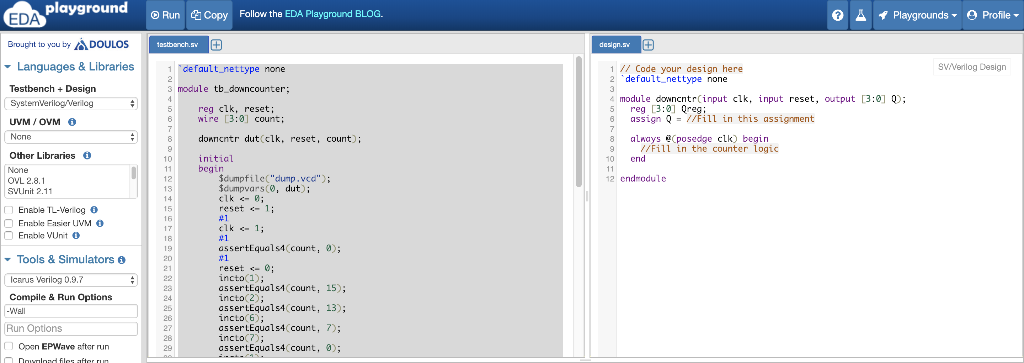
// Code your design here `default_nettype none
module downcntr(input clk, input reset, output [3:0] Q); reg [3:0] Qreg; assign Q = //Fill in this assignment always @(posedge clk) begin //Fill in the counter logic end
endmodule
a bus of width 4 RESET OUT CLK playground RunCopy Follow the EDA Playground BLOG. 0 Playgrounds Profile Broupht to you byDOULOSs Languages & Libraries TestbenchDesign desgn. Sv/Venlog Design 1 default_nettype none s module tb_downcounter 6 wire [3:0] count; 1 Code your design here 2 default nettype none 4module doancntr(input clk, input reset, output 3:0] 0 5 reg 3: Qreg; reg clk, reset; UVM /OVM 6 assign Q-/Fill in this assignment donncntr dut clk, reset, count); 8 alnays Cposedge clk) begin 9 /Fill in the counter logic Other Libraries 10initial end begin d.mpfile("dump. vcd'') ; 12 endodule OVL 2.8.1 SVllit 2.11 reset 1 Enabl: Easier VM O assertEquals4 count, 8); Tools & Simulators 0 Icarus Verilog 0.9. Compile & Run Options reset incto(l); assertEqualsA count, 15); incto(2) assertEquals4 count, 13); incto(6) asserLEquals4 count, 7); incto(?); assertEquals4 count, 8) Open EPWave after run
Step by Step Solution
There are 3 Steps involved in it

Get step-by-step solutions from verified subject matter experts