







Question: 16 Run the program to compare the results to your prediction. main.py 1 2 3 4 painter = trtl.Turtle() 5 painter.penup() 6 painter.goto(-200, 0)
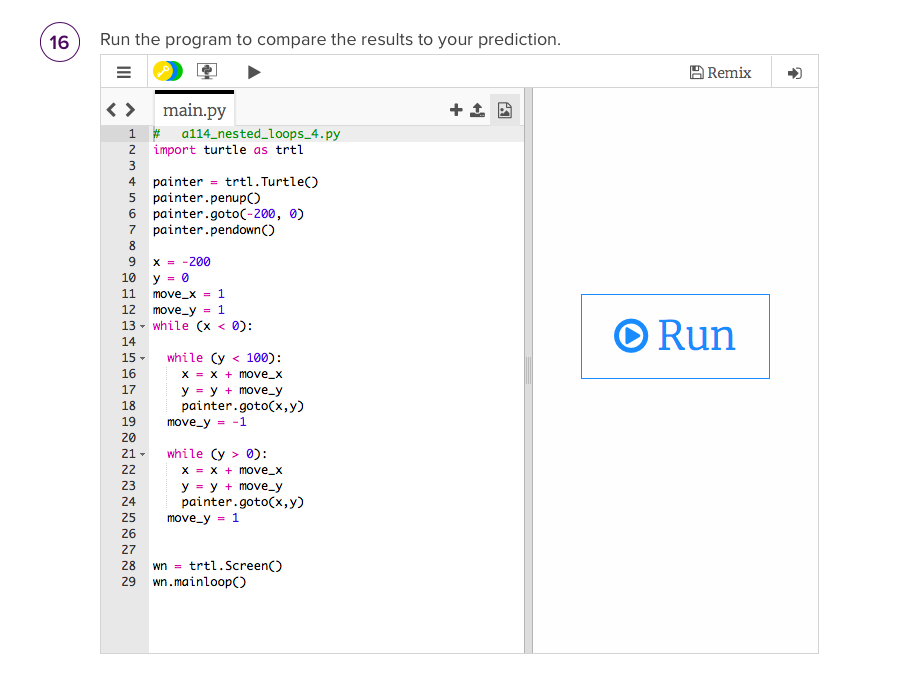
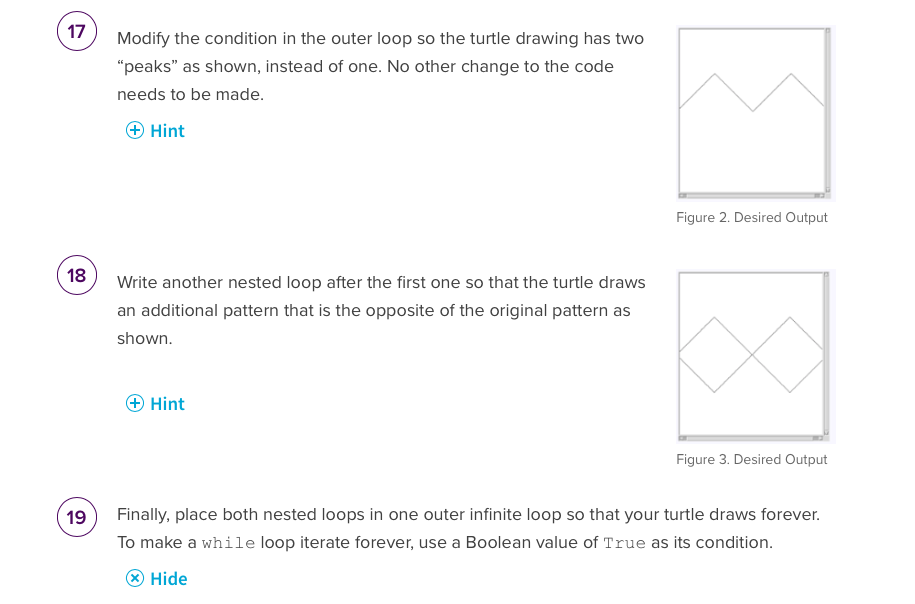
16 Run the program to compare the results to your prediction. main.py 1 2 3 4 painter = trtl.Turtle() 5 painter.penup() 6 painter.goto(-200, 0) painter.pendown() 7 8 9 10 11 12 13 14 15 - 16 17 18 19 20 21- 22 23 24 # a114_nested_loops_4.py import turtle as trtl 25 26 x = -200 y = 0 move_x = 1 move_y = 1 while (x < 0): while (y < 100): x = x + move_x y = y + move_y painter.goto(x,y) move_y = -1 while (y > 0): X = x + move_x y = y + move_y painter.goto(x,y) move_y = 1 27 28 wn trtl. Screen() 29 wn.mainloop() = ++ B Remix Run 17 18 19 Modify the condition in the outer loop so the turtle drawing has two "peaks" as shown, instead of one. No other change to the code needs to be made. + Hint Write another nested loop after the first one so that the turtle draws an additional pattern that is the opposite of the original pattern as shown. + Hint Figure 2. Desired Output Figure 3. Desired Output Finally, place both nested loops in one outer infinite loop so that your turtle draws forever. To make a while loop iterate forever, use a Boolean value of True as its condition. Hide
Step by Step Solution
There are 3 Steps involved in it
The Python script provided uses the Turtle module to draw on a canvas Based on the questions and the provided screenshots it appears that youre being ... View full answer

Get step-by-step solutions from verified subject matter experts
 Study Help