







Question: 4, copy and paste line 49 as a new line in the file, which isline 50, and then use line comment // to comment out
4, copy and paste line 49 as a new line in the file, which isline 50, and then use line comment // to comment out line 49.And then remove the parameter of method mouseClick() in line 50,which is null. Then you need to supply a suitable parameterfor mouseClick() method, so that mouseClick() methodonly responds to your click on the block objectitself.
Run and test your program and make sure it works.
5. copy and paste line 50 as a new line in the file, which isline 51, and then use line comment // to comment out line 50.And then remove the parameter of method mouseClick() in line 51.Then you need to supply a suitable parameter formouseClick() method, so that mouseClick() methodonly responds to your click on the backgroundWorld object.
Run and test your program and make sure it works.
When you finish line 49, 50, and 51 should look like these threelines:
// if (Greenfoot.mouseClicked (null)) // line49
// if (Greenfoot.mouseClicked (a suitable parameter provided byyou) ) // line 50
if (Greenfoot.mouseClicked (a suitable parameter provided byyou) ) // line 51
Language: Java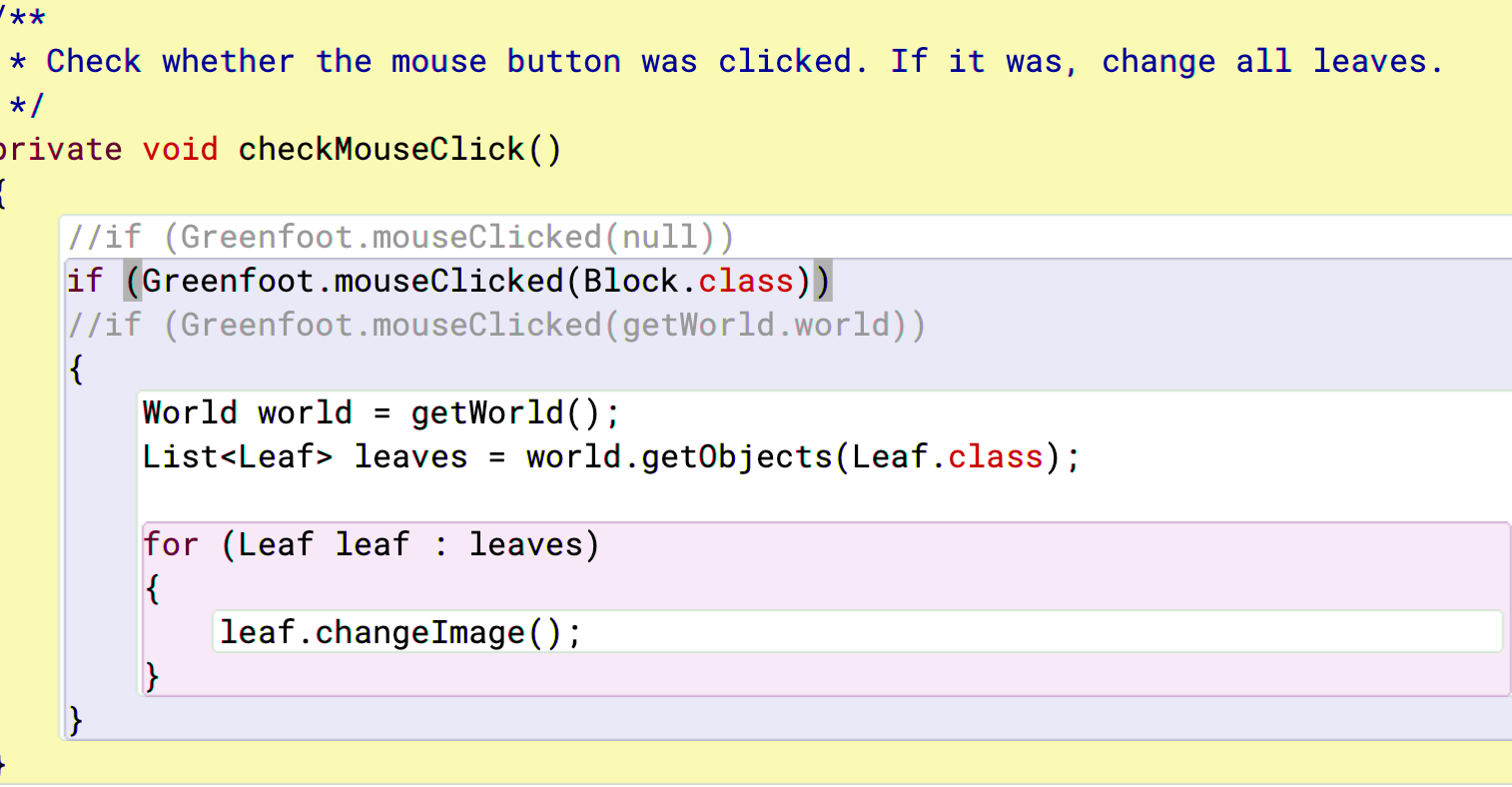
** * Check whether the mouse button was clicked. If it was, change all leaves. */ private void checkMouseClick() //if (Greenfoot.mouseClicked(null)) if (Greenfoot.mouseClicked (Block.class)) //if (Greenfoot.mouseClicked(getWorld.world)) { World world = getWorld(); List leaves = world.getObjects (Leaf.class); for (Leaf leaf : leaves) } leaf.changeImage(); }
Step by Step Solution
There are 3 Steps involved in it

Get step-by-step solutions from verified subject matter experts
 Study Help