







Question: 4. Using basic commands, find the largest file in the /usr/bin directory. (may need to research online for ideas) Who is the owner of the
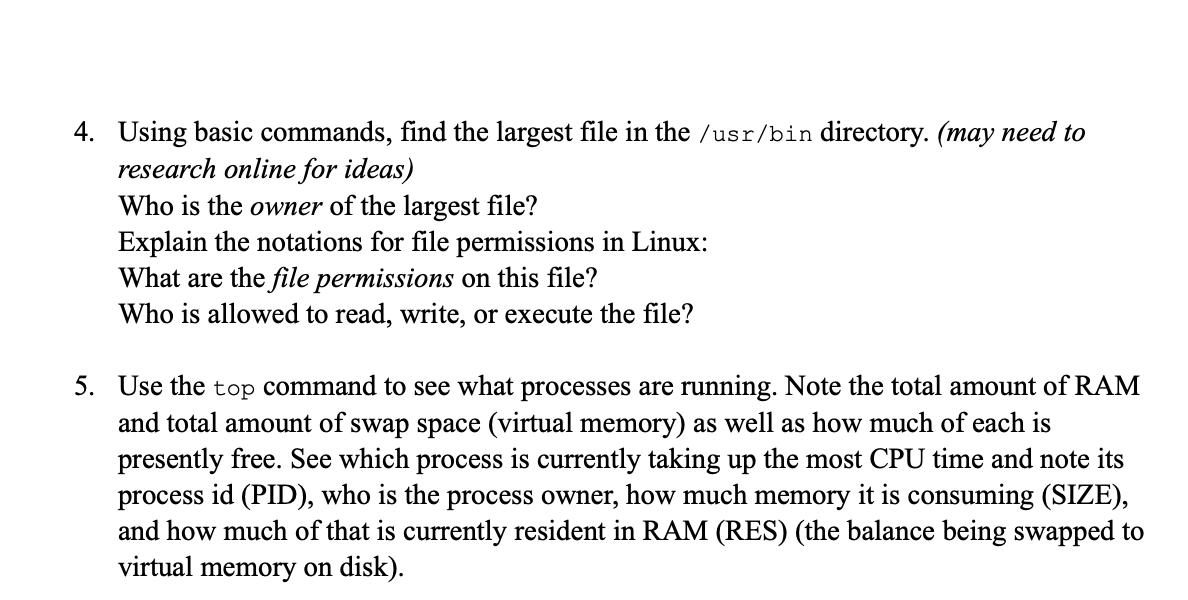
4. Using basic commands, find the largest file in the /usr/bin directory. (may need to research online for ideas) Who is the owner of the largest file? Explain the notations for file permissions in Linux: What are the file permissions on this file? Who is allowed to read, write, or execute the file? 5. Use the top command to see what processes are running. Note the total amount of RAM and total amount of swap space (virtual memory) as well as how much of each is presently free. See which process is currently taking up the most CPU time and note its process id (PID), who is the process owner, how much memory it is consuming (SIZE), and how much of that is currently resident in RAM (RES) (the balance being swapped to virtual memory on disk)
Step by Step Solution
There are 3 Steps involved in it

Get step-by-step solutions from verified subject matter experts
 Study Help