







Question: 4. You are required to use Microsoft Excel to create a Gantt chart to plan your training. Learner Guideline: You can refer to an
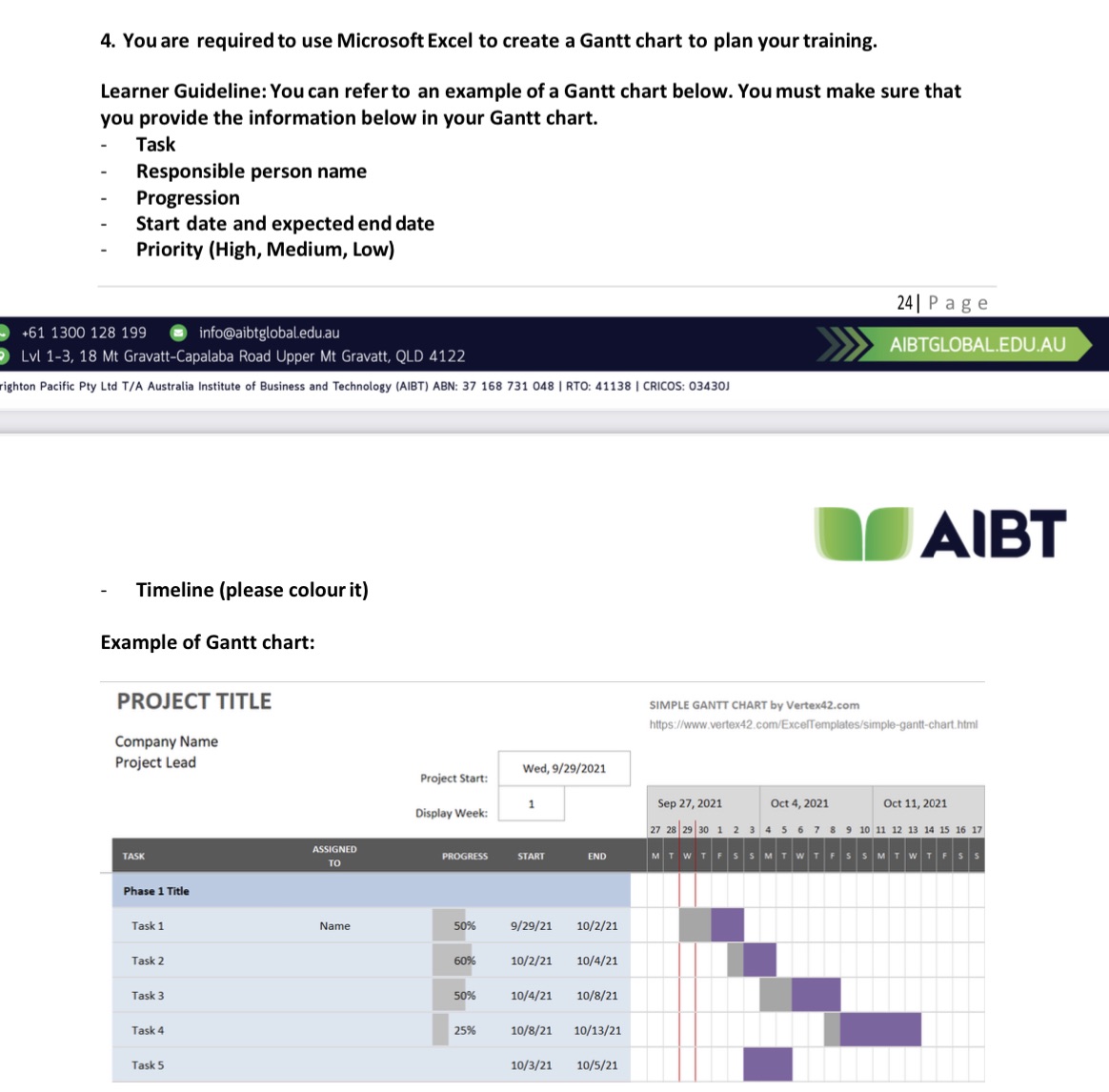
4. You are required to use Microsoft Excel to create a Gantt chart to plan your training. Learner Guideline: You can refer to an example of a Gantt chart below. You must make sure that you provide the information below in your Gantt chart. - - Task Responsible person name Progression Start date and expected end date Priority (High, Medium, Low) +61 1300 128 199 info@aibtglobal.edu.au Lvl 1-3, 18 Mt Gravatt-Capalaba Road Upper Mt Gravatt, QLD 4122 righton Pacific Pty Ltd T/A Australia Institute of Business and Technology (AIBT) ABN: 37 168 731 048 | RTO: 41138 | CRICOS: 03430J Timeline (please colour it) Example of Gantt chart: PROJECT TITLE Company Name Project Lead TASK Phase 1 Title Task 1 Task 2 Task 3 Task 4 Task 5 ASSIGNED TO 24 Page AIBTGLOBAL.EDU.AU AIBT SIMPLE GANTT CHART by Vertex42.com https://www.vertex42.com/ExcelTemplates/simple-gantt-chart.html Wed, 9/29/2021 Project Start: 1 Display Week: Sep 27, 2021 PROGRESS START END Name 50% 9/29/21 10/2/21 60% 10/2/21 10/4/21 50% 10/4/21 10/8/21 25% 10/8/21 10/13/21 10/3/21 10/5/21 Oct 4, 2021 Oct 11, 2021 27 28 29 30 1 2 3 4 5 6 7 8 9 10 11 12 13 14 15 16 17 MTWTFSS MTWTFSSMTWTFS
Step by Step Solution
There are 3 Steps involved in it

Get step-by-step solutions from verified subject matter experts
 Study Help