







Question: All of the queries requested below use the SELECT command and retrieve data from one or more table. After you are able to run your
All of the queries requested below use the SELECT command and retrieve data from one or more table. After you are able to run your SQL statement and get the desired result, please copy the content below into this Word document (the one you are currently reading):
- For each product, retrieve its product id, product name, product price, vendor name, category name Hint: You need to include 3 tables in your FROM clause and you will need 2 JOINS
- Retrieve the number of products (Give the mathematical expression the alias of [product_no]), average product price (Give the mathematical expression the alias of [avgprice]), lowest product price (Give the mathematical expression the alias of [minprice]), and the highest product price (Give the mathematical expression the alias of [maxprice]) in the FW product category
- For each vendor, retrieve the vendor id, vendor name, and the number of products with a product price greater than $100 supplied by the vendor
- For each product, retrieve the ProductID, product name, the number of sales transactions in which the product was sold and the total number of product items sold within all sales transactions.
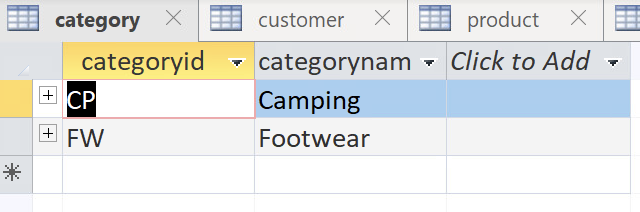
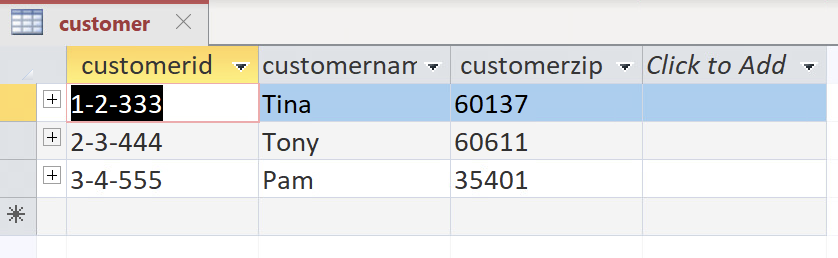
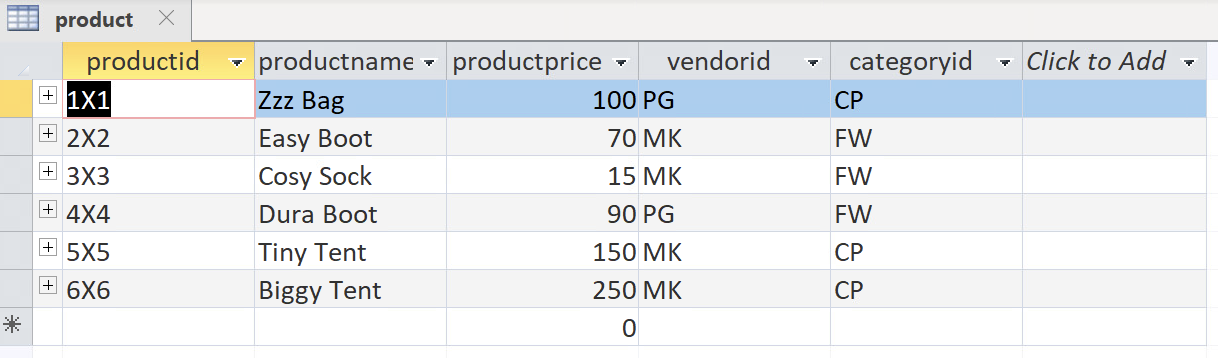
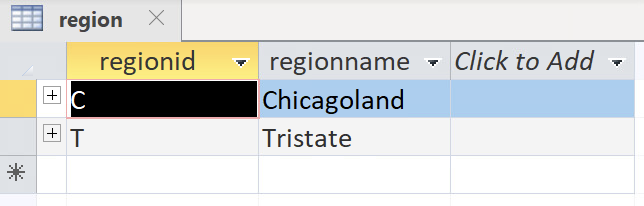
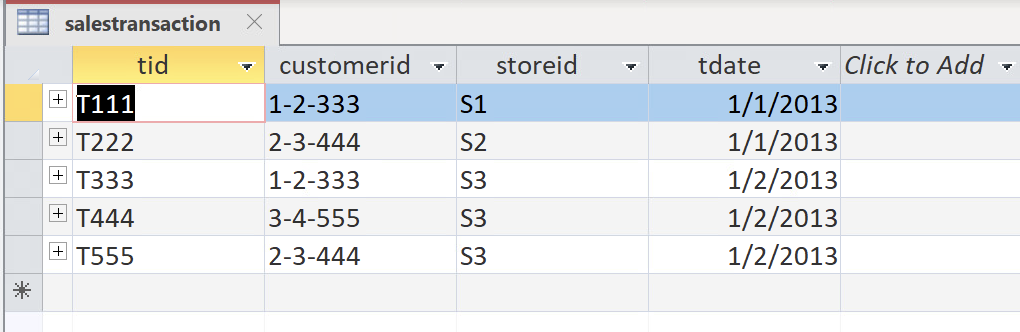
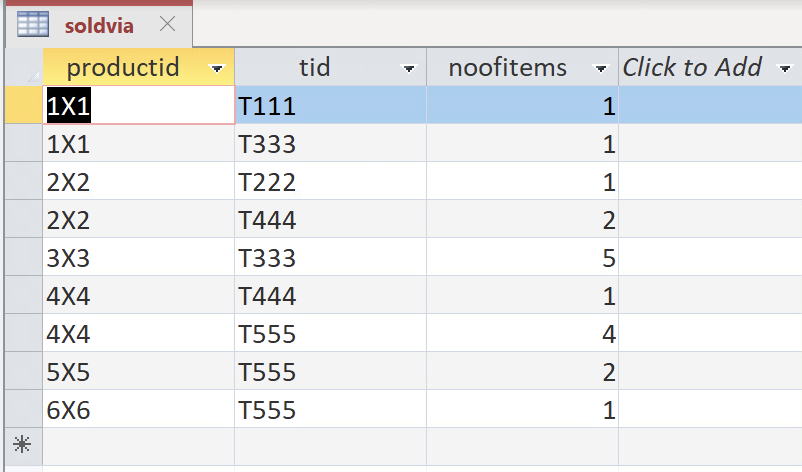
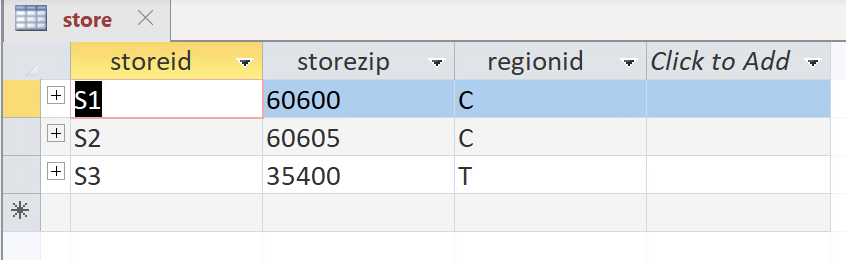
![(Give the mathematical expression the alias of [product_no]), average product price (Give](https://dsd5zvtm8ll6.cloudfront.net/si.experts.images/questions/2024/11/6730f63051fa1_9996730f62fb4124.jpg)
store vendor \begin{tabular}{lll} & vendorid & vendorname = Click to Add = \\ \hline MK & Mountain King \\ \hline PG & Pacifica Gear \end{tabular} customer soldvia product
Step by Step Solution
There are 3 Steps involved in it
1 Expert Approved Answer
Step: 1 Unlock

Question Has Been Solved by an Expert!
Get step-by-step solutions from verified subject matter experts
Step: 2 Unlock
Step: 3 Unlock
 Study Help