







Question: Android mobile app - I have created a tip calculator and the problem I'm having is if i type in double digit or more digitsbefore
Android mobile app
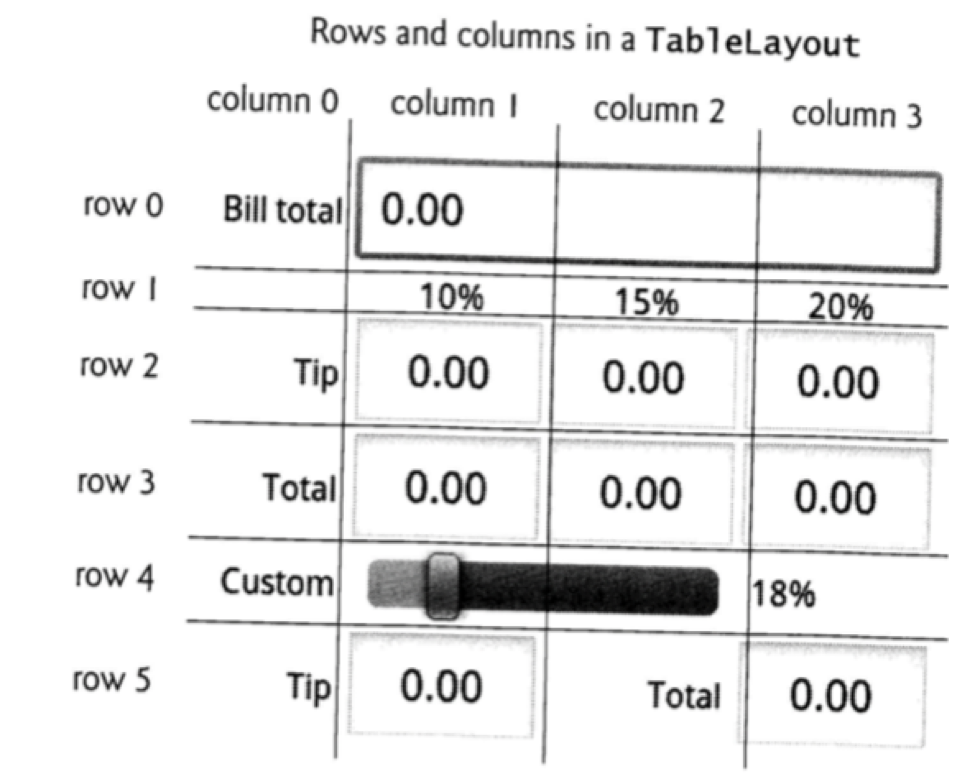
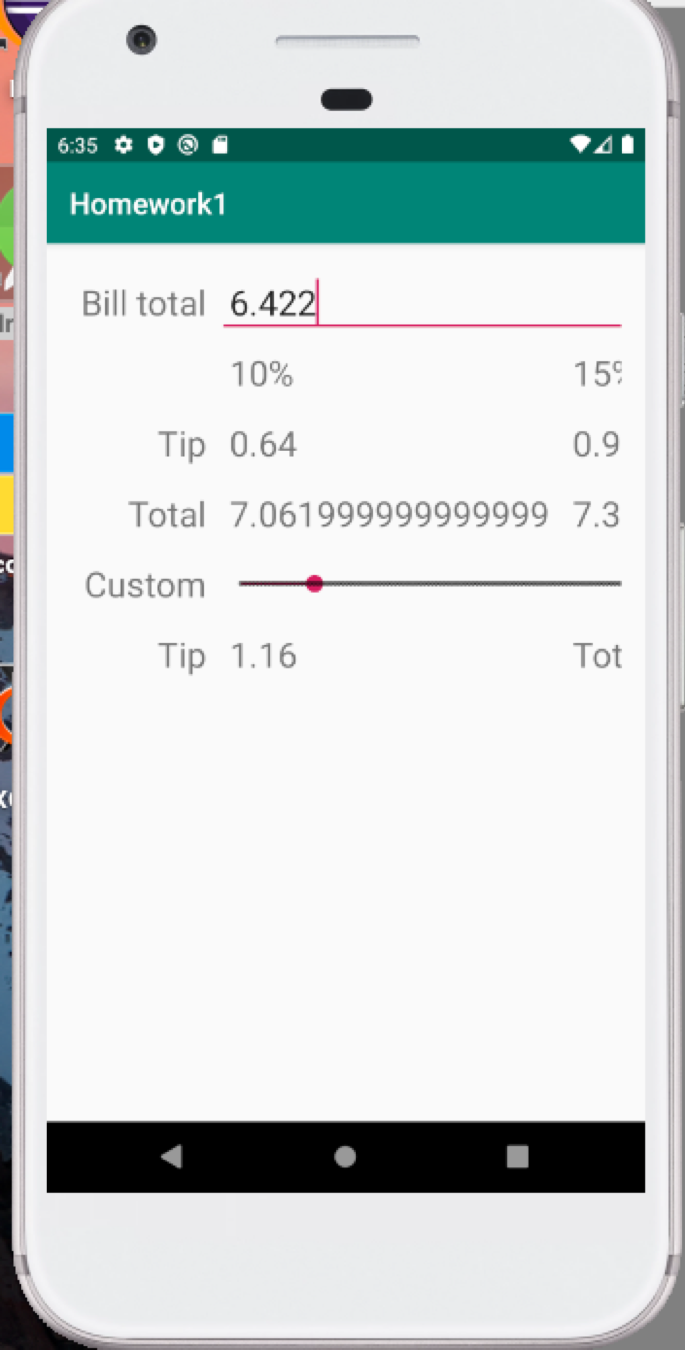
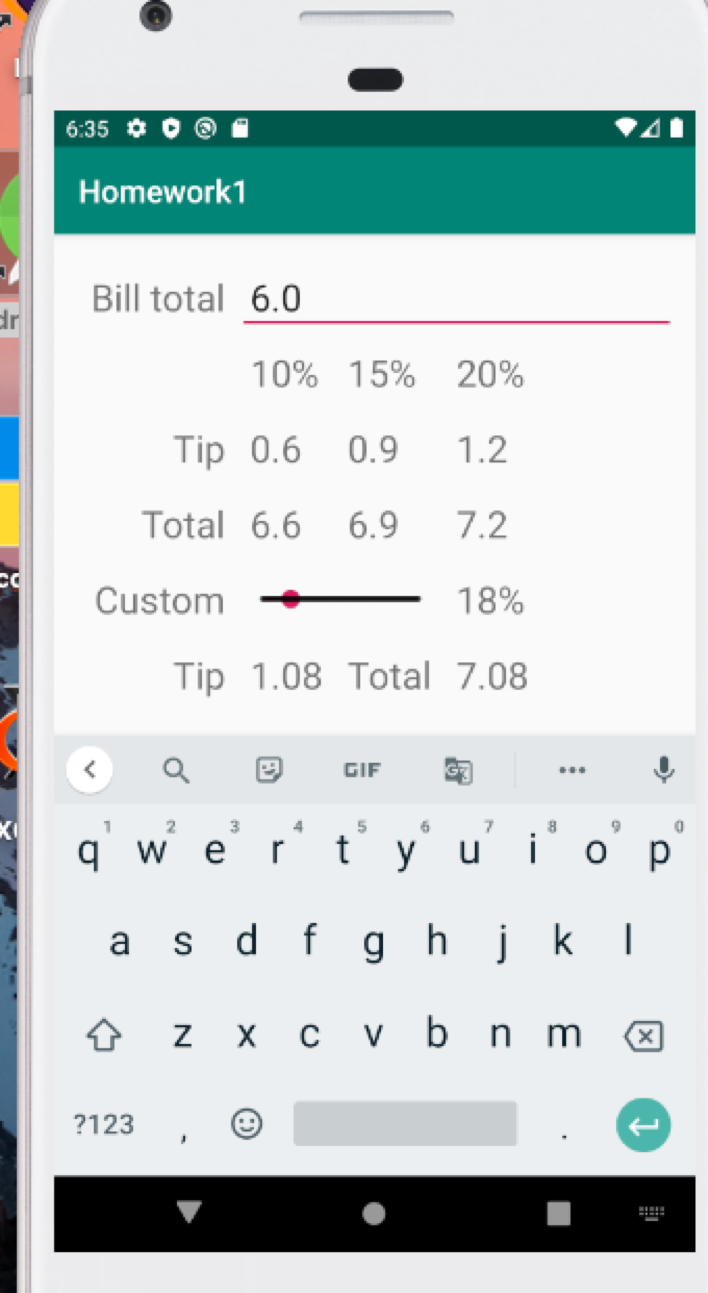
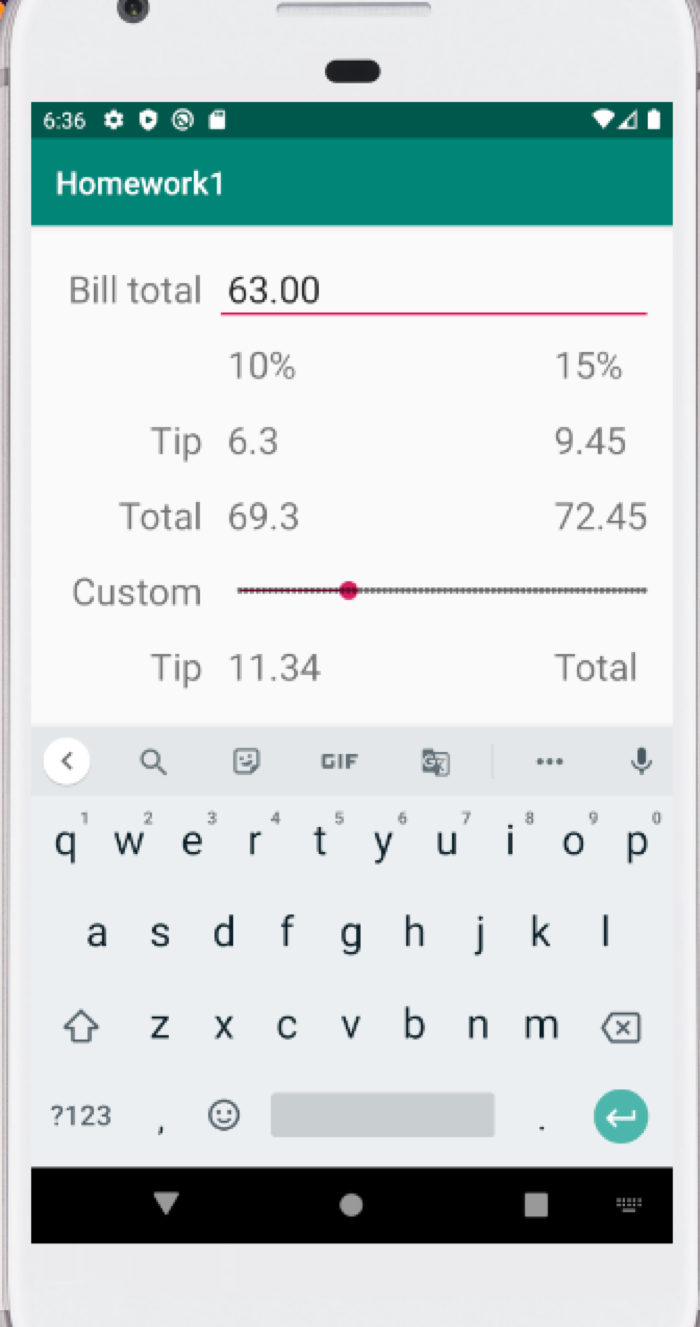
- I have created a tip calculator and the problem I'm having is if i type in double digit or more digitsbefore and after the decimal on the bill total section, the screen changes and cannot look at the full screen. I need all the numbers to show only two decimal places like in the required output below( that way the whole screen is there). I have posted the output thats needed, and the output I'm having. I will post the java code, please help me fix this, add on to the java code.
SUPPOSED TO LOOK LIKE THIS:
MY OUTPUTS WITH DIFFERENT INPUTS ENTERED:
JAVA CODE:
package com.example.homework1; import androidx.appcompat.app.AppCompatActivity; import android.os.Bundle; import android.text.Editable; import android.text.TextWatcher; import android.widget.EditText; import android.widget.SeekBar; import android.widget.TextView; public class MainActivity extends AppCompatActivity { private EditText bill; private TextView tv_tip1, tv_tip2, tv_tip3, tv_tipx, tv_total1, tv_total2, tv_total3, tv_totalx, seekVal; private SeekBar seekBar; private double bill_amount, tip1, tip2, tip3, tipx, total1, total2, total3, totalx, tipxper; //private static DecimalFormat df2 = new DecimalFormat("#.##"); @Override protected void onCreate(Bundle savedInstanceState) { super.onCreate(savedInstanceState); setContentView(R.layout.activity_main); tipxper = 18; bill = findViewById(R.id.bill); tv_tip1 = findViewById(R.id.tip1); tv_tip2 = findViewById(R.id.tip2); tv_tip3 = findViewById(R.id.tip3); tv_tipx = findViewById(R.id.tipx); tv_total1 = findViewById(R.id.total1); tv_total2 = findViewById(R.id.total2); tv_total3 = findViewById(R.id.total3); tv_totalx = findViewById(R.id.totalx); seekBar = findViewById(R.id.seekBar); seekVal = findViewById(R.id.seekval); bill.addTextChangedListener(new TextWatcher() { @Override public void beforeTextChanged(CharSequence s, int start, int count, int after) { } @Override public void onTextChanged(CharSequence s, int start, int before, int count) { } @Override public void afterTextChanged(Editable s) { bill_amount = Double.parseDouble(bill.getText().toString()); //bill_amount= Float.parseFloat(bill.getText().toString()); updateUI(); } }); seekBar.setOnSeekBarChangeListener(new SeekBar.OnSeekBarChangeListener() { @Override public void onProgressChanged(SeekBar seekBar, int progress, boolean fromUser) { tipxper = progress; updateSeekUI(); } @Override public void onStartTrackingTouch(SeekBar seekBar) { } @Override public void onStopTrackingTouch(SeekBar seekBar) { } }); } private void updateUI() { tip1 = Math.round(10 * bill_amount) / 100.0; tip2 = Math.round(15 * bill_amount) / 100.0; tip3 = Math.round(20 * bill_amount) / 100.0; tipx = Math.round(tipxper * bill_amount) / 100.0; tv_tip1.setText(tip1+""); tv_tip2.setText(tip2+""); tv_tip3.setText(tip3+""); tv_tipx.setText(tipx+""); total1 = bill_amount + tip1; total2 = bill_amount + tip2; total3 = bill_amount + tip3; totalx = bill_amount + tipx; tv_total1.setText(total1+""); tv_total2.setText(total2+""); tv_total3.setText(total3+""); tv_totalx.setText(totalx+""); } private void updateSeekUI() { seekVal.setText(tipxper + "%"); tipx = bill_amount * tipxper /100.0; totalx = bill_amount + tipx; tv_tipx.setText(tipx+""); tv_totalx.setText(totalx+""); } }
Rows and columns in a TableLayout column o column 1 column 2 column 3 row 0 Bill total 0.00 row 10% 15% 20% row 2 Tip 0.00 0.00 0.00 row 3 Total 0.00 0.00 0.00 row 4 Custom 18% row 5 Tip 0.00 Total 0.00 6:35 Oo@ Homework1 Ar Bill total 6.0 10% 15% 20% Tip 0.6 0.9 1.2 Total 6.6 6.9 7.2 Custom - 18% Tip 1.08 Total 7.08 qwertyuiop | a s d f g h j k l 6 zxcvbnm ?123, 6:36 O @ A Homework1 Bill total 63.00 10% 15% 9.45 Tip 6.3 Total 69.3 72.45 Custom Tip 11.34 Total q' we r t yu'i' o p as d f g h j k l z X c v b nm ?123, ?123 HR
Step by Step Solution
There are 3 Steps involved in it

Get step-by-step solutions from verified subject matter experts
 Study Help