







Question: Android Studio Create an android project base on the follow(See image below) -A user can enter any character that will not exceed to 20 characters.
Android Studio
Create an android project base on the follow(See image below)
-A user can enter any character that will not exceed to 20 characters. It includes alphabets, digits and spaces.
-Use the evaluate button to get the desired output.
-If the user enters more than 20 characters, a toast message displays this "The entry has exceeded the number of characters allowed!
-The total number will be displayed for alphabets, digits and spaces.
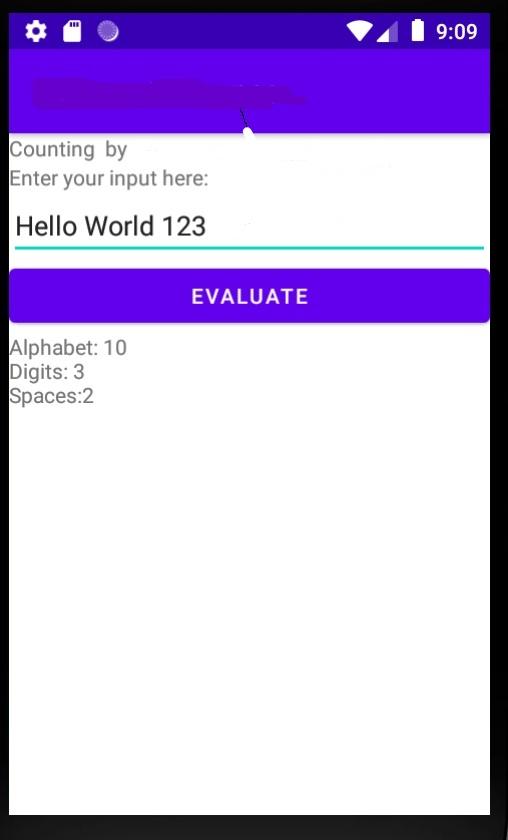
9:09 Counting by Enter your input here: Hello World 123 EVALUATE Alphabet: 10 Digits: 3 Spaces:2 9:09 Counting by Enter your input here: Hello World 123 EVALUATE Alphabet: 10 Digits: 3 Spaces:2
Step by Step Solution
There are 3 Steps involved in it
1 Expert Approved Answer
Step: 1 Unlock

Question Has Been Solved by an Expert!
Get step-by-step solutions from verified subject matter experts
Step: 2 Unlock
Step: 3 Unlock
 Study Help