







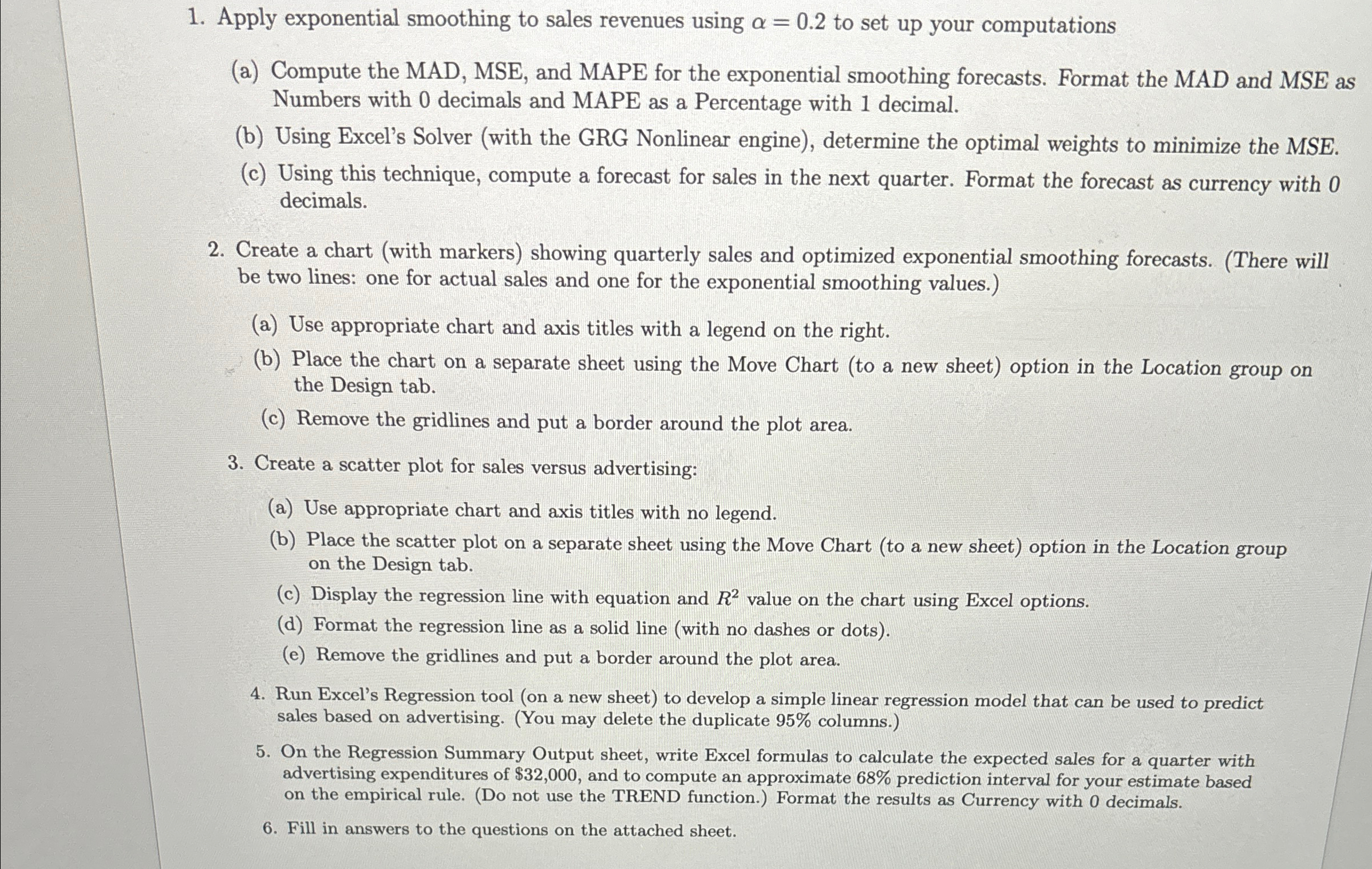
Question: Apply exponential smoothing to sales revenues using = 0 . 2 to set up your computations ( a ) Compute the MAD, MSE, and MAPE
Apply exponential smoothing to sales revenues using to set up your computations
a Compute the MAD, MSE, and MAPE for the exponential smoothing forecasts. Format the MAD and MSE as Numbers with decimals and MAPE as a Percentage with decimal.
b Using Excel's Solver with the GRG Nonlinear engine determine the optimal weights to minimize the MSE.
c Using this technique, compute a forecast for sales in the next quarter. Format the forecast as currency with decimals.
Create a chart with markers showing quarterly sales and optimized exponential smoothing forecasts. There will be two lines: one for actual sales and one for the exponential smoothing values.
a Use appropriate chart and axis titles with a legend on the right.
b Place the chart on a separate sheet using the Move Chart to a new sheet option in the Location group on the Design tab.
c Remove the gridlines and put a border around the plot area.
Create a scatter plot for sales versus advertising:
a Use appropriate chart and axis titles with no legend.
b Place the scatter plot on a separate sheet using the Move Chart to a new sheet option in the Location group on the Design tab.
c Display the regression line with equation and value on the chart using Excel options.
d Format the regression line as a solid line with no dashes or dots
e Remove the gridlines and put a border around the plot area.
Run Excel's Regression tool on a new sheet to develop a simple linear regression model that can be used to predict sales based on advertising. You may delete the duplicate columns.
On the Regression Summary Output sheet, write Excel formulas to calculate the expected sales for a quarter with advertising expenditures of $ and to compute an approximate prediction interval for your estimate based on the empirical rule. Do not use the TREND function. Format the results as Currency with decimals.
Fill in answers to the questions on the attached sheet.
Step by Step Solution
There are 3 Steps involved in it
1 Expert Approved Answer
Step: 1 Unlock

Question Has Been Solved by an Expert!
Get step-by-step solutions from verified subject matter experts
Step: 2 Unlock
Step: 3 Unlock
 Study Help