







Question: Assembler program that accepts an integer from the user (use numbers less than 10) similar to the Little Man Computer The program displays the Factorial
Assembler program that accepts an integer from the user (use numbers less than 10) similar to the Little Man Computer
The program displays the Factorial of the number
Assembler program(text, no bitmap)
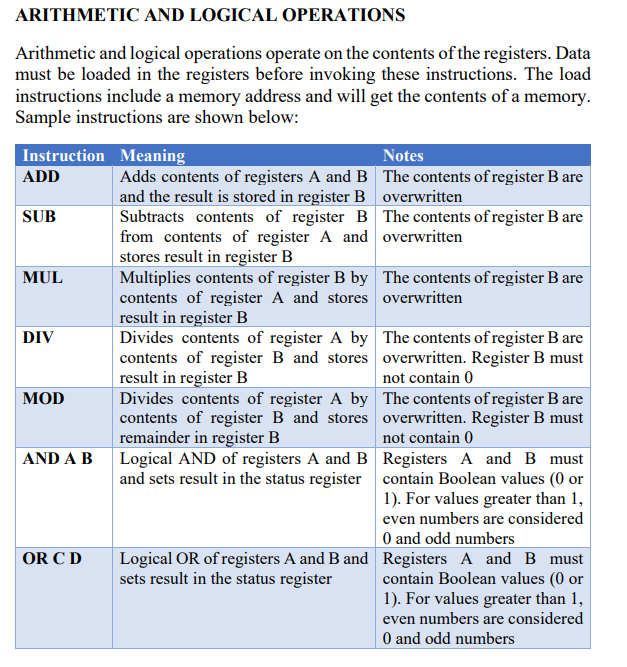
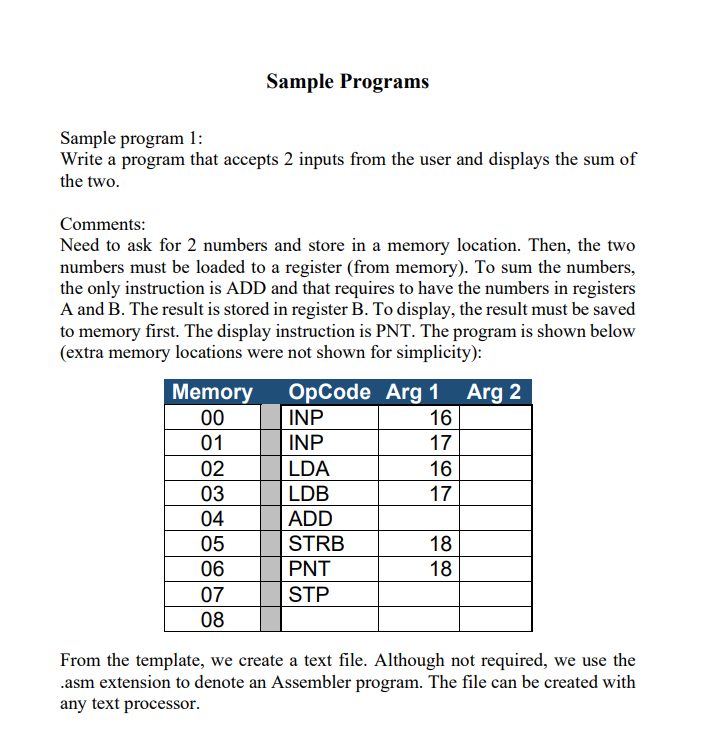
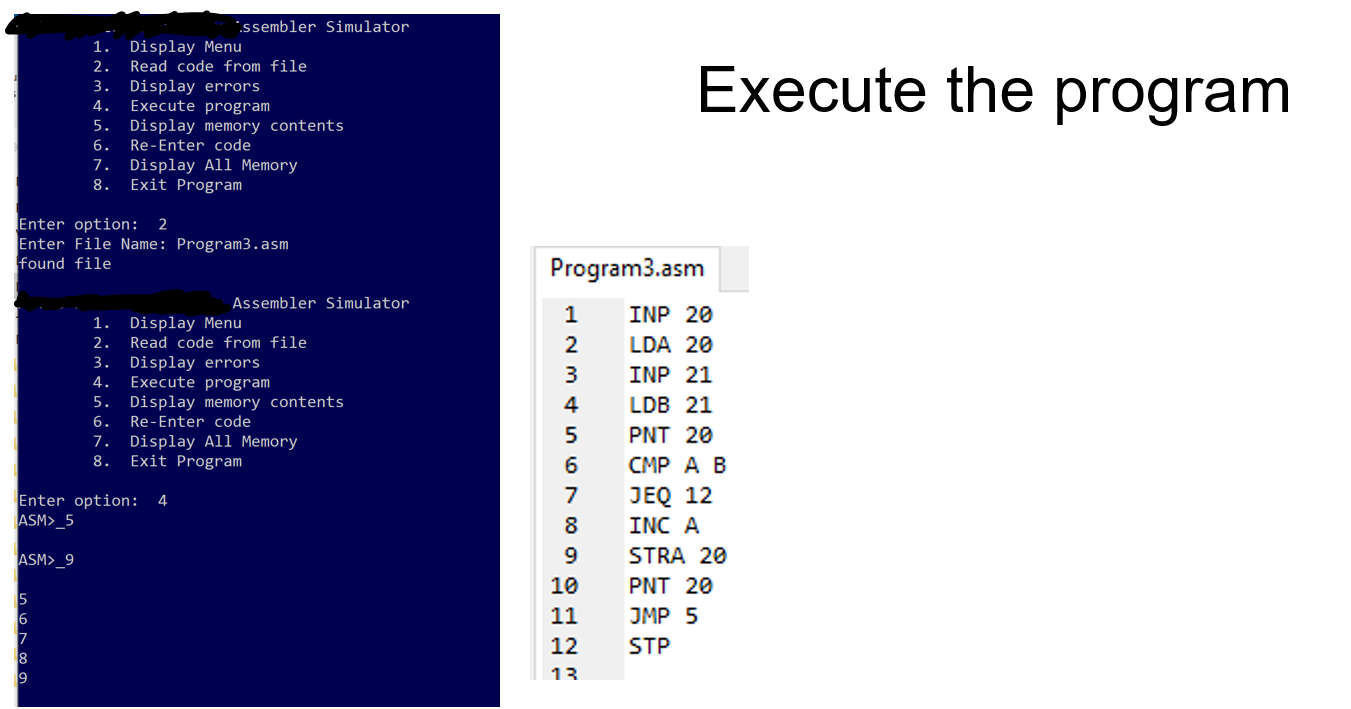
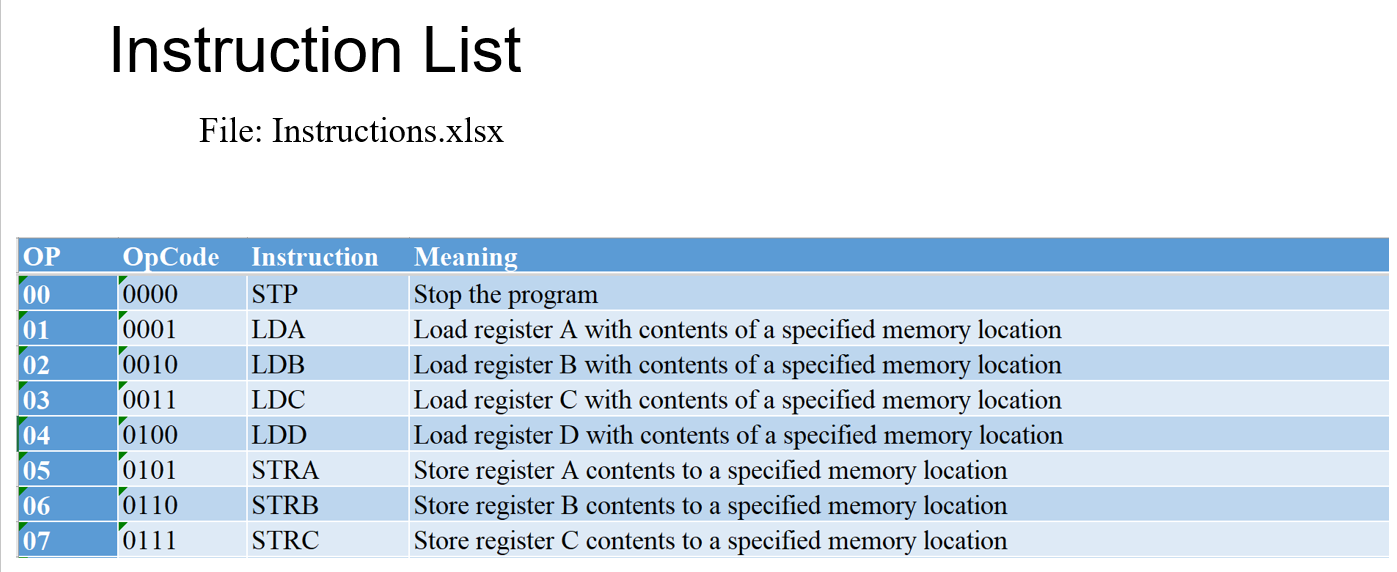
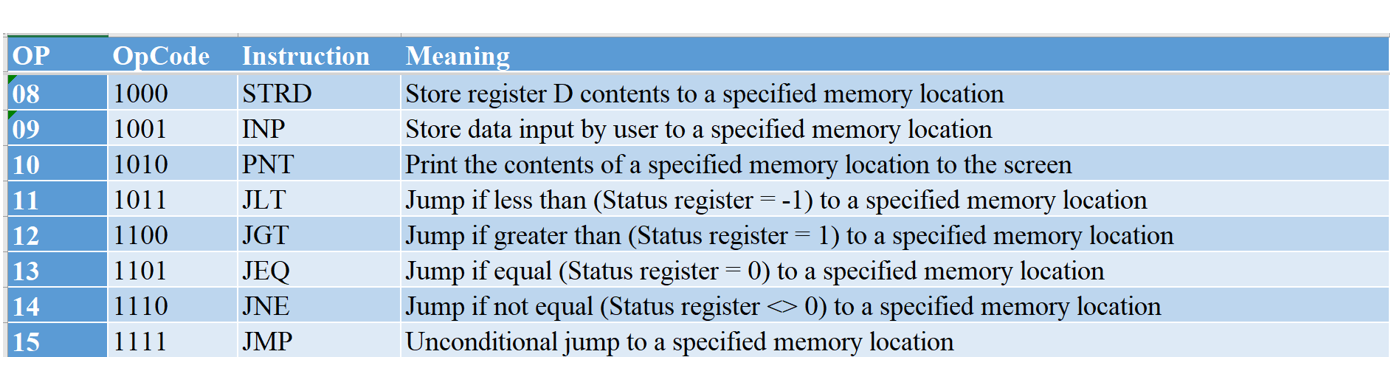
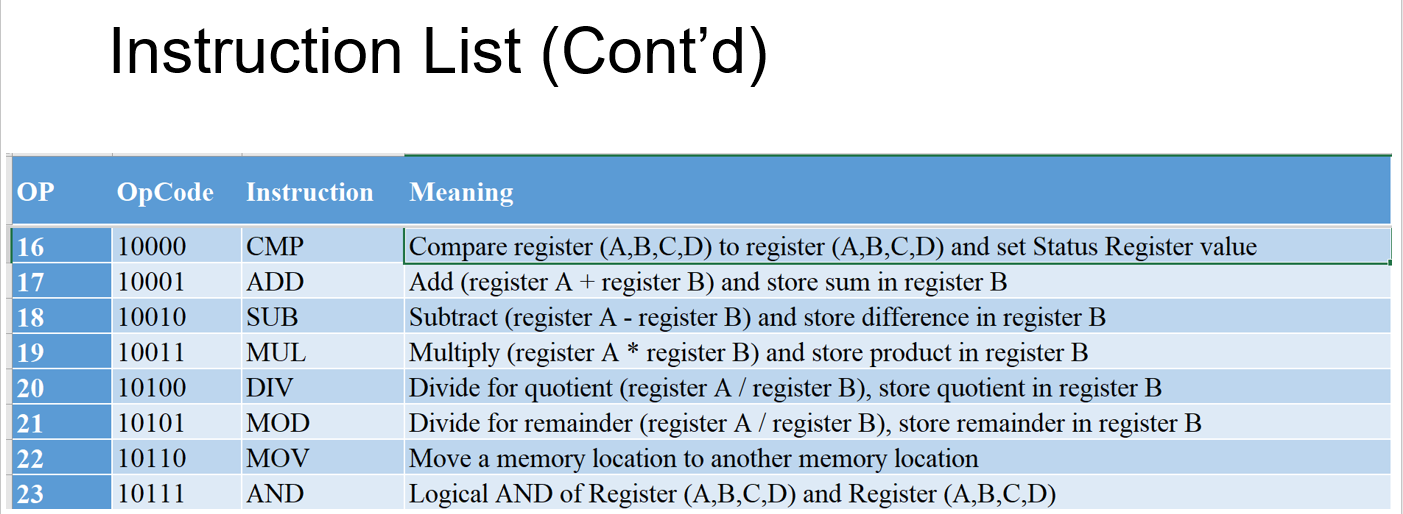
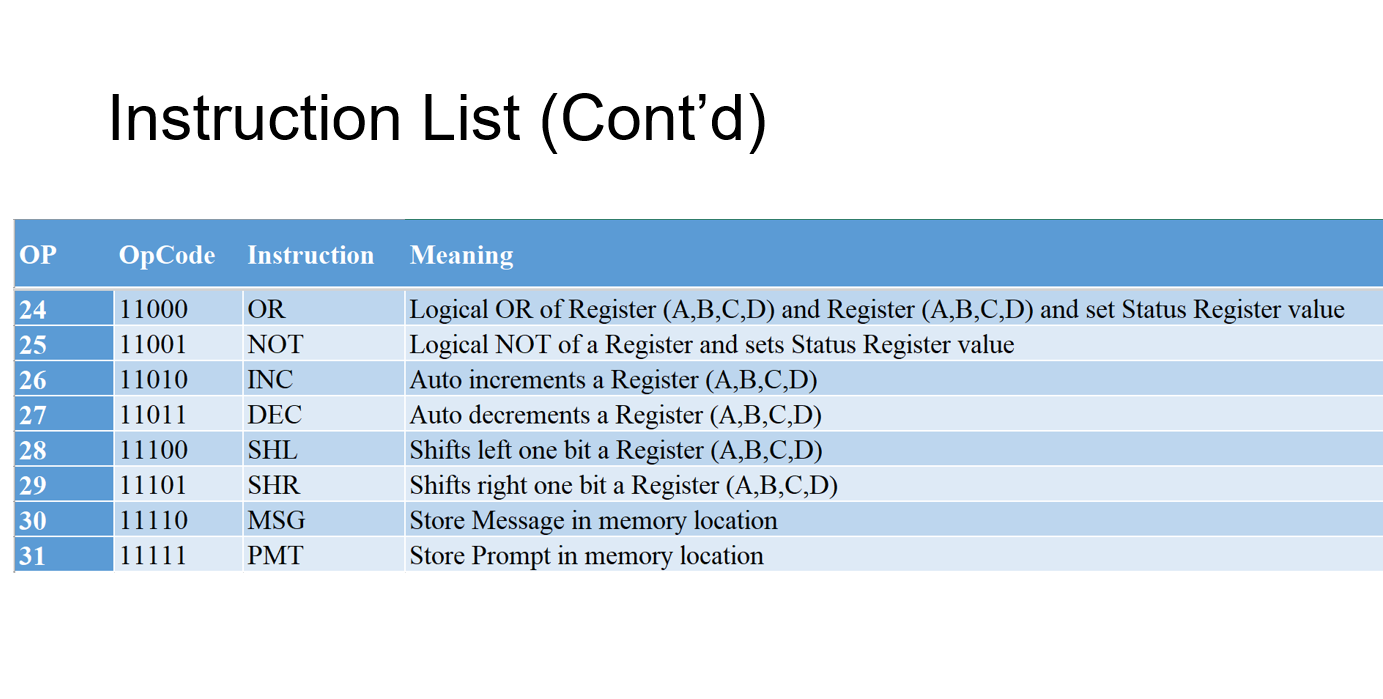
ARITHMETIC AND LOGICAL OPERATIONS Arithmetic and logical operations operate on the contents of the registers. Data must be loaded in the registers before invoking these instructions. The load instructions include a memory address and will get the contents of a memory. Sample program 1: Write a program that accepts 2 inputs from the user and displays the sum of the two. Comments: Need to ask for 2 numbers and store in a memory location. Then, the two numbers must be loaded to a register (from memory). To sum the numbers, the only instruction is ADD and that requires to have the numbers in registers A and B. The result is stored in register B. To display, the result must be saved to memory first. The display instruction is PNT. The program is shown below (extra memory locations were not shown for simplicity): From the template, we create a text file. Although not required, we use the .asm extension to denote an Assembler program. The file can be created with any text processor. Execute the program Instruction List File: Instructions.xlsx \begin{tabular}{|l|l|l|l|} \hline OP & Opcode & Instruction & Meaning \\ \hline 08 & 1000 & STRD & Store register D contents to a specified memory location \\ \hline 09 & 1001 & INP & Store data input by user to a specified memory location \\ \hline 10 & 1010 & PNT & Print the contents of a specified memory location to the screen \\ \hline 11 & 1011 & JLT & Jump if less than (Status register =1 ) to a specified memory location \\ \hline 12 & 1100 & JGT & Jump if greater than (Status register =1 ) to a specified memory location \\ \hline 13 & 1101 & JEQ & Jump if equal (Status register =0 ) to a specified memory location \\ \hline 14 & 1110 & JNE & Jump if not equal (Status register
Step by Step Solution
There are 3 Steps involved in it

Get step-by-step solutions from verified subject matter experts
 Study Help