







Question: ATMEGA2650 Arduino chipset in AVR Assembly Code 1. Use a loop to write decrementing hexadecimal numbers into consecutive memory locations in the data memory, starting
 ATMEGA2650 Arduino chipset in AVR Assembly Code
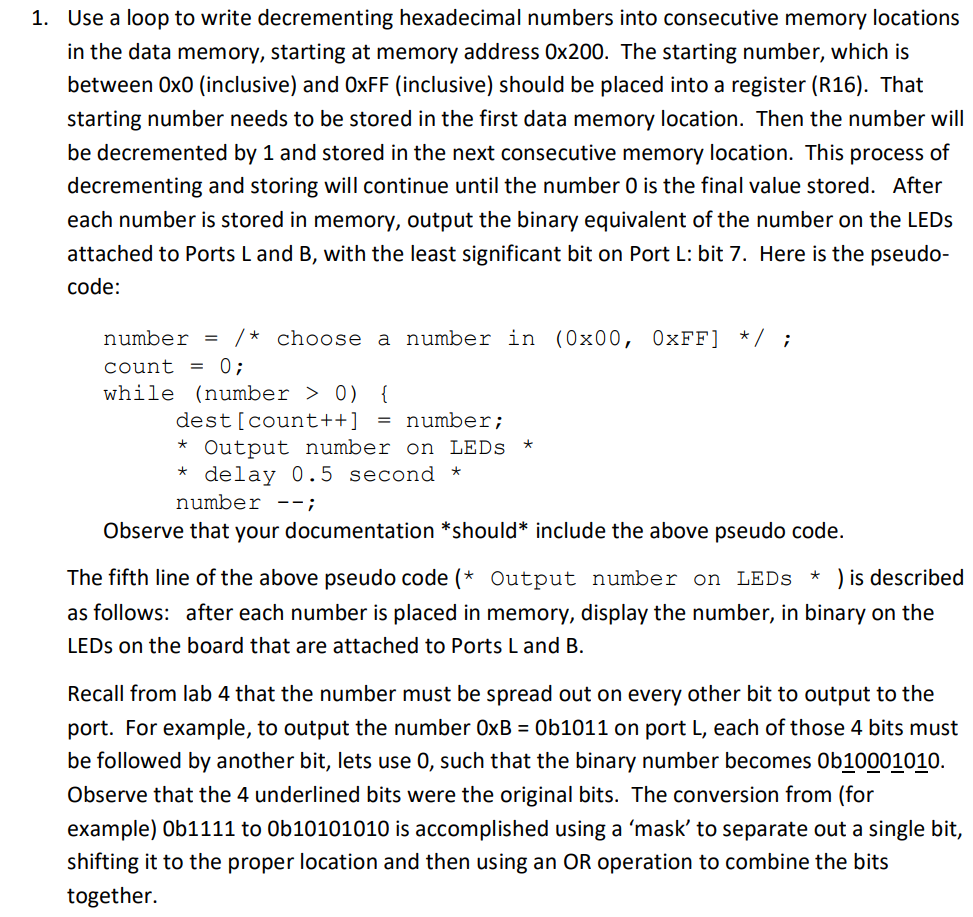
1. Use a loop to write decrementing hexadecimal numbers into consecutive memory locations in the data memory, starting at memory address 0x200. The starting number, which is between Oxo (inclusive) and OxFF (inclusive) should be placed into a register (R16). That starting number needs to be stored in the first data memory location. Then the number will be decremented by 1 and stored in the next consecutive memory location. This process of decrementing and storing will continue until the number O is the final value stored. After each number is stored in memory, output the binary equivalent of the number on the LEDs attached to Ports Land B, with the least significant bit on Port L: bit 7. Here is the pseudo- code: number = /* choose a number in (0x00, OxFF] */ ; count = 0; while (number > 0) { dest[count++] = number; * Output number on LEDs * * delay 0.5 second * number --; Observe that your documentation *should* include the above pseudo code. The fifth line of the above pseudo code (* Output number on LEDs * ) is described as follows: after each number is placed in memory, display the number, in binary on the LEDs on the board that are attached to Ports Land B. Recall from lab 4 that the number must be spread out on every other bit to output to the port. For example, to output the number OxB = 0b1011 on port L, each of those 4 bits must be followed by another bit, lets use 0, such that the binary number becomes Ob10001010. Observe that the 4 underlined bits were the original bits. The conversion from (for example) Ob1111 to Ob10101010 is accomplished using a 'mask' to separate out a single bit, shifting it to the proper location and then using an OR operation to combine the bits together. 1. Use a loop to write decrementing hexadecimal numbers into consecutive memory locations in the data memory, starting at memory address 0x200. The starting number, which is between Oxo (inclusive) and OxFF (inclusive) should be placed into a register (R16). That starting number needs to be stored in the first data memory location. Then the number will be decremented by 1 and stored in the next consecutive memory location. This process of decrementing and storing will continue until the number O is the final value stored. After each number is stored in memory, output the binary equivalent of the number on the LEDs attached to Ports Land B, with the least significant bit on Port L: bit 7. Here is the pseudo- code: number = /* choose a number in (0x00, OxFF] */ ; count = 0; while (number > 0) { dest[count++] = number; * Output number on LEDs * * delay 0.5 second * number --; Observe that your documentation *should* include the above pseudo code. The fifth line of the above pseudo code (* Output number on LEDs * ) is described as follows: after each number is placed in memory, display the number, in binary on the LEDs on the board that are attached to Ports Land B. Recall from lab 4 that the number must be spread out on every other bit to output to the port. For example, to output the number OxB = 0b1011 on port L, each of those 4 bits must be followed by another bit, lets use 0, such that the binary number becomes Ob10001010. Observe that the 4 underlined bits were the original bits. The conversion from (for example) Ob1111 to Ob10101010 is accomplished using a 'mask' to separate out a single bit, shifting it to the proper location and then using an OR operation to combine the bits together
Step by Step Solution
There are 3 Steps involved in it

Get step-by-step solutions from verified subject matter experts
 Study Help