Question: BEGIN ASSINGMENT IM STRUGGLING FOR HRS TASK 3 Assignment Search DuckDuckGo or type a URI results used on the body, so the window object must
BEGIN ASSINGMENT IM STRUGGLING FOR HRS
TASK 3 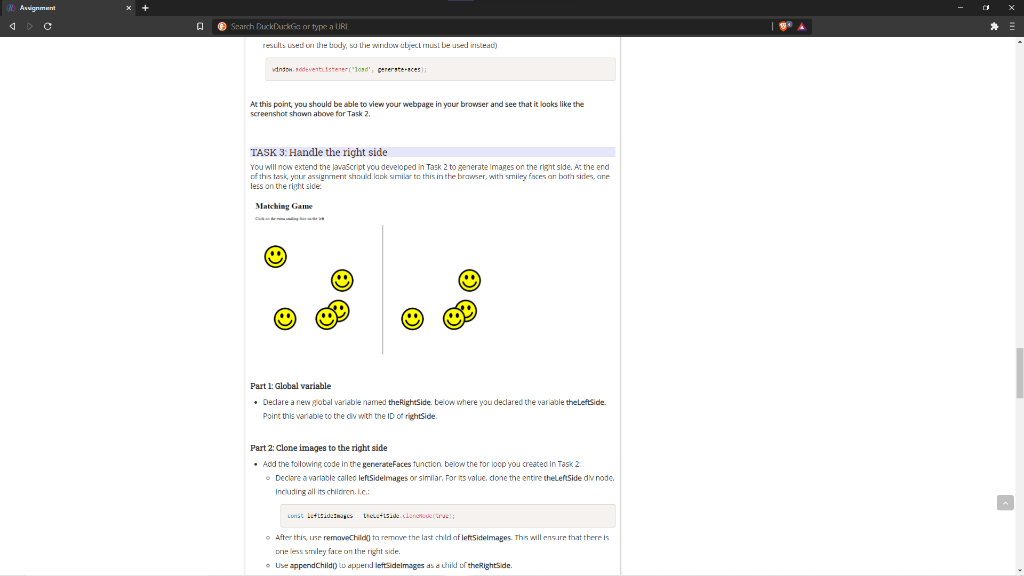
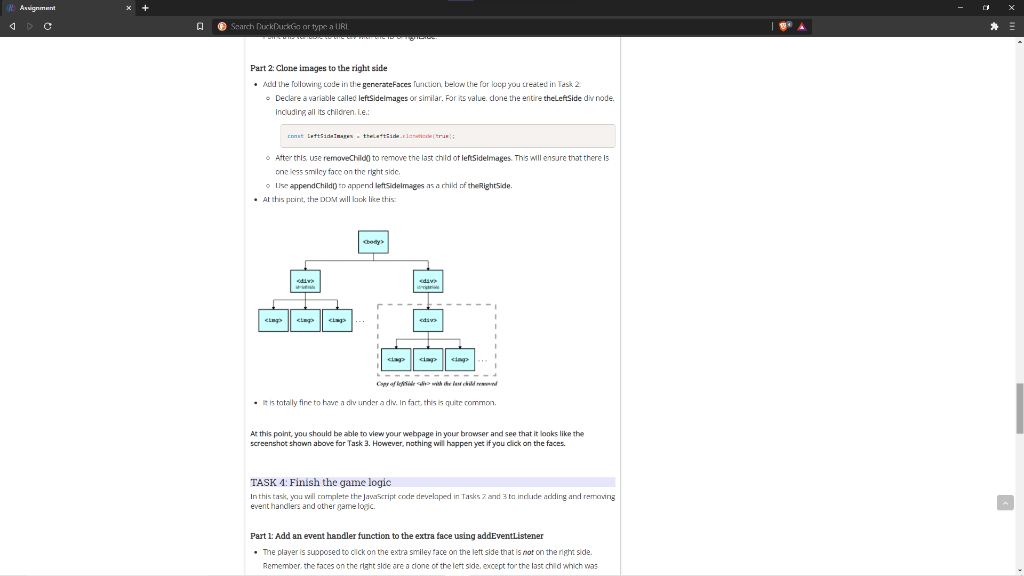
Assignment Search DuckDuckGo or type a URI results used on the body, so the window object must be used inslet) window.ovter("lond', pererstences At this point, you should be able to view your webpage in your browser and see that it looks like the screenshot shown above for Task 2 TASK 3: Handle the right side You will now extend the JavaScript you developed in Task 2 to generate images on the right side. At the end of this task your assignment should look similar to this in the browser, with smiley faces on both sides, ane less on the right side Matching Game Part 1: Global variable Declare a new global variable named the RightSide, below where you declared the variable the LeftSide Point this variable to the div with the ID of rightSide. Part 2: Clone images to the right side . Add the following code in the generateFaces function below the for loop you created in Task 2 o Declare a variable called leftSidelmages or similar. For its value done the entire the leftSide div node. Including all its children. ic. const Lettsideways thccet.de concedere! After this use removeChild) to remove the last child af leftSidelmages. This will ensure that there is De less smiley face on the right side. Use appendChild to append leftsidelmages as a child of the Rightside Assignment Search DuckDuckGo or type a URL Part 2: Clone images to the right side . Add the following code in the generateFaces function below the for loop you created in Task 2 Declere a variable called leftSidelmages or similar. For value, done the entire theLeft Side dinode including all its children. Le Come tuttares the declaratur After this use removeChild to remove the last child of leftSidelmages. This will ensure that there is one less smiley face on the right side Lise appendChild to append left sidelmages as a child of the Rightside. . At this point, the DDM will look like this: die Ciap chap lap
. It is totally fine to have a divunder a div. In fact, this is quite common At this point, you should be able to view your webpage in your browser and see that it looks like the screenshot shown above for Task 3. However, nothing will happen yet if you click on the faces. TASK 1: Finish the game logic In this task, you will complete the JavaScript code developed in Tasks 2 and 3 to include adding and removing event handlers and other game loc Part 1: Add an event handler function to the extra face using addEventListener . The player is supposed to click on the extra smiley face on the left side that is not on the right side. Remember the faces on the right side are a done of the left side, except for the last child which was Assignment Search DuckDuckGo or type a URI results used on the body, so the window object must be used inslet) window.ovter("lond', pererstences At this point, you should be able to view your webpage in your browser and see that it looks like the screenshot shown above for Task 2 TASK 3: Handle the right side You will now extend the JavaScript you developed in Task 2 to generate images on the right side. At the end of this task your assignment should look similar to this in the browser, with smiley faces on both sides, ane less on the right side Matching Game Part 1: Global variable Declare a new global variable named the RightSide, below where you declared the variable the LeftSide Point this variable to the div with the ID of rightSide. Part 2: Clone images to the right side . Add the following code in the generateFaces function below the for loop you created in Task 2 o Declare a variable called leftSidelmages or similar. For its value done the entire the leftSide div node. Including all its children. ic. const Lettsideways thccet.de concedere! After this use removeChild) to remove the last child af leftSidelmages. This will ensure that there is De less smiley face on the right side. Use appendChild to append leftsidelmages as a child of the Rightside Assignment Search DuckDuckGo or type a URL Part 2: Clone images to the right side . Add the following code in the generateFaces function below the for loop you created in Task 2 Declere a variable called leftSidelmages or similar. For value, done the entire theLeft Side dinode including all its children. Le Come tuttares the declaratur After this use removeChild to remove the last child of leftSidelmages. This will ensure that there is one less smiley face on the right side Lise appendChild to append left sidelmages as a child of the Rightside. . At this point, the DDM will look like this: die Ciap chap lap
. It is totally fine to have a divunder a div. In fact, this is quite common At this point, you should be able to view your webpage in your browser and see that it looks like the screenshot shown above for Task 3. However, nothing will happen yet if you click on the faces. TASK 1: Finish the game logic In this task, you will complete the JavaScript code developed in Tasks 2 and 3 to include adding and removing event handlers and other game loc Part 1: Add an event handler function to the extra face using addEventListener . The player is supposed to click on the extra smiley face on the left side that is not on the right side. Remember the faces on the right side are a done of the left side, except for the last child which was









 Study Help