







Question: c. Add a local repository by using 'git init' and constantly use 'git status' to check status in this step and future steps d. Use
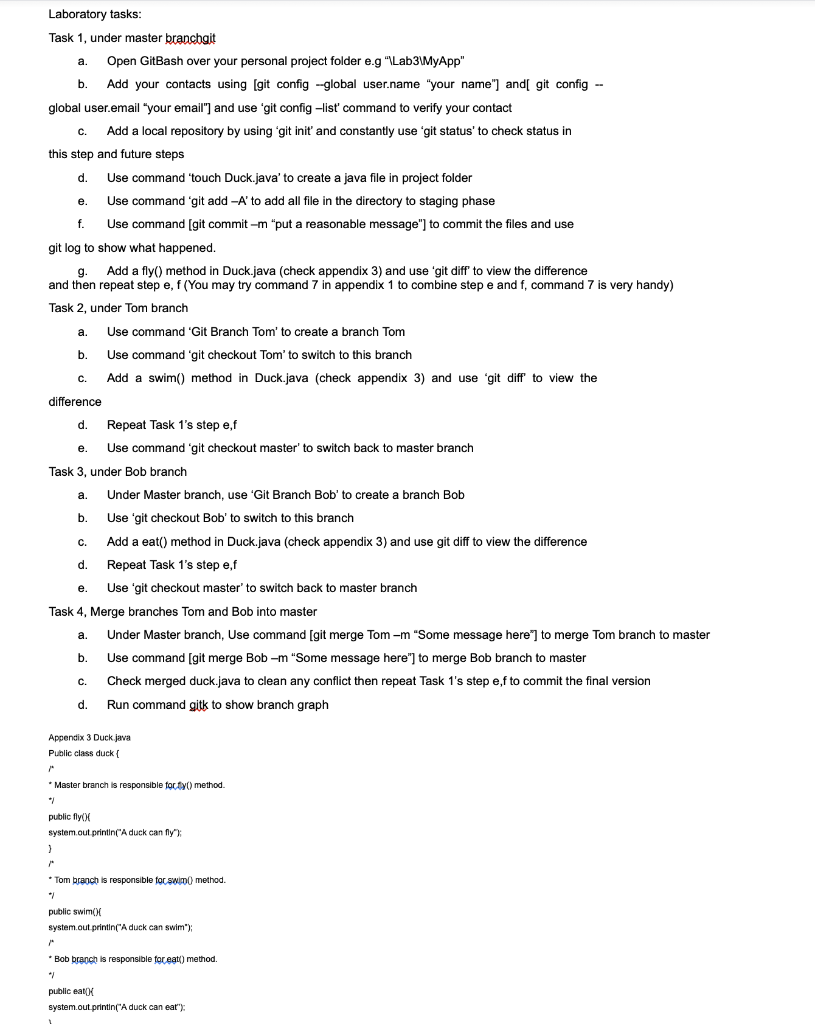
c. Add a local repository by using 'git init' and constantly use 'git status' to check status in this step and future steps d. Use command 'touch Duck.java' to create a java file in project folder e. Use command 'git add A ' to add all file in the directory to staging phase f. Use command [git commit -m "put a reasonable message"] to commit the files and use git log to show what happened. g. Add a fly() method in Duck.java (check appendix 3) and use 'git diff' to view the difference and then repeat step e, f (You may try command 7 in appendix 1 to combine step e and f, command 7 is very handy) Task 2, under Tom branch a. Use command 'Git Branch Tom' to create a branch Tom b. Use command 'git checkout Tom' to switch to this branch c. Add a swim() method in Duck.java (check appendix 3) and use 'git diff' to view the difference d. Repeat Task 1's step e,f e. Use command 'git checkout master' to switch back to master branch Task 3, under Bob branch a. Under Master branch, use 'Git Branch Bob' to create a branch Bob b. Use 'git checkout Bob' to switch to this branch c. Add a eat() method in Duck.java (check appendix 3 ) and use git diff to view the difference d. Repeat Task 1's step e,f e. Use 'git checkout master' to switch back to master branch Task 4, Merge branches Tom and Bob into master a. Under Master branch, Use command [git merge Tom -m "Some message here"] to merge Tom branch to master b. Use command [git merge Bob -m "Some message here"] to merge Bob branch to master c. Check merged duck.java to clean any conflict then repeat Task 1 's step e,f to commit the final version d. Run command gitk to show branch graph
Step by Step Solution
There are 3 Steps involved in it

Get step-by-step solutions from verified subject matter experts
 Study Help