







Question: Create a HTML page on notepad++ and save as practicemid.html Insert the following: UTASA This is a paragraph about UTASA. UTASA - SA This is
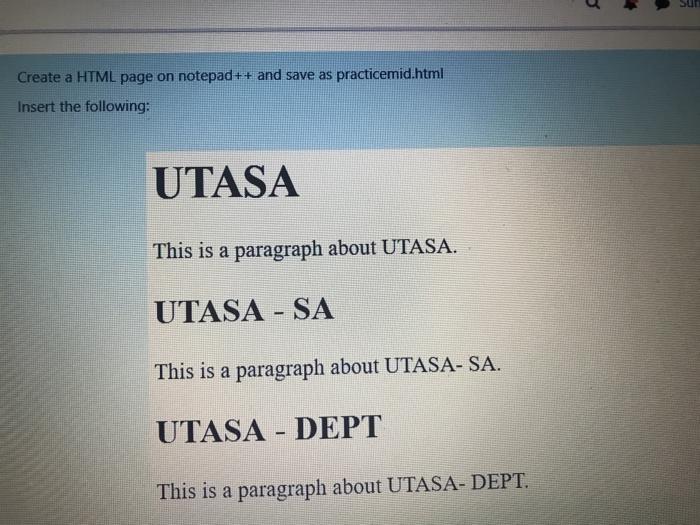
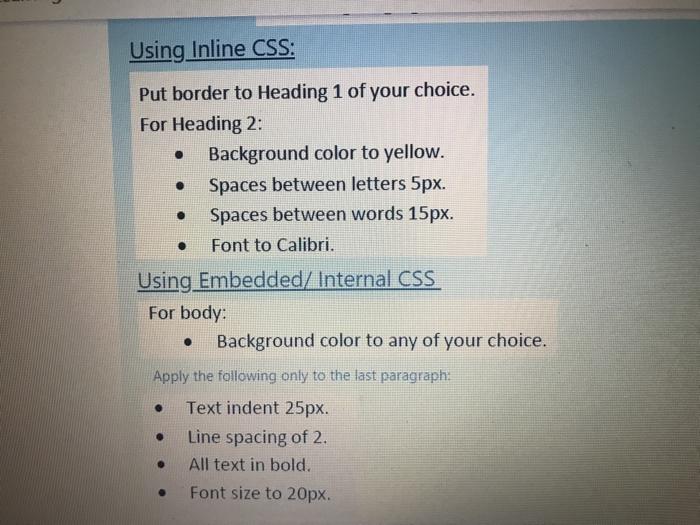
Create a HTML page on notepad++ and save as practicemid.html Insert the following: UTASA This is a paragraph about UTASA. UTASA - SA This is a paragraph about UTASA-SA. UTASA - DEPT This is a paragraph about UTASA-DEPT. Using Inline CSS: Put border to Heading 1 of your choice. For Heading 2: Background color to yellow. Spaces between letters 5px. Spaces between words 15px. Font to Calibri. Using Embedded/ Internal CSS For body: Background color to any of your choice. . . Apply the following only to the last paragraph: . Text indent 25px. Line spacing of 2. All text in bold. Font size to 20px
Step by Step Solution
There are 3 Steps involved in it
1 Expert Approved Answer
Step: 1 Unlock

Question Has Been Solved by an Expert!
Get step-by-step solutions from verified subject matter experts
Step: 2 Unlock
Step: 3 Unlock
 Study Help