







Question: Create a JavaFX project in Eclipse with a name like ex2 or exercise2. Use the default package application. If you want, you may refactor it.
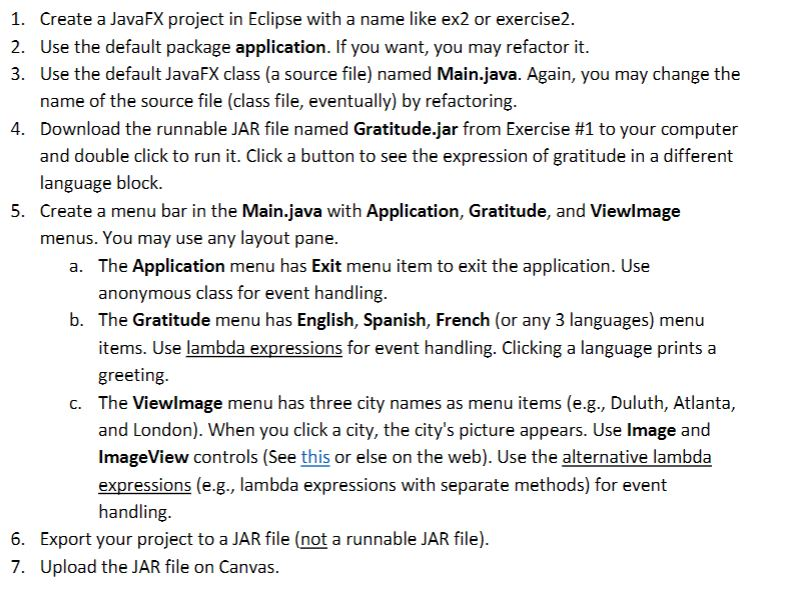
Create a JavaFX project in Eclipse with a name like ex2 or exercise2. Use the default package application. If you want, you may refactor it. Use the default JavaFX class (a source file) named Main.java. Again, you may change the name of the source file (class file, eventually) by refactoring. Download the runnable JAR file named Gratitude-Jar from Exercise #1 to your computer and double click to run it. Click a button to see the expression of gratitude in a different language block. Create a menu bar in the Main.java with Application, Gratitude, and Viewlmage menus. You may use any layout pane. 1. 2. 3. 4. 5. The Application menu has Exit menu item to exit the application. Use anonymous class for event handling. a. b. The Gratitude menu has English, Spanish, French (or any 3 languages) menu items. Use lambda expressions for event handling. Clicking a language prints a greeting. The Viewlmage menu has three city names as menu items (e.g., Duluth, Atlanta, and London). When you click a city, the city's picture appears. Use Image and ImageView controls (See this or else on the web). Use the alternative lambda expressions (e.g., lambda expressions with separate methods) for event handling c. 6. 7. Export your project to a JAR file (not a runnable JAR file). Upload the JAR file on Canvas. Create a JavaFX project in Eclipse with a name like ex2 or exercise2. Use the default package application. If you want, you may refactor it. Use the default JavaFX class (a source file) named Main.java. Again, you may change the name of the source file (class file, eventually) by refactoring. Download the runnable JAR file named Gratitude-Jar from Exercise #1 to your computer and double click to run it. Click a button to see the expression of gratitude in a different language block. Create a menu bar in the Main.java with Application, Gratitude, and Viewlmage menus. You may use any layout pane. 1. 2. 3. 4. 5. The Application menu has Exit menu item to exit the application. Use anonymous class for event handling. a. b. The Gratitude menu has English, Spanish, French (or any 3 languages) menu items. Use lambda expressions for event handling. Clicking a language prints a greeting. The Viewlmage menu has three city names as menu items (e.g., Duluth, Atlanta, and London). When you click a city, the city's picture appears. Use Image and ImageView controls (See this or else on the web). Use the alternative lambda expressions (e.g., lambda expressions with separate methods) for event handling c. 6. 7. Export your project to a JAR file (not a runnable JAR file). Upload the JAR file on Canvas
Step by Step Solution
There are 3 Steps involved in it

Get step-by-step solutions from verified subject matter experts
 Study Help