







Question: 1. Create a JavaFX project in Eclipse with a name like ex3 or exercise3. 2. Use the default package application. If you want, you may
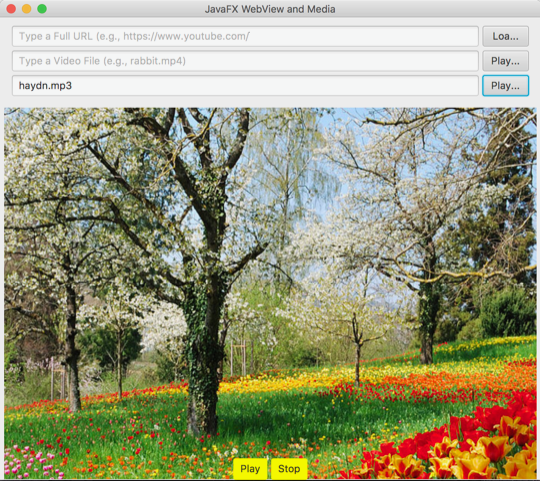
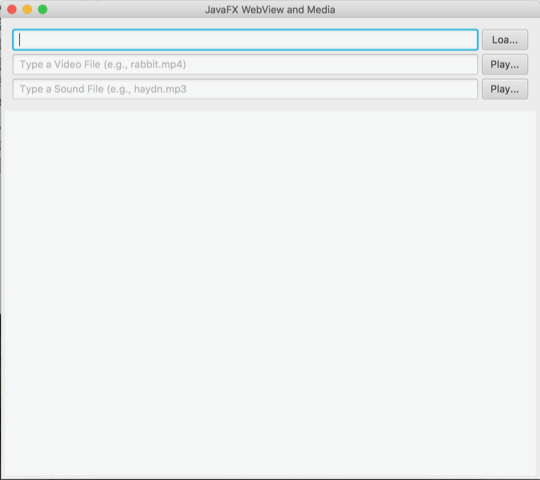
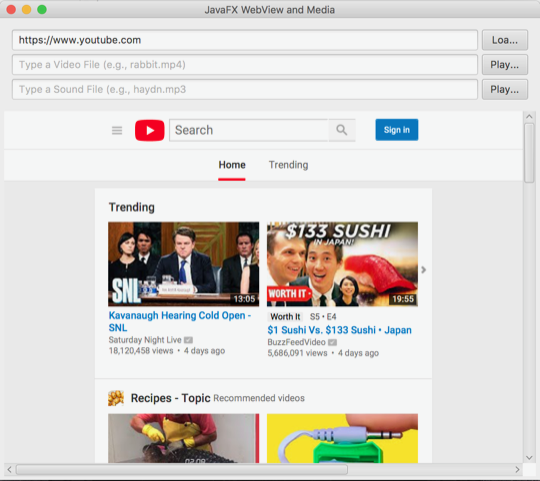
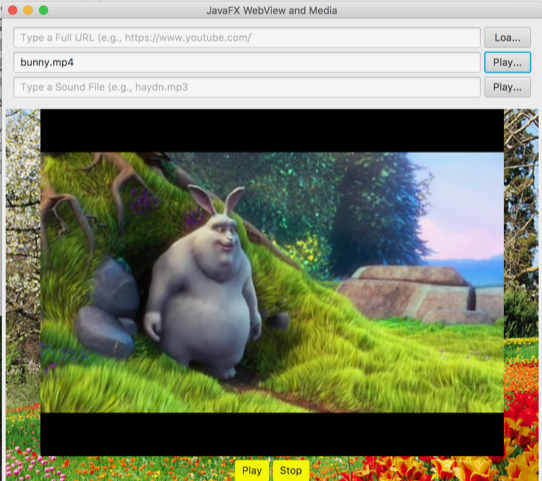
1. Create a JavaFX project in Eclipse with a name like ex3 or exercise3. 2. Use the default package "application." If you want, you may refactor it. 3. Use the default JavaFX class (a source file) named Main.java. Again, you may change the name of the source file (class file, eventually) by refactoring. Download the runnable JAR file named MediaWebView.jar to your computer and double click to run it. Note that I have also posted resource files 4. 5. Create a similar app by writing code in the Main.java (or your preferred) file. 6. Export your project to a JAR file (not a runnable JAR file) 7. Upload the JAR file on Canvas. Hints: Please review the following: 1. Skinning with CSS (here or elsewhere on the web). To insert a background image, you should do it with a "root" of the scene. 2. TextField (here or elsewhere) 3. a_node.getChildren().clear() of ObservableList Node>(here or elsewhere) 4. HBox and VBox (here or elsewhere) 5. WebView and WebEngine (see the class example or elsewhere) 6. Media and MediaView (see the class example or elsewhere) 1. Create a JavaFX project in Eclipse with a name like ex3 or exercise3. 2. Use the default package "application." If you want, you may refactor it. 3. Use the default JavaFX class (a source file) named Main.java. Again, you may change the name of the source file (class file, eventually) by refactoring. Download the runnable JAR file named MediaWebView.jar to your computer and double click to run it. Note that I have also posted resource files 4. 5. Create a similar app by writing code in the Main.java (or your preferred) file. 6. Export your project to a JAR file (not a runnable JAR file) 7. Upload the JAR file on Canvas. Hints: Please review the following: 1. Skinning with CSS (here or elsewhere on the web). To insert a background image, you should do it with a "root" of the scene. 2. TextField (here or elsewhere) 3. a_node.getChildren().clear() of ObservableList Node>(here or elsewhere) 4. HBox and VBox (here or elsewhere) 5. WebView and WebEngine (see the class example or elsewhere) 6. Media and MediaView (see the class example or elsewhere)
Step by Step Solution
There are 3 Steps involved in it

Get step-by-step solutions from verified subject matter experts
 Study Help