







Question: Create a new folder for the Fish Creek case study. Modify the style rules in the function CSS to configure a as shown in figure
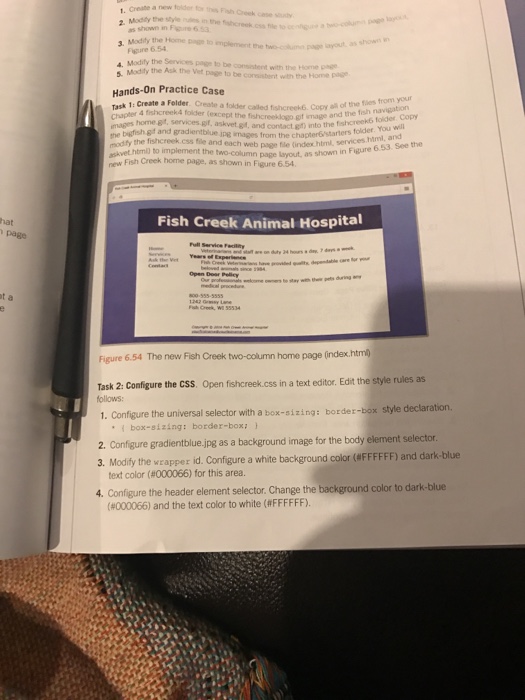
Create a new folder for the Fish Creek case study. Modify the style rules in the function CSS to configure a as shown in figure 6.23. Modify the Home page to implement the two column page layout, as shown in Figure 6.54. Modify services page to consistent with the Home page. Modify the Ask the visit page to be the consistent with the Home page. Create a folder called fish creek. Copy all of the files from your chapter 4 fish creek 4 folder (except the) into the fish creeks folder. Copy the fro the chapter 6 folder. You will modify the fish creek css file and each web page file (index html, services html and) to implement the column page layout, as shown in figure 6.53. See the new Fish Creek home page, as page, as shown 6.54. The new Fish Creek two-column home page (index.html) Open fish creek. css in a text editor, Edit the style rules as style declaration. Configure the universal selector with a box-sizing: border-box - style declaration, {box-sizing; border-box;} Configure gradientblue.jpg as a background image for the body element selector. Modify the wrapper id. Configure a white background color (#FFFFFF) and dark-blue text color (#000066) for this area. configure the header element selector. Change the background color to dark blue (#000066) and the text color to white FFFFFF). Create a new folder for the Fish Creek case study. Modify the style rules in the function CSS to configure a as shown in figure 6.23. Modify the Home page to implement the two column page layout, as shown in Figure 6.54. Modify services page to consistent with the Home page. Modify the Ask the visit page to be the consistent with the Home page. Create a folder called fish creek. Copy all of the files from your chapter 4 fish creek 4 folder (except the) into the fish creeks folder. Copy the fro the chapter 6 folder. You will modify the fish creek css file and each web page file (index html, services html and) to implement the column page layout, as shown in figure 6.53. See the new Fish Creek home page, as page, as shown 6.54. The new Fish Creek two-column home page (index.html) Open fish creek. css in a text editor, Edit the style rules as style declaration. Configure the universal selector with a box-sizing: border-box - style declaration, {box-sizing; border-box;} Configure gradientblue.jpg as a background image for the body element selector. Modify the wrapper id. Configure a white background color (#FFFFFF) and dark-blue text color (#000066) for this area. configure the header element selector. Change the background color to dark blue (#000066) and the text color to white FFFFFF)
Step by Step Solution
There are 3 Steps involved in it

Get step-by-step solutions from verified subject matter experts
 Study Help