







Question: Create a new rails Note-Taking app with a Welcome controller and view. You can use the RailsBasics1.pdf as a basis for your new app. Be
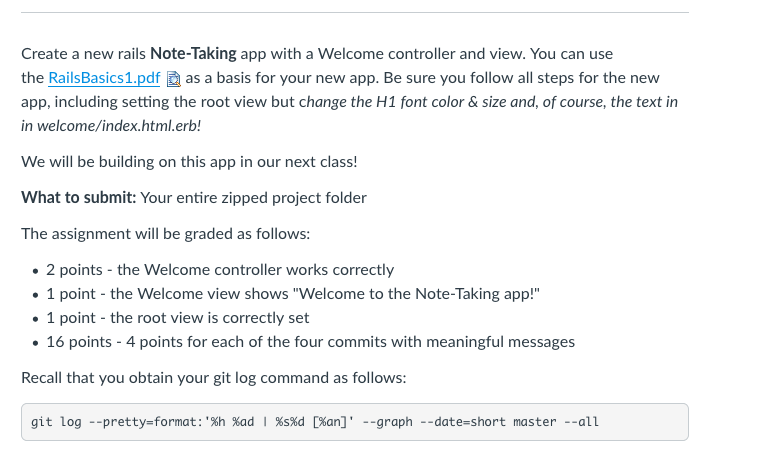
Create a new rails Note-Taking app with a Welcome controller and view. You can use the RailsBasics1.pdf as a basis for your new app. Be sure you follow all steps for the new app, including setting the root view but change the H1 font color &size and, of course, the text in in welcome/index.html.erb! We will be building on this app in our next class! What to submit: Your entire zipped project folder The assignment will be graded as follows: 2 points - the Welcome controller works correctly 1 point - the Welcome view shows "Welcome to the Note-Taking app!" 1 point - the root view is correctly set 16 points 4 points for each of the four commits with meaningful messages Recall that you obtain your git log command as follows: git log -pretty-format: 'Xh %ad 1 sd D%an] -graph --date-short master--all Create a new rails Note-Taking app with a Welcome controller and view. You can use the RailsBasics1.pdf as a basis for your new app. Be sure you follow all steps for the new app, including setting the root view but change the H1 font color &size and, of course, the text in in welcome/index.html.erb! We will be building on this app in our next class! What to submit: Your entire zipped project folder The assignment will be graded as follows: 2 points - the Welcome controller works correctly 1 point - the Welcome view shows "Welcome to the Note-Taking app!" 1 point - the root view is correctly set 16 points 4 points for each of the four commits with meaningful messages Recall that you obtain your git log command as follows: git log -pretty-format: 'Xh %ad 1 sd D%an] -graph --date-short master--all
Step by Step Solution
There are 3 Steps involved in it

Get step-by-step solutions from verified subject matter experts
 Study Help