







Question: Digital Image Processing Assignment Your initial implementation should be carried out entirely (including the GUI) using MATLAB The GUI: Design and implement a graphical user
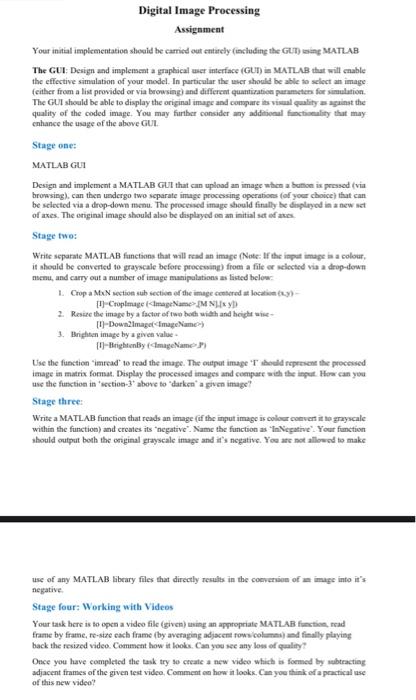
Digital Image Processing Assignment Your initial implementation should be carried out entirety (including the GUIT) sing MATLAB The GUI Design and implement a graphical er interface (GUT) in MATLAB that will enable the effective simulation of your model. In particular the user should be able to select an image (either from a list provided or via browsing) and different quantiration parameters for simulation The GUI should be able to display the original image and compares i quality against the quality of the coded image. You may further consider my additional functionality that may enhance the usage of the above GUL Stage one: MATLAB GUI Design and implement a MATLAB GUI that can upload an image whesabunton is pressed (via browsing), can then undergo two separate image processing operations for your choice) that can be selected via a drop-down menu. The processed image should finally be displayed in a new set of anes. The anginal image should also be displayed on an initial set of a Stage two: Write separate MATLAB functions that will read an image (Note: If the input image in a colour it should be converted to prayscale before processing from a file or selected via a drop-down mem, and carry out a number of image manipulations as listed below 1. Crop a MaN section subsective of the image centered at location () -Cropimage ImageNameIMNID 2. Resize the image by a factor of two both width and height wise (1)-Down2image imageName) 3. Brighten image by give value 14- Brightenby ImageName Use the function "imread to read the image. The output image 'Tould represent the processed image in matrix format. Display the processed images and compare with the input. How can you use the function in section 3* above to "darkan'a given image! Stage three Write a MATLAB function that reads an image (if the input image is collected it to grayscale within the function and creates its negative" Name the function as "In Negative. Your function should output both the original grayscale image and it's negative. You are not allowed to make use of any MATLAB library files that directly results in the conversion of image into it's negative Stage four: Working with Videos Your task here is to open a video file (given) using an appropriate MATLAB function, read frame by frame, re-size each frame (by averaging adjacent rows columns) and finally playing back the resized video. Comment how it looks. Can you see any loss of quality Once you have completed the task try to create a new video which is formed by subtracting adjacent frames of the given test video Comment on how it looks. Can you think of a practical ase of this new video
Step by Step Solution
There are 3 Steps involved in it

Get step-by-step solutions from verified subject matter experts
 Study Help