







Question: Do not use the scanner class or any other user input request. You application should be self-contained and run without user input. Assignment Objectives 1.
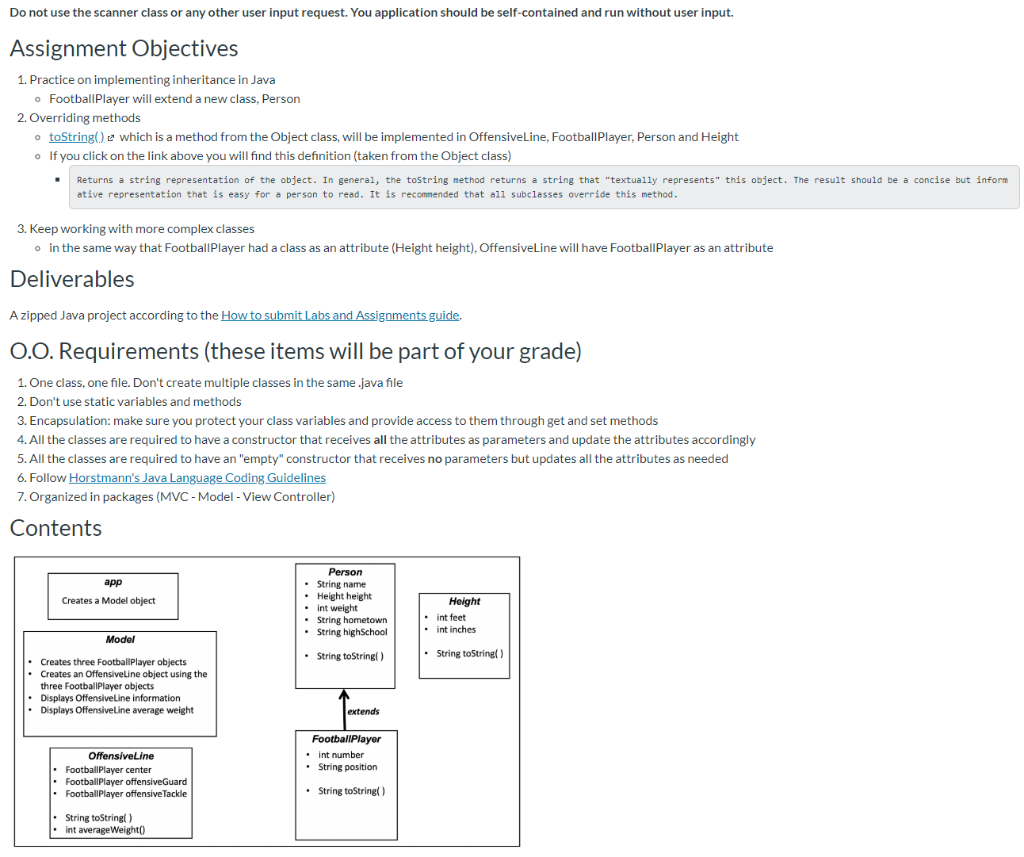
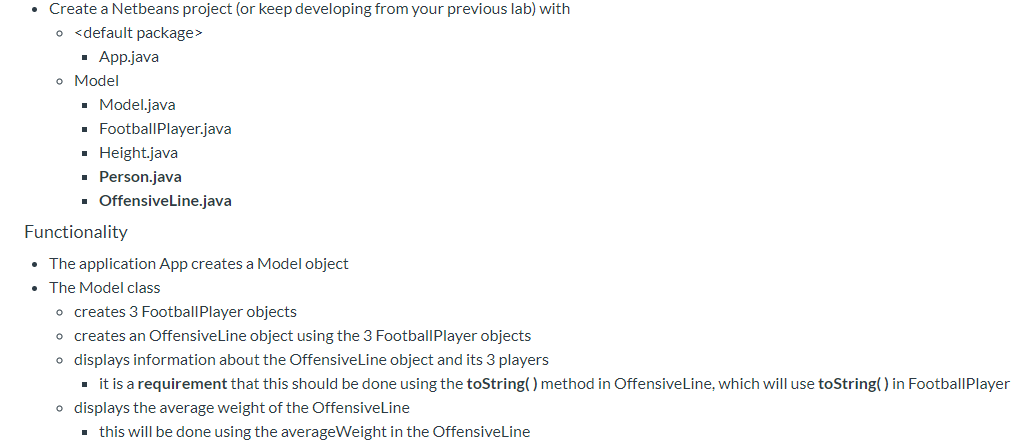
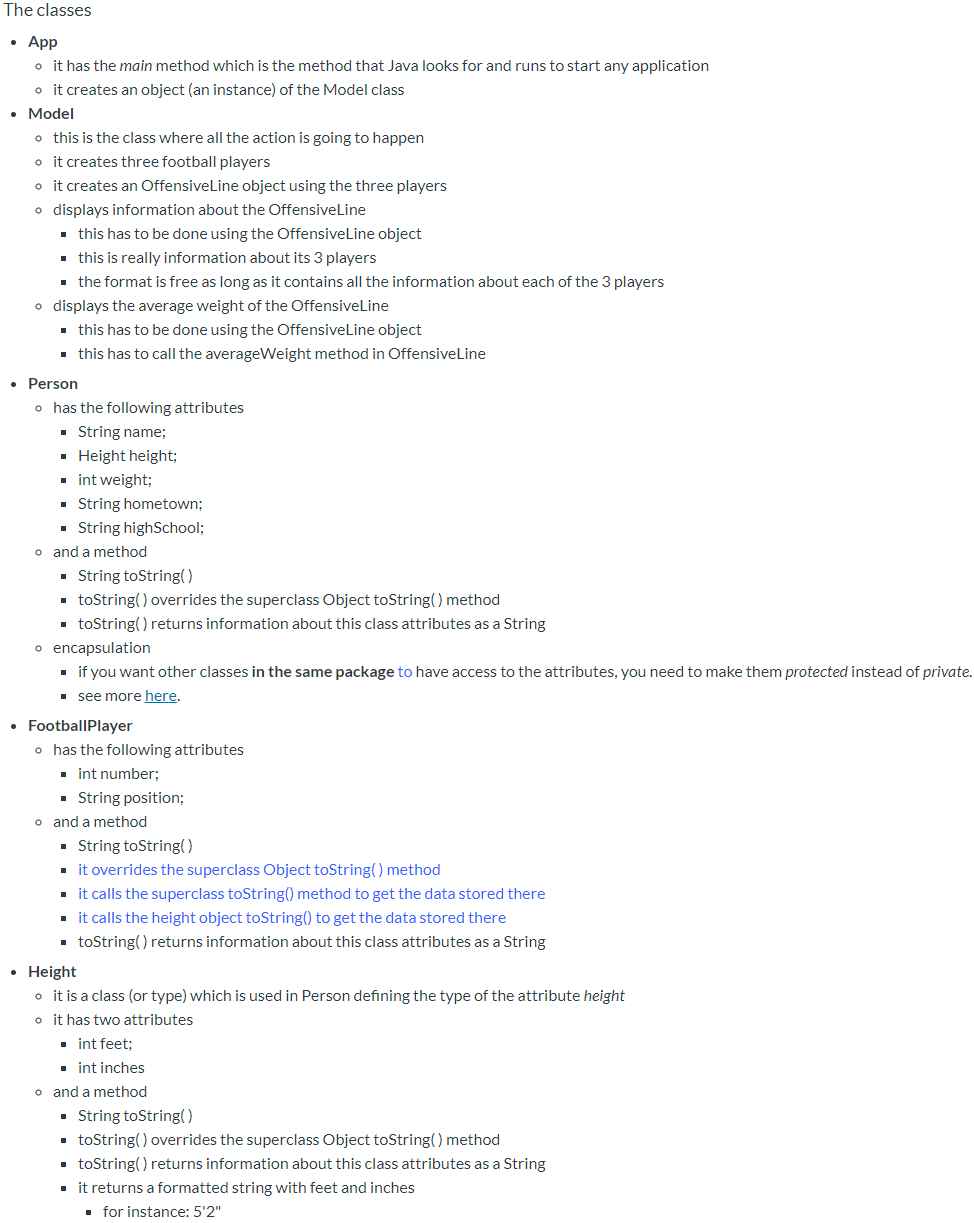
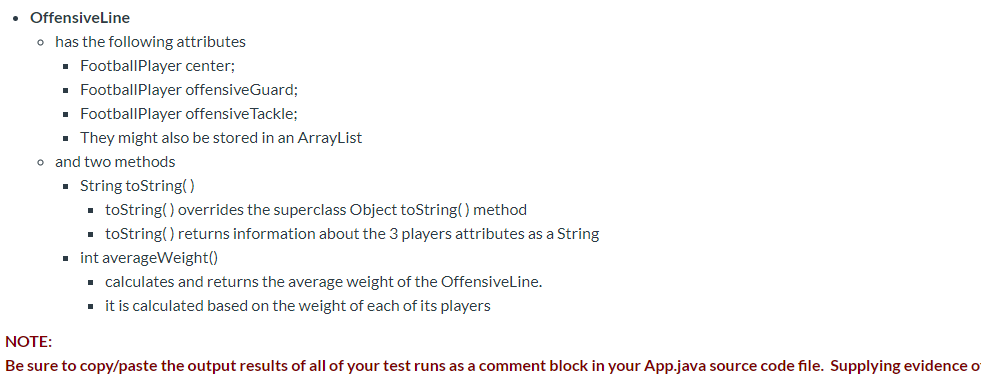
Do not use the scanner class or any other user input request. You application should be self-contained and run without user input. Assignment Objectives 1. Practice on implementing inheritance in Java o Football Player will extend a new class, Person 2. Overriding methods o toString() which is a method from the Object class, will be implemented in OffensiveLine, Football Player, Person and Height o If you click on the link above you will find this definition (taken from the Object class) Returns a string representation of the object. In general, the toString method returns a string that "textually represents" this object. The result should be a concise but inform ative representation that is easy for a person to read. It is recommended that all subclasses override this method. 3. Keep working with more complex classes in the same way that Football Player had a class as an attribute (Height height). OffensiveLine will have Football Player as an attribute Deliverables A zipped Java project according to the How to submit Labs and Assignments guide 0.O. Requirements (these items will be part of your grade) 1. One class, one file. Don't create multiple classes in the same.java file 2. Don't use static variables and methods 3. Encapsulation: make sure you protect your class variables and provide access to them through get and set methods 4. All the classes are required to have a constructor that receives all the attributes as parameters and update the attributes accordingly 5. All the classes are required to have an "empty" constructor that receives no parameters but updates all the attributes as needed 6. Follow Horstmann's Java Language Coding Guidelines 7. Organized in packages (MVC - Model - View Controller) Contents app Creates a Model object Person String name Height height int weight String hometown String highSchool Height int feet int inches Model String toString) String toString() Creates three Football player objects Creates an Offensiveline object using the three FootballPlayer objects Displays OffensiveLine information Displays OffensiveLine average weight extends FootballPlayer int number String position Offensive Line Football player center Football Player offensiveGuard Football Player offensive Tackle String toString() String toString) int average Weight() Create a Netbeans project (or keep developing from your previous lab) with
Step by Step Solution
There are 3 Steps involved in it

Get step-by-step solutions from verified subject matter experts
 Study Help