



Question: e. Then copy the formulas and the formatting from the range B6:39 to the range C6:E9. 11. Edra started to create named ranges in the
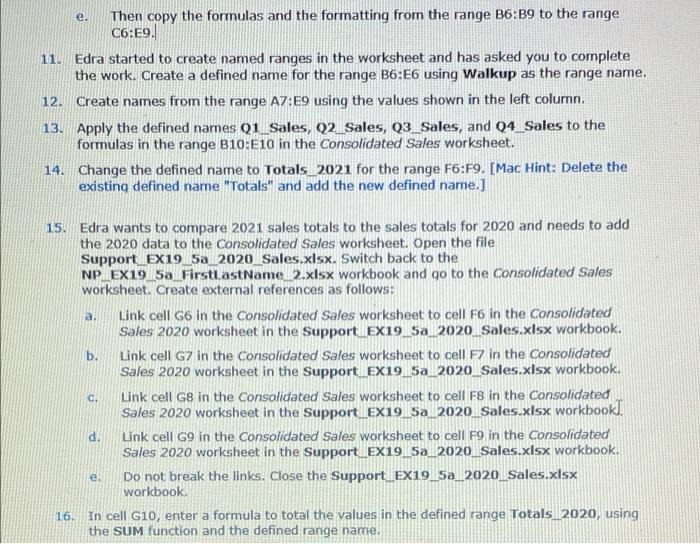
e. Then copy the formulas and the formatting from the range B6:39 to the range C6:E9. 11. Edra started to create named ranges in the worksheet and has asked you to complete the work. Create a defined name for the range B6:E6 using Walkup as the range name. Create names from the range A7:E9 using the values shown in the left columnn. 13. Apply the defined names Q1 Sales, Q2_Sales, Q3 Sales, and Q4_Sales to the formulas in the range B10:E10 in the Consolidated Sales worksheet. 14. Change the defined name to Totals_2021 for the range F6:F9. [Mac Hint: Delete the existing defined name "Totals" and add the new defined name.] 12. a 15. Edra wants to compare 2021 sales totals to the sales totals for 2020 and needs to add the 2020 data to the Consolidated Sales worksheet. Open the file Support EX19 5a_2020_Sales.xlsx. Switch back to the NP EX19 5a FirstLastName_2.xlsx workbook and go to the Consolidated Sales worksheet. Create external references as follows: Link cell G6 in the Consolidated Sales worksheet to cell F6 in the Consolidated Sales 2020 worksheet in the Support EX19_5a 2020 Soles.xlsx workbook. b. Link cell G7 in the consolidated Sales worksheet to cell F7 in the consolidated Sales 2020 worksheet in the Support_EX19.5a 2020_Sales.xlsx workbook. Link cell G8 in the Consolidated Sales worksheet to cell F8 in the Consolidated Sales 2020 worksheet in the Support Ex19_5a 2020_Sales.xlsx workbook). d. Link cell G9 in the Consolidated Sales worksheet to cell F9 in the Consolidated Sales 2020 worksheet in the Support_EX19.5a_2020_Sales.xlsx workbook. Do not break the links. Close the Support Ex19 5a_2020_Sales.xlsx workbook 16 In cell G10, enter a formula to total the values in the defined range Totals_2020, using the SUM function and the defined range name. a. e. e. Then copy the formulas and the formatting from the range B6:39 to the range C6:E9. 11. Edra started to create named ranges in the worksheet and has asked you to complete the work. Create a defined name for the range B6:E6 using Walkup as the range name. Create names from the range A7:E9 using the values shown in the left columnn. 13. Apply the defined names Q1 Sales, Q2_Sales, Q3 Sales, and Q4_Sales to the formulas in the range B10:E10 in the Consolidated Sales worksheet. 14. Change the defined name to Totals_2021 for the range F6:F9. [Mac Hint: Delete the existing defined name "Totals" and add the new defined name.] 12. a 15. Edra wants to compare 2021 sales totals to the sales totals for 2020 and needs to add the 2020 data to the Consolidated Sales worksheet. Open the file Support EX19 5a_2020_Sales.xlsx. Switch back to the NP EX19 5a FirstLastName_2.xlsx workbook and go to the Consolidated Sales worksheet. Create external references as follows: Link cell G6 in the Consolidated Sales worksheet to cell F6 in the Consolidated Sales 2020 worksheet in the Support EX19_5a 2020 Soles.xlsx workbook. b. Link cell G7 in the consolidated Sales worksheet to cell F7 in the consolidated Sales 2020 worksheet in the Support_EX19.5a 2020_Sales.xlsx workbook. Link cell G8 in the Consolidated Sales worksheet to cell F8 in the Consolidated Sales 2020 worksheet in the Support Ex19_5a 2020_Sales.xlsx workbook). d. Link cell G9 in the Consolidated Sales worksheet to cell F9 in the Consolidated Sales 2020 worksheet in the Support_EX19.5a_2020_Sales.xlsx workbook. Do not break the links. Close the Support Ex19 5a_2020_Sales.xlsx workbook 16 In cell G10, enter a formula to total the values in the defined range Totals_2020, using the SUM function and the defined range name. a. e
Step by Step Solution
There are 3 Steps involved in it

Get step-by-step solutions from verified subject matter experts