







Question: Excel File Edit View Insert Format Tools Data Window Help 32% [4]. Mon 10:46 AM Q E ... AutoSave O OFF ~ H E .
![[4]. Mon 10:46 AM Q E ... AutoSave O OFF ~ H](https://dsd5zvtm8ll6.cloudfront.net/si.experts.images/questions/2024/11/6736137b4f453_1796736137b0e351.jpg)
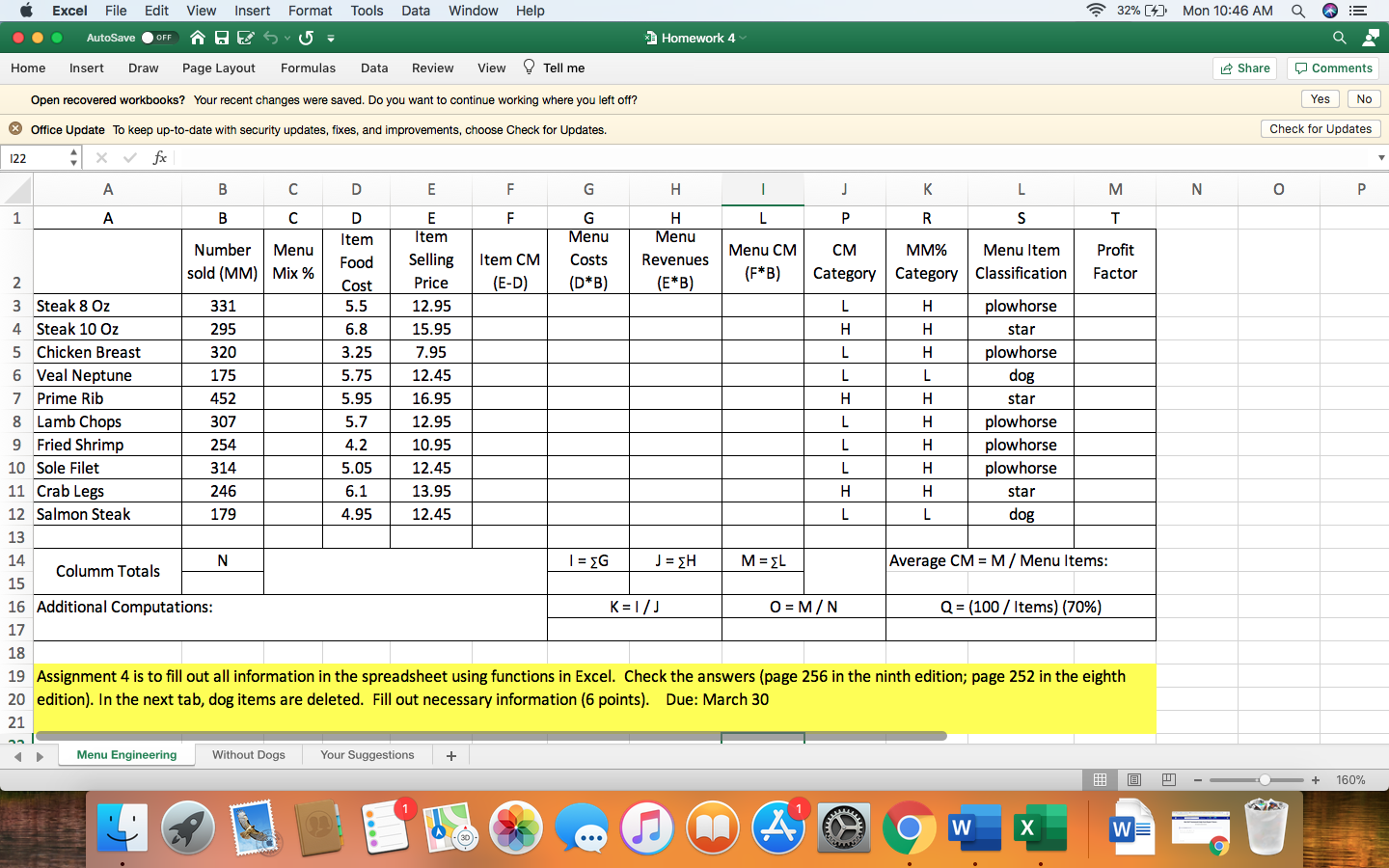
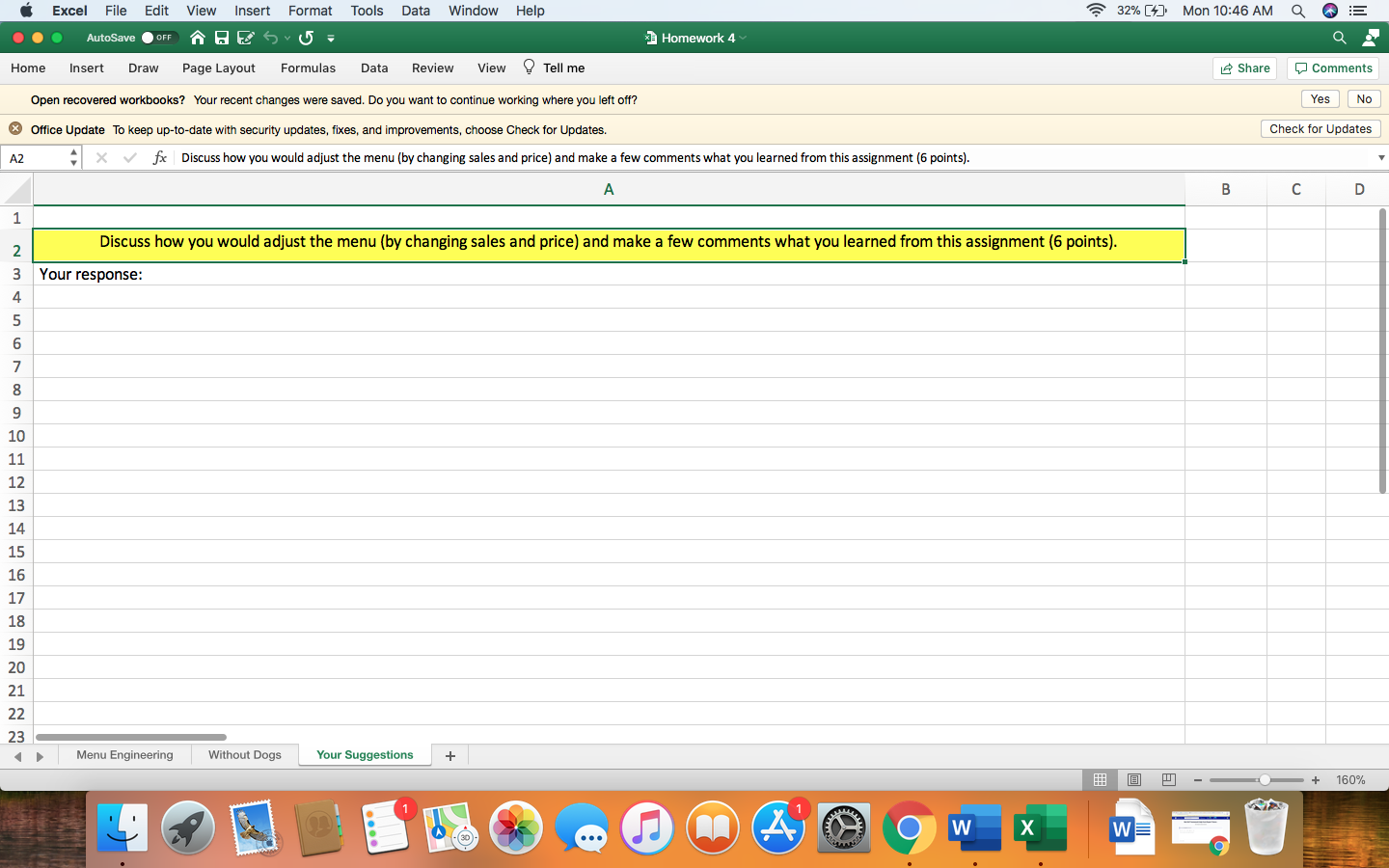
Excel File Edit View Insert Format Tools Data Window Help 32% [4]. Mon 10:46 AM Q E ... AutoSave O OFF ~ H E . 6 7 3 Homework 4 Share Comments Home Insert Draw Page Layout Formulas Data Review View ? Tell me Yes No Open recovered workbooks? Your recent changes were saved. Do you want to continue working where you left off? Check for Updates * Office Update To keep up-to-date with security updates, fixes, and improvements, choose Check for Updates A2 X v fx | Discuss how you would adjust the menu (by changing sales and price) and make a few comments what you learned from this assignment (6 points). A B C D 1 Discuss how you would adjust the menu (by changing sales and price) and make a few comments what you learned from this assignment (6 points). W N Your response: 4 00 10 11 15 16 17 18 19 20 21 22 23 Menu Engineering Without Dogs Your Suggestions + - + 160% W X WEExcel File Edit View Insert Format Tools Data Window Help 32% [4]. Mon 10:46 AM Q E ... AutoSave O OFF ~ H E 6 - 6 . 3 Homework 4 Home Insert Draw Page Layout Formulas Data Review View ? Tell me Share Comments Open recovered workbooks? Your recent changes were saved. Do you want to continue working where you left off? Yes No * Office Update To keep up-to-date with security updates, fixes, and improvements, choose Check for Updates. Check for Updates D22 + X V fx A B C D E F G H K M N - L O P F 1 A B C D F F G H P R S Item Item Menu Menu Number Menu CM MM% Menu Item Profit Food Selling Item CM Costs Revenues Menu CM sold (MM) | Mix % Factor Cost Price (D* B) (E*B) (F*B) Category Category Classification IN (E-D) Steak 8 Oz 331 5.5 12.95 - W Steak 10 Oz 295 6.8 15.95 Chicken Breast 320 3.25 7.95 Prime Rib 452 5.95 16.95 Lamb Chops 307 5.7 12.95 8 Fried Shrimp 254 4.2 10.95 9 Sole Filet 314 5.05 12.45 10 Crab Legs 246 6.1 13.95 11 12 N I = SG J = EH M = SL Average CM = M / Menu Items: Columm Totals 13 14 Additional Computations: K = 1/ J O = M/N Q = (100 / Items) (70%) 15 16 17 In this sheet, two dog items are deleted. Consequently, there will be some changes in the CM and MM% categories. Please fill out all information (8 points). 18 19 20 21 Menu Engineering Without Dogs Your Suggestions + - + 160% W X WEExcel File Edit View Insert Format Tools Data Window Help 32% [4]. Mon 10:46 AM Q E ... AutoSave O OFF ~ H E 6 - 6 7 3 Homework 4 Home Insert Draw Page Layout Formulas Data Review View ? Tell me Share Comments Open recovered workbooks? Your recent changes were saved. Do you want to continue working where you left off? Yes No * Office Update To keep up-to-date with security updates, fixes, and improvements, choose Check for Updates. Check for Updates 122 + XV fx A B C D E F G H L K M N O P F 1 A B C D E F G H L P R S Number Item Item Menu Menu Menu CM Profit Food Selling Item CM Revenues Menu CM MM% Costs Menu Item sold (MM) | Mix % Price (E-D) (D* B) (E*B) (F*B) Category Category Classification Factor IN Cost Steak 8 Oz 331 5.5 12.95 L H plowhorse - W Steak 10 Oz 295 6.8 15.95 H H star Chicken Breast 320 3.25 7.95 L H plowhorse Veal Neptune 175 5.75 12.45 L L dog Prime Rib 452 5.95 16.95 H H star 8 Lamb Chops 307 5.7 12.95 L H plowhorse 9 Fried Shrimp 254 4.2 10.95 L H plowhorse 10 Sole Filet 314 5.05 12.45 L H plowhorse 11 Crab Legs 246 6.1 13.95 H H star 12 Salmon Steak 179 1.95 12.45 L dog 13 14 N Columm Totals I = EG J = SH M = EL Average CM = M / Menu Items: 15 16 Additional Computations: K =1/ J O = M/N Q = (100 / Items) (70%) 17 18 19 Assignment 4 is to fill out all information in the spreadsheet using functions in Excel. Check the answers (page 256 in the ninth edition; page 252 in the eighth 20 edition). In the next tab, dog items are deleted. Fill out necessary information (6 points). Due: March 30 21 Menu Engineering Without Dogs Your Suggestions + - + 160% A W X WE
Step by Step Solution
There are 3 Steps involved in it

Get step-by-step solutions from verified subject matter experts
 Study Help