







Question: Exercises with GUls 1. Run the following code and submit a screen shot of the GUI. import tkinter as tk from tkinter import ttk #
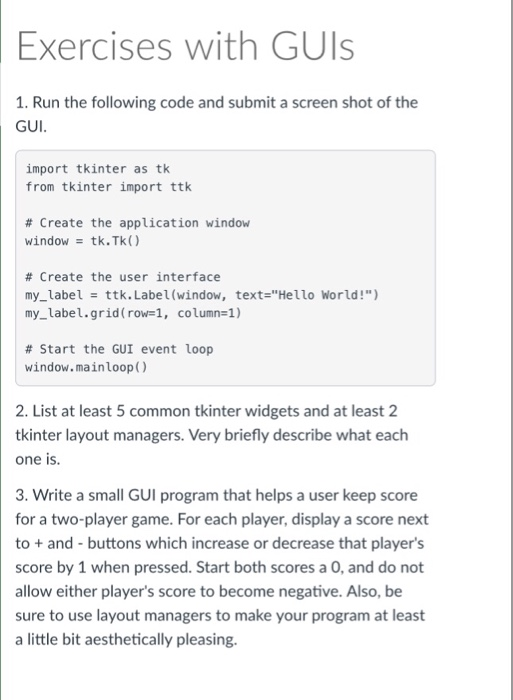
Exercises with GUls 1. Run the following code and submit a screen shot of the GUI. import tkinter as tk from tkinter import ttk # Create the application window window- tk.Tk() # Create the user interface my_label ttk. Label(window, text-"Hello World!" my_label.grid(row-, column-1) # Start the GUI event loop window.mainloopO 2. List at least 5 common tkinter widgets and at least 2 tkinter layout managers. Very briefly describe what each one is. 3. Write a small GUI program that helps a user keep score for a two-player game. For each player, display a score next to+and-buttons which increase or decrease that player's score by 1 when pressed. Start both scores a O, and do not allow either player's score to become negative. Also, be sure to use layout managers to make your program at least a little bit aesthetically pleasing
Step by Step Solution
There are 3 Steps involved in it

Get step-by-step solutions from verified subject matter experts
 Study Help