





Question: For PRACTICE 1 and 2, both formulas should be used in the B11 cell. Show your equation and formula in the EXCEL in a screenshot.
For PRACTICE 1 and 2, both formulas should be used in the B11 cell.
Show your equation and formula in the EXCEL in a screenshot. Hand-written answers will be disliked.
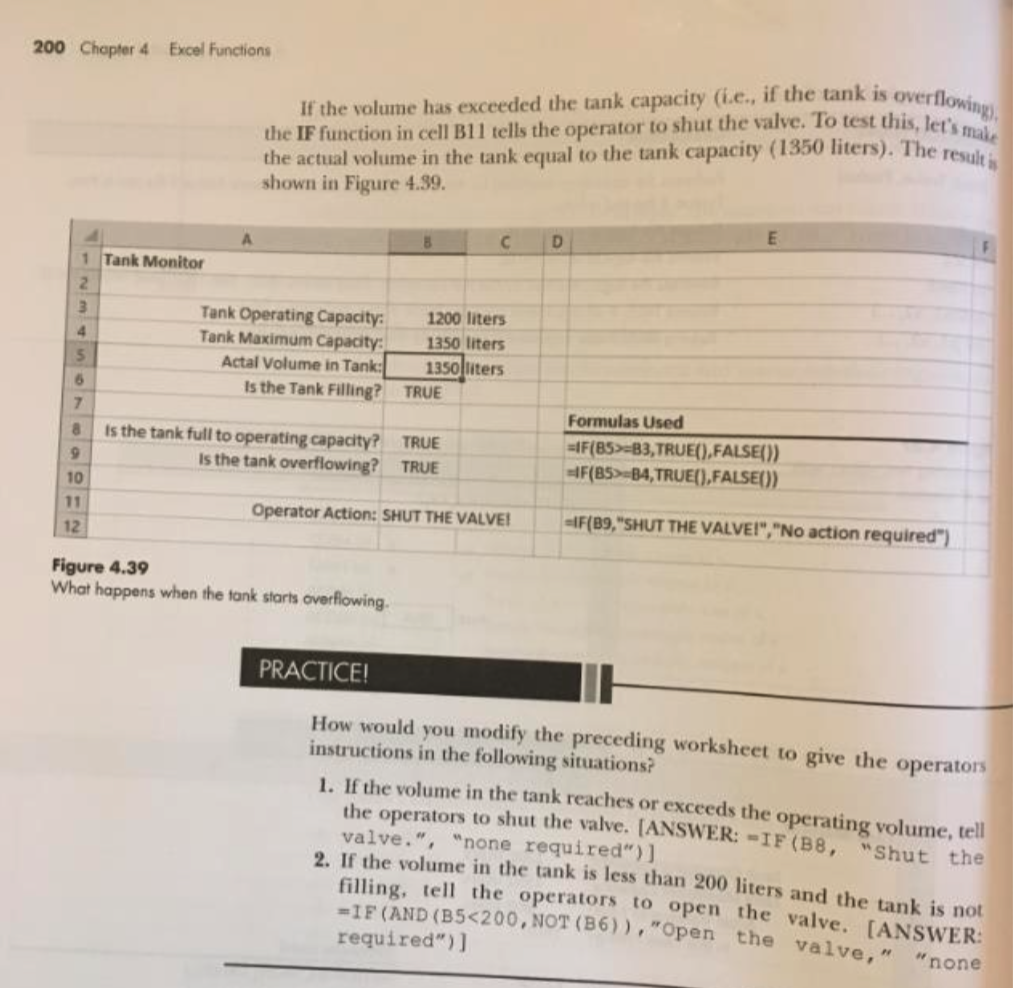
200 Chapter 4 Excel Functions If the volume has exceeded the tank capacity (ie., if the tank is overflowing), the IF function in cell Bll tells the operator to shut the valve. To test this, let's mal, the actual volume in the tank equal to the tank capacity (1350 liters). The result is shown in Figure 4.39. D E A B 1 Tank Monitor 2 3 Tank Operating Capacity: 1200 liters 4 Tank Maximum Capacity: 1350 liters 5 Actal Volume in Tank: 1350 liters 5 Is the Tank Filling? TRUE 7 Is the tank full to operating capacity? TRUE 9 Is the tank overflowing? TRUE 10 11 Operator Action: SHUT THE VALVEI 12 Formulas Used =1F(85>-B3,TRUE(),FALSE()) -4F(85>-B4, TRUE(),FALSE()) -IF(89,"SHUT THE VALVEI", "No action required") Figure 4.39 What happens when the tank starts overflowing. PRACTICE! How would you modify the preceding worksheet to give the operators instructions in the following situations? 1. If the volume in the tank reaches or exceeds the operating volume, tell the operators to shut the valve. (ANSWER: -IF(B8, "Shut the valve.", "none required")) 2. If the volume in the tank is less than 200 liters and the tank is not filling, tell the operators to open the valve. [ANSWER: = IF (AND (B5

