



Question: For this mod, there are two parts. A new web page is created for both parts. Part 1: These files create an application that allows
For this mod, there are two parts. A new web page is created for both parts.
Part 1:
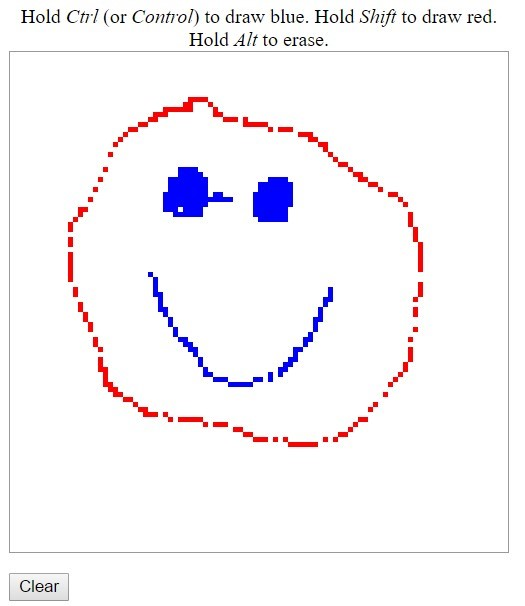
These files create an application that allows you to draw using blue or red on canvas, depending on which key you press down while moving the mouse.
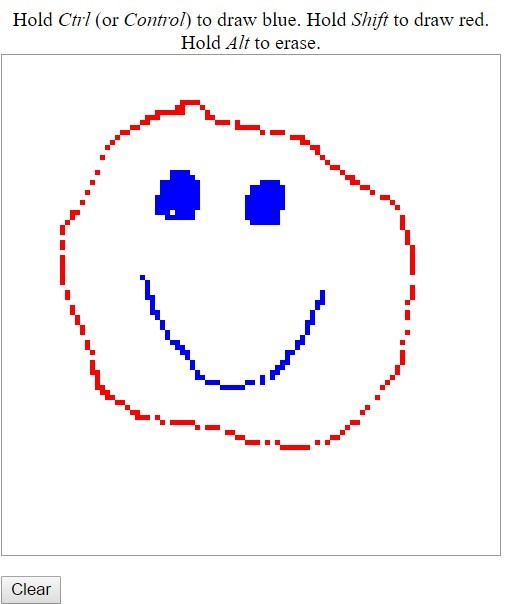
Update the file, so it appears as if it has been erased by changing the background color of the table cell to white when the alt key is pressed while moving the mouse over any of the red or blue drawings. Additionally, add a button to the program to erase the entire image.
The image on the left was made using the Ctrl + Shift keys. The picture on the right shows how the line on the left eye was erased. When a user clicks the Clear
Clear button, a blank canvas appears.
These Are the Files Needed below
The HTML page below
Solution 3
JAVA FILE Below
// ex13_03.js Solution
// A simple drawing program
//initialization function to insert cells into the table
function createCanvas()
{
var side = 100;
var tbody = document.getElementById( "tablebody" );
for ( var i = 0; i
{
var row = document.createElement( "tr" );
for ( var j = 0; j
{
var cell = document.createElement( "td" );
row.appendChild( cell );
} // end for
tbody.appendChild( row );
} // end for
// register mousemove listener for the table
document.getElementById( "canvas" ).addEventListener(
"mousemove", processMouseMove, false );
} // end function createCanvas
// processes the onmousemove event
function processMouseMove( e )
{
if ( e.target.tagName.toLowerCase() == "td" )
{
// turn the cell blue if the Ctrl key is pressed
if ( e.ctrlKey )
{
e.target.setAttribute( "class", "blue" );
} // end if
// turn the cell red if the Shift key is pressed
if ( e.shiftKey )
{
e.target.setAttribute( "class", "red" );
} // end if
} // end if
} // end function processMouseMove
window.addEventListener( "load", createCanvas, false );
CSS This is the style sheet below
/* style.css */ #canvas { width: 400px; border: 1px solid #999999; border-collapse: collapse } td { width: 4px; height: 4px; margin: 0px; padding: 0px; } .blue { background-color: blue; } .red { background-color: red; } .white { background-color: white; }
Part 2:
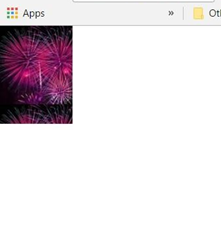
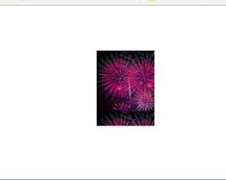
Create a new web page that has an image that a user can drag and drop to a new location on the page. You will use CSS absolute positioning, mousedown, mousemove, mouseup and the clientX/clientY properties of the event object. The image should be in the upper-lefthand corner of the window when the file is opened. When the user clicks on the picture, it should follow the cursor until the left mouse button is released and then it is placed in the new position. Graphic on the left is the initial position, and the one on the right is after it is moved
Hold Ctrl (or Control) to draw blue. Hold Shift to draw red. Hold Alt to erase. Clear Hold Ctrl (or Control) to draw blue. Hold Shift to draw red. Hold Alt to erase. Clear
Step by Step Solution
There are 3 Steps involved in it

Get step-by-step solutions from verified subject matter experts