







Question: Graded Script: sysconfig.sh This script is designed to provide useful information about your system in a simple summary report. This exercise practices working with
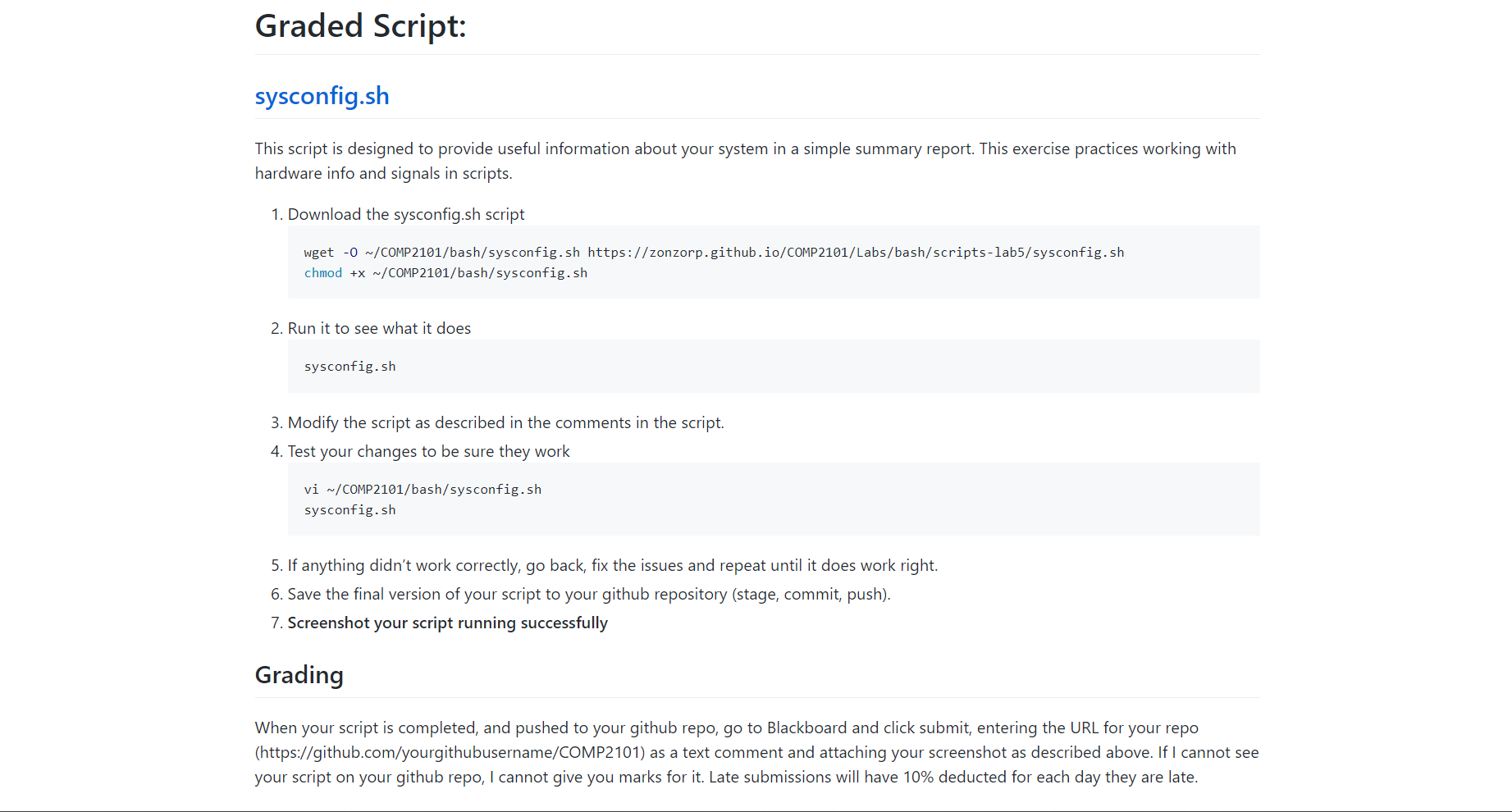
Graded Script: sysconfig.sh This script is designed to provide useful information about your system in a simple summary report. This exercise practices working with hardware info and signals in scripts. 1. Download the sysconfig.sh script wget -O ~/COMP2101/bash/sysconfig.sh https://zonzorp.github.io/COMP2101/Labs/bash/scripts-lab5/sysconfig.sh chmod +x ~/COMP2101/bash/sysconfig.sh 2. Run it to see what it does sysconfig.sh 3. Modify the script as described in the comments in the script. 4. Test your changes to be sure they work vi ~/COMP2101/bash/sysconfig.sh sysconfig.sh 5. If anything didn't work correctly, go back, fix the issues and repeat until it does work right. 6. Save the final version of your script to your github repository (stage, commit, push). 7. Screenshot your script running successfully Grading When your script is completed, and pushed to your github repo, go to Blackboard and click submit, entering the URL for your repo (https://github.com/yourgithubusername/COMP2101) as a text comment and attaching your screenshot as described above. If I cannot see your script on your github repo, I cannot give you marks for it. Late submissions will have 10% deducted for each day they are late.
Step by Step Solution
There are 3 Steps involved in it

Get step-by-step solutions from verified subject matter experts
 Study Help