







Question: Halley's method can be used to solve the root finding problem f(x)=0. This is an open method, so it starts with a single initial estimate
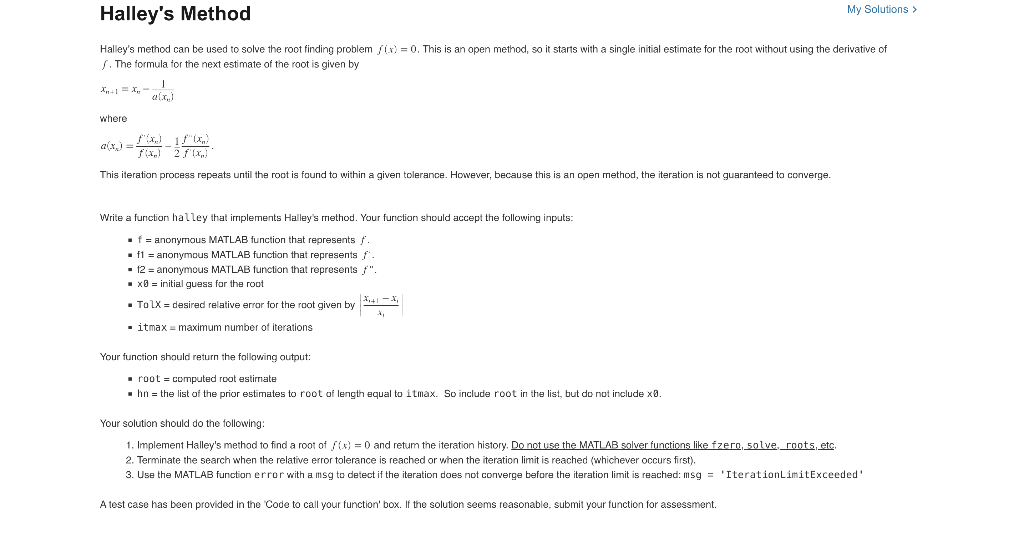
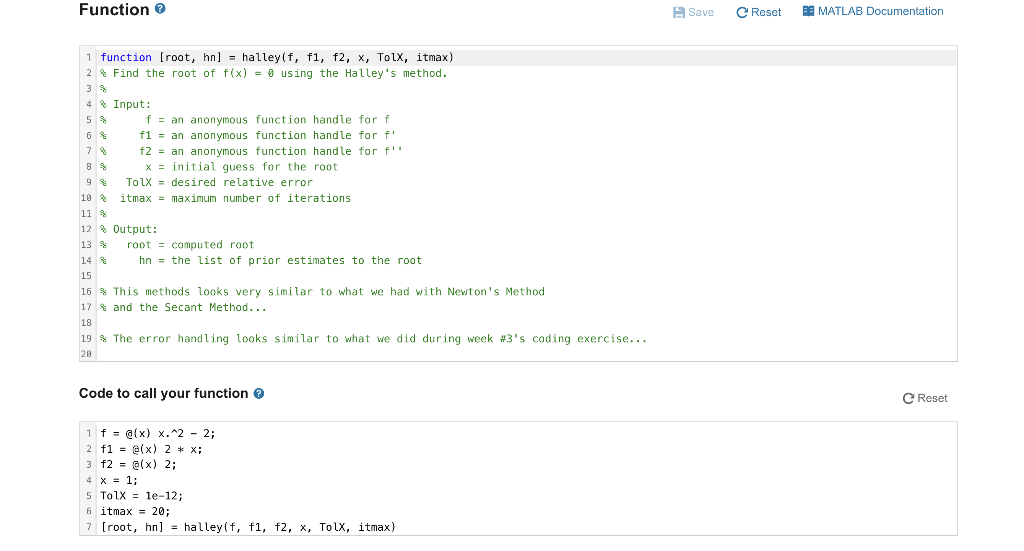
Halley's method can be used to solve the root finding problem f(x)=0. This is an open method, so it starts with a single initial estimate for the root without using the derivative of f. The formula for the next estimate of the root is given by xn+1=xna(xn)1 where a(xn)=f(xv)f(xn)21f(xn)f(xn). This iteration process repeats until the roct is found to within a given tolerance. However, because this is an open method, the iteration is not guaranteed to converge. Write a function hal ley that implements Halley's method. Your function should accept the following inputs: - f= anonymous MATLAB function that represents f. - f1= anonymous MATLAB function that represents f. - 12= anonymous MATLAB function that represents f. - xy= initial guess far the roct - Ta2X= desired relative errar for the root given by x1xi+x1 - itmax = maximum number of iterations Your function should return the following output: - root = computed root estirnate - hn= the list of the prior estimates to root of length equal to i tmax. So include root in the list, but do not include x0. Your solution should do the following: 1. Implement Halley's method to find a root of f(x)=0 and retum the iteration history. Do not use the MATLAB salver functions like fzern, solve, roots, etc. 2. Terminate the search when the relative error tolerance is reached or when the iteration limit is reached (whichever occurs first). 3. Use the MATLAB function error with a msg to detect if the iteration does not converge before the iteration limit is reached: msg = 'Iterat ionLimitExceeded' A test case has been provided in the 'Code to call your function' box. If the solution seems reasonable. submit your function for assessment. Code to call your function
Step by Step Solution
There are 3 Steps involved in it

Get step-by-step solutions from verified subject matter experts
 Study Help