







Question: Hello again Chegg! I am a BEGINNER using Microsoft Visual Studio as my coding program. This exercise comes out of the Microsoft Visual Basic 2015
Hello again Chegg! I am a BEGINNER using Microsoft Visual Studio as my coding program. This exercise comes out of the "Microsoft Visual Basic 2015 RELOADED" book, chapter 12, exercise #10.
Here is Exercise #10:
If necessary, complete the Games Galore application from this chapters Programming Tut 2, and then close the solution. Use Windows to make a copy of the Games Solution folder. Rename the copy Games Solution-NewUsed. Open the solution file contained in the Games Solution-NewUsed folder. Add a DropDownButton to the TblGamesBindingNavigator. The DropDownButton should allow the user to display either new games or used games. The games status (new or used) is stored in its NewUsed field. Save the solution and then start and test the application. Close the solution.
Here is the Games Galore app from the chapter's Programming Tut 2:
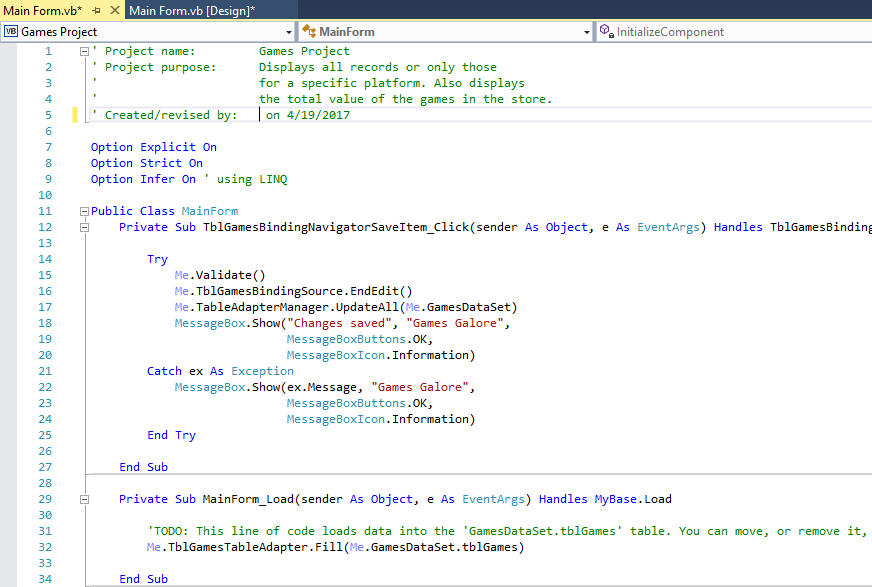
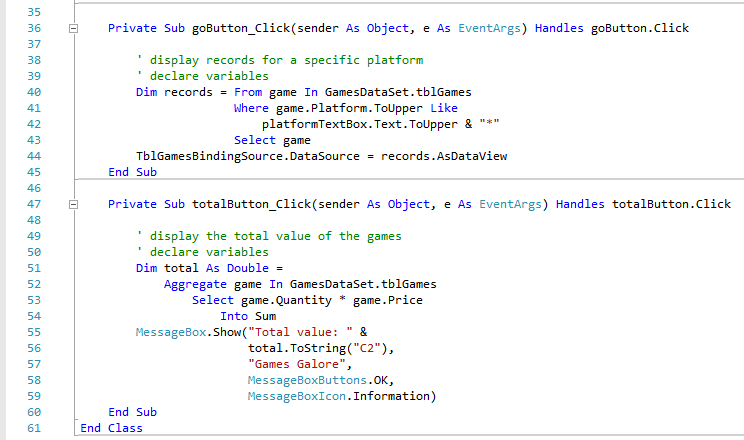
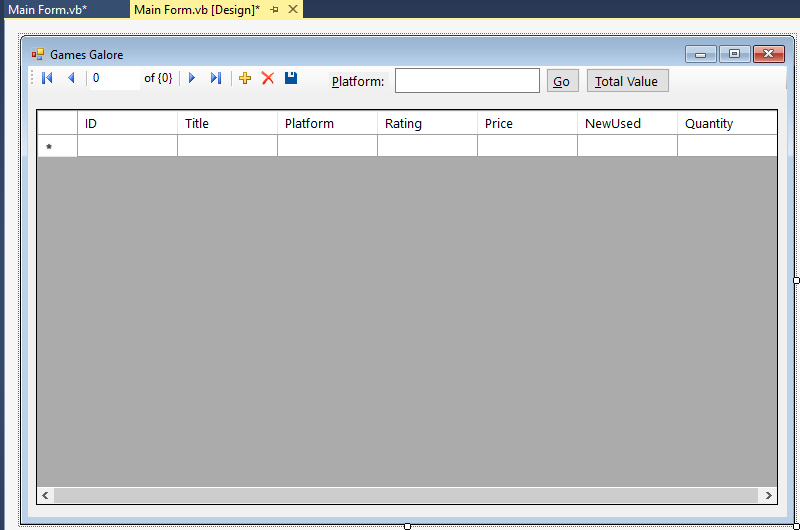
Here is the Interface for the Game Galore app:
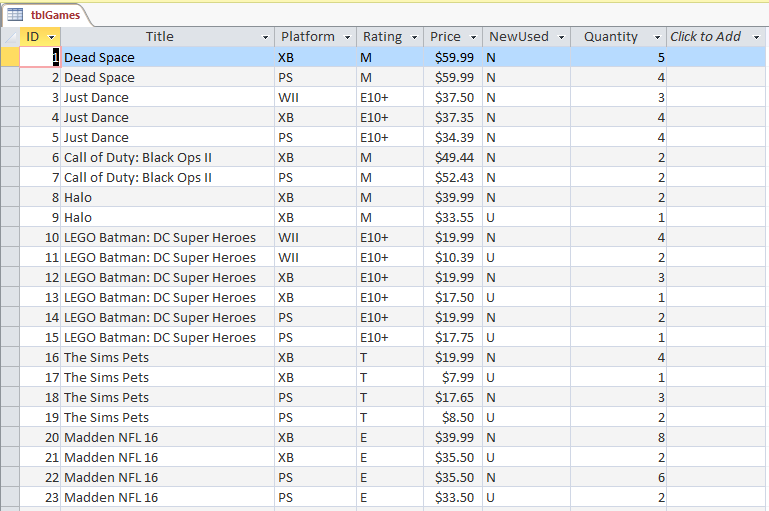
Here is the Access file to the Games Galore app:
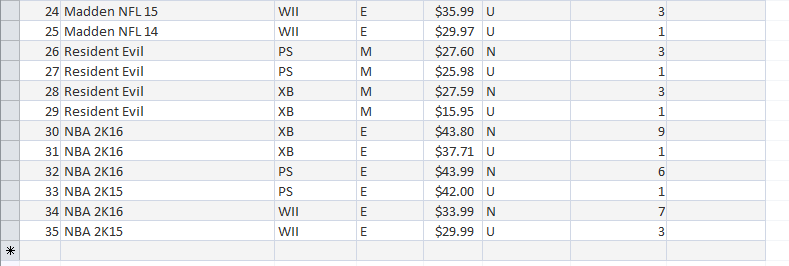
Thank you again for all your work/help with this. If its possible, can you list the step-by-step process to this for my own learning experience, it would be of great help to me. Thanks again!
Main Form,vb* x Main Form. vb [Design] Games Project MainForm Sa InitializeComponent E' Project name Games Project Project purpose: Displays all records or only those for a specific platform Also displays the total value of the games in the store. 5 I Created/revised by on 4/19/2017 7 Option Explicit on Option Strict On 9 Option Infer on using LI 10 11 E Public Class MainForm TblGamesBinding As object, e As EventArgs) Handles Private sub TblGamesB tem Click sende 12 Navi 13 14 Me Validate() 15 Me.TblGamesBindingsource.EndEdit() 16 Me. Table Adapte anager r.U Games DataSe pdateAll( t) 17 Sh ("Changes saved "Games Galore", 18 Message Box 19 MessageBox Buttons.0K, Information 20 MessageBox Icon Catch ex As Exception 21 MessageBox.Show x.M "Games Galore essage 22 23 MessageBox Buttons.0K, MessageBox Information 24 End T 25 26 End Sub 27 28 Private sub MainForm Load (sender As object, e As EventArgs) Handles Base Load 29 30 table. You can move, or remove it, This line of code loads data into the GamesDataset.tblGames 31 TODO TblGamesTable Adapter Games DataSe it.tblGames 32 33 End Sub 34
Step by Step Solution
There are 3 Steps involved in it

Get step-by-step solutions from verified subject matter experts
 Study Help