







Question: Hello this is my C-sharp homework question Create a State Maintenance application In this exercise, youll create an application that uses a data source and
Hello this is my C-sharp homework question
Create a State Maintenance application In this exercise, youll create an application that uses a data source and a DataGridView control to maintain the states in the States table of the MMABooks database.
If its necessary i will send you the mdf file and state maintenance file, thank you
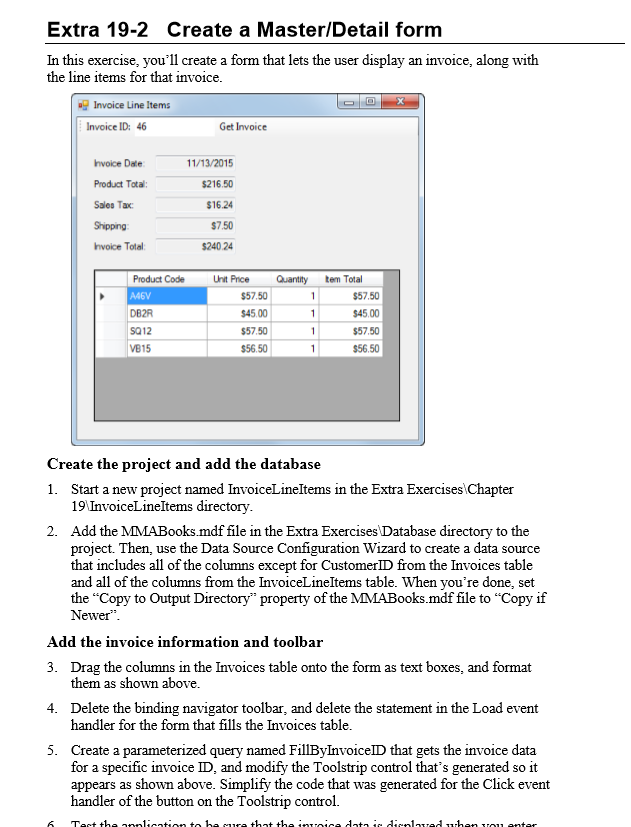
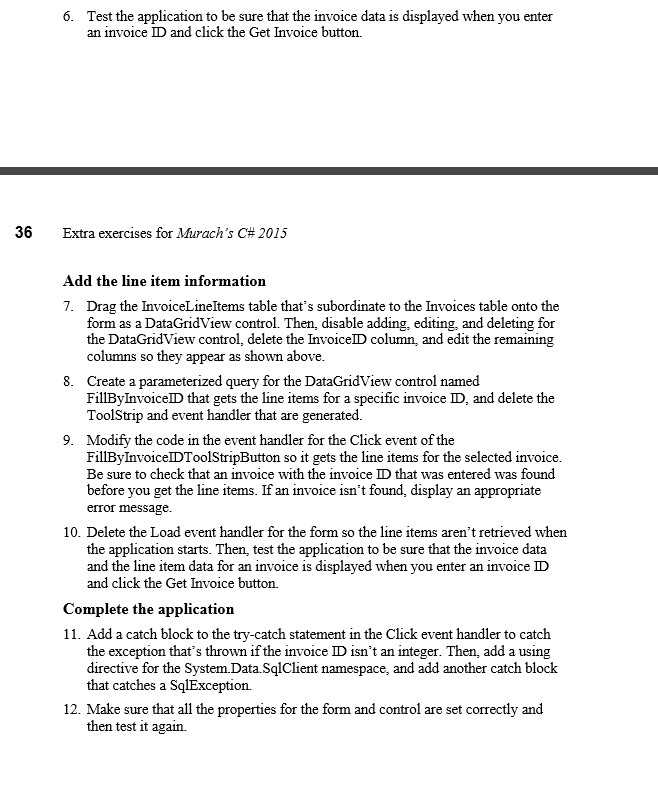
Extra 19-2 Create a Master/Detail form In this exercise, you'll create a form that lets the user display an invoice, along with the line items for that invoice. 1nvoice Line Items Invoice ID: 46 Get Invoice invoice Date: Product Total: $216.50 Sale Tax $16.24 $7.50 invoice Total $240.24 Product Code Unit Price Quantity tem Total $57.50 $57.50 $45.00 $45.00 $57,50 $57.50 SQ12 VB15 $56.50 $56.50 Create the project and add the database 1. Start a new project named InvoiceLineItems in the Extra Exercises Chapter 19 InvoiceLineItems directory. 2. Add the MMABooks.mdf file in the Extra Exercises Database directory to the project. Then, use the Data Source Configuration Wizard to create a data source that includes all of the columns except for CustomerID from the Invoices table and all of the columns from the InvoiceLineltems table. When you're done, set the "Copy to Output Directory" property ofthe MMA Books.mdf file to "Copy if Newer Add the invoice information and toolbar 3. Drag the columns in the Invoices table onto the form as text boxes, and format them as shown above. 4. Delete the binding navigator toolbar, and delete the statement in the Load event handler for the form that fills the Invoices table. 5. Create a parameterized query named FillByInvoiceID that gets the invoice data for a specific invoice ID, and modify the Toolstrip control that's generated so it appears as shown above. Simplify the code that was generated for the Click event handler of the button on the Toolstrip control Extra 19-2 Create a Master/Detail form In this exercise, you'll create a form that lets the user display an invoice, along with the line items for that invoice. 1nvoice Line Items Invoice ID: 46 Get Invoice invoice Date: Product Total: $216.50 Sale Tax $16.24 $7.50 invoice Total $240.24 Product Code Unit Price Quantity tem Total $57.50 $57.50 $45.00 $45.00 $57,50 $57.50 SQ12 VB15 $56.50 $56.50 Create the project and add the database 1. Start a new project named InvoiceLineItems in the Extra Exercises Chapter 19 InvoiceLineItems directory. 2. Add the MMABooks.mdf file in the Extra Exercises Database directory to the project. Then, use the Data Source Configuration Wizard to create a data source that includes all of the columns except for CustomerID from the Invoices table and all of the columns from the InvoiceLineltems table. When you're done, set the "Copy to Output Directory" property ofthe MMA Books.mdf file to "Copy if Newer Add the invoice information and toolbar 3. Drag the columns in the Invoices table onto the form as text boxes, and format them as shown above. 4. Delete the binding navigator toolbar, and delete the statement in the Load event handler for the form that fills the Invoices table. 5. Create a parameterized query named FillByInvoiceID that gets the invoice data for a specific invoice ID, and modify the Toolstrip control that's generated so it appears as shown above. Simplify the code that was generated for the Click event handler of the button on the Toolstrip control
Step by Step Solution
There are 3 Steps involved in it

Get step-by-step solutions from verified subject matter experts
 Study Help