







Question: help with the formula for #9 9. Type Days in cell O4. In cell O, build an IF formula to display the number of days
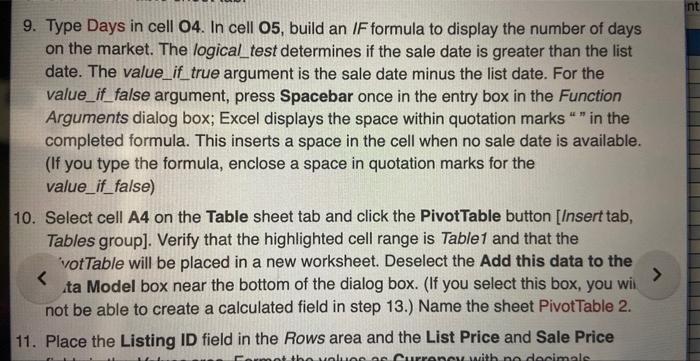
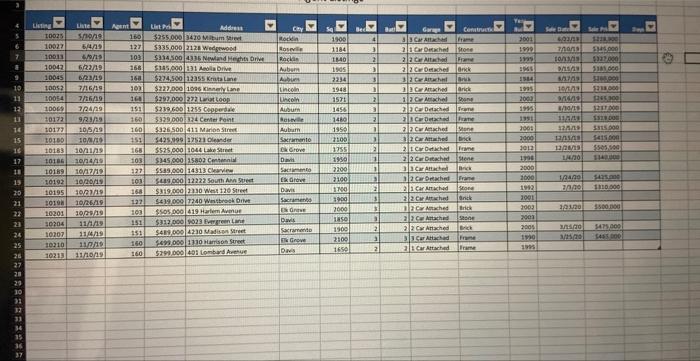
9. Type Days in cell O4. In cell O, build an IF formula to display the number of days on the market. The logical_test determines if the sale date is greater than the list date. The value_if true argument is the sale date minus the list date. For the value_if_false argument, press Spacebar once in the entry box in the Function Arguments dialog box; Excel displays the space within quotation marks " " in the completed formula. This inserts a space in the cell when no sale date is available. (If you type the formula, enclose a space in quotation marks for the value_if_false) 10. Select cell A4 on the Table sheet tab and click the PivotTable button [Insert tab, Tables group]. Verify that the highlighted cell range is Table1 and that the votTable will be placed in a new worksheet. Deselect the Add this data to the ta Model box near the bottom of the dialog box. (If you select this box, you wii not be able to create a calculated field in step 13.) Name the sheet PivotTable 2. 11. Place the Listing ID field in the Rows area and the List Price and Sale Price \begin{tabular}{|c|c|} \hline 10210 & 11072 \\ \hline 10213 & 11/10A9 \\ \hline \end{tabular}
Step by Step Solution
There are 3 Steps involved in it

Get step-by-step solutions from verified subject matter experts
 Study Help