







Question: Here is an android studio codeThis is an android studio code, and its result is shown in the figure, and some text and pictures are
Here is an android studio codeThis is an android studio code, and its result is shown in the figure, and some text and pictures are not displayed.
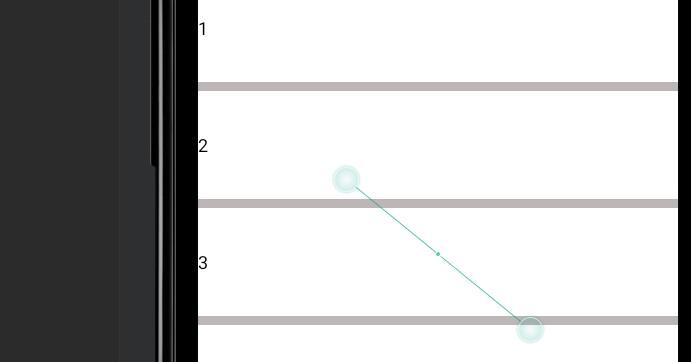
activity-main .xml
---------
mainactivity.java
package com.example.myapplication; import androidx.appcompat.app.AppCompatActivity; import android.os.Bundle; import android.widget.AdapterView; import android.widget.ArrayAdapter; import android.widget.ListView; public class MainActivity extends AppCompatActivity { ListView simpleList; String SerialNo[] = {"1", "2", "3", "4", "5", "6","7","8","9","10"}; int flags[] = {R.drawable.image1, R.drawable.image2, R.drawable.image3, R.drawable.image4, R.drawable.image5, R.drawable.image6, R.drawable.image7, R.drawable.image8, R.drawable.image9, R.drawable.image10}; String Names[] = {"mmm", "nnn", "aaa.", "bbb", "ccc", "ddd","eee jk"," ijk","Virgil jk","gil jklk"}; String Score[] = {"1", "2","3", "5", "4", "3","5","5","5","5"}; @Override protected void onCreate(Bundle savedInstanceState) { super.onCreate(savedInstanceState); setContentView(R.layout.activity_main); simpleList = (ListView)findViewById(R.id.simpleListView); //ArrayAdapter arrayAdapter = new ArrayAdapter(this, R.layout.activity_listview, R.id.textView, countryList); //simpleList.setAdapter(arrayAdapter); CustomAdapter customAdapter = new CustomAdapter(getApplicationContext(),simpleList,SerialNo, flags,Names, Score); simpleList.setAdapter(customAdapter); } } -------------
listview .xml
------
how to fix this problem ,make it displays correct ?
Step by Step Solution
There are 3 Steps involved in it
1 Expert Approved Answer
Step: 1 Unlock

Question Has Been Solved by an Expert!
Get step-by-step solutions from verified subject matter experts
Step: 2 Unlock
Step: 3 Unlock
 Study Help