





Question: Histogram Matching (Matlab Code), Please show comments. Steps are shown below You will create a function match histograms (input_image, Href, nref) where input_image is the

Histogram Matching (Matlab Code), Please show comments. Steps are shown below
Histogram Matching (Matlab Code), Please show comments. Steps are shown below You

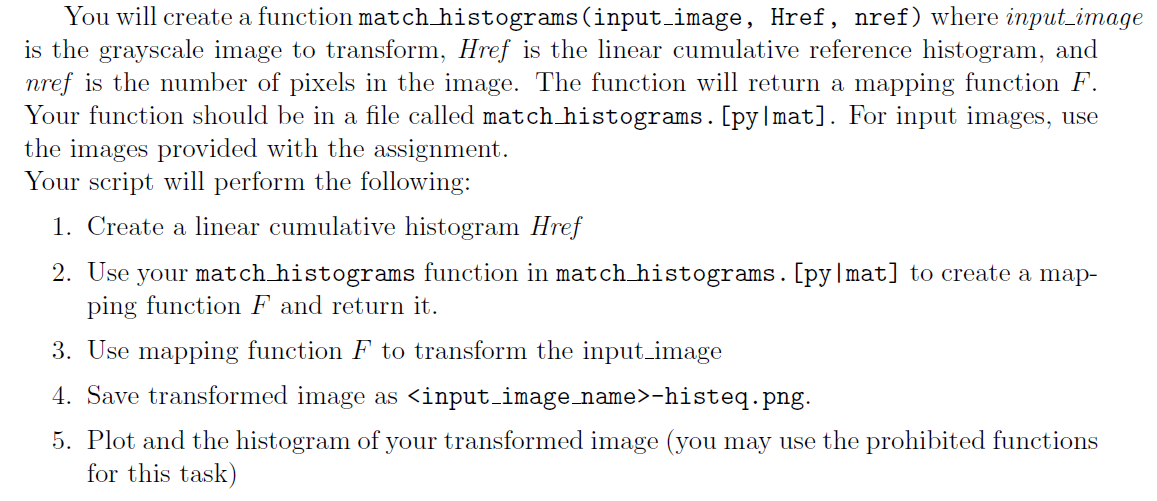
You will create a function match histograms (input_image, Href, nref) where input_image is the grayscale image to transform, Href is the linear cumulative reference histogram, and nref is the number of pixels in the image. The function will return a mapping function F. Your function should be in a file called match histograms. [py mat]. For input images, use the images provided with the assignment. Your script will perform the following: 1. Create a linear cumulative histogram Href 2. Use your match histograms function in match histograms. [py|mat] to create a map- ping function F and return it. 3. Use mapping function F to transform the input_image 4. Save transformed image as -histeq.png. 5. Plot and the histogram of your transformed image (you may use the prohibited functions for this task) You will create a function match histograms (input_image, Href, nref) where input_image is the grayscale image to transform, Href is the linear cumulative reference histogram, and nref is the number of pixels in the image. The function will return a mapping function F. Your function should be in a file called match histograms. [py mat]. For input images, use the images provided with the assignment. Your script will perform the following: 1. Create a linear cumulative histogram Href 2. Use your match histograms function in match histograms. [py|mat] to create a map- ping function F and return it. 3. Use mapping function F to transform the input_image 4. Save transformed image as -histeq.png. 5. Plot and the histogram of your transformed image (you may use the prohibited functions for this task)

Step by Step Solution

There are 3 Steps involved in it

1 Expert Approved Answer
Step: 1 Unlock blur-text-image
Question Has Been Solved by an Expert!

Get step-by-step solutions from verified subject matter experts

Step: 2 Unlock
Step: 3 Unlock

Students Have Also Explored These Related Databases Questions!