







Question: How to use visual studio 2015 C# to make a program to maintain student scores, the users able to add, update, and delete scores from
How to use visual studio 2015 C# to make a program to maintain student scores, the users able to add, update, and delete scores from the list, also can add student to the list.
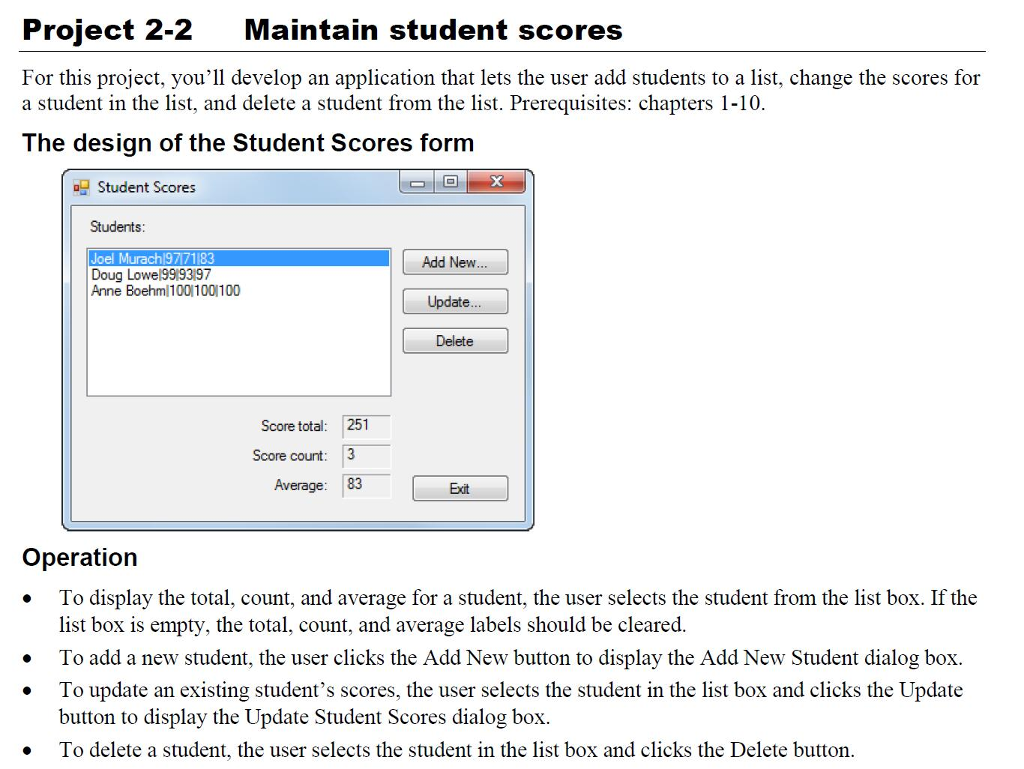
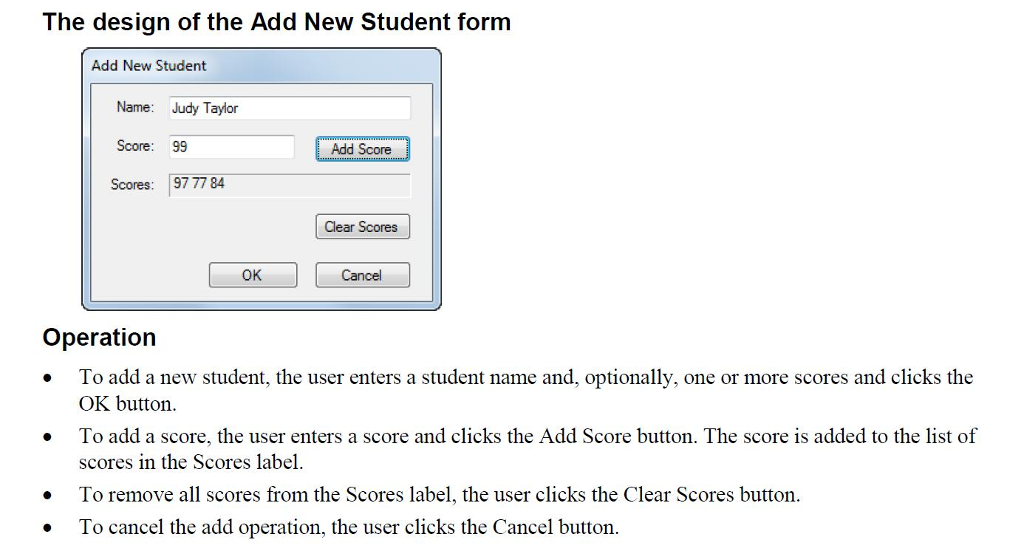
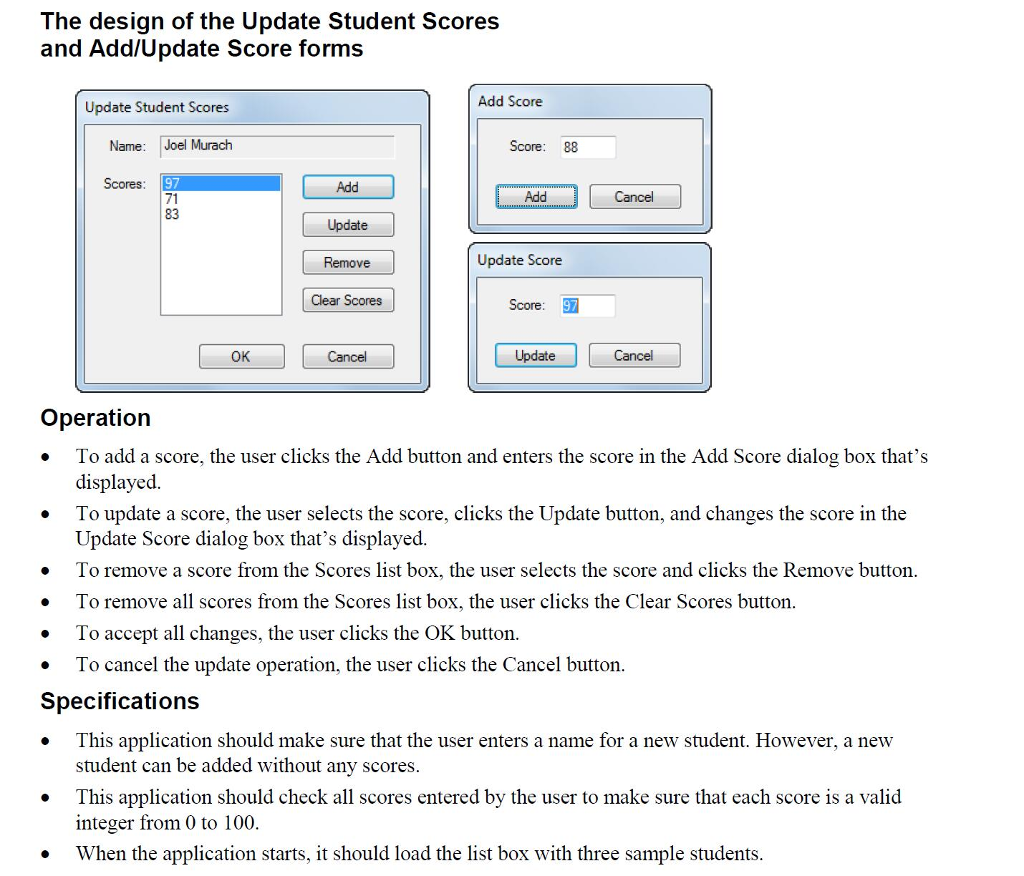
Project 2-2 Maintain student scores For this project, you'll develop an application that lets the user add students to a list, change the scores for a student in the list, and delete a student from the list. Prerequisites: chapters 1-10 The design of the Student Scores form Student Scores Students: Joel Murach97763Add New Doug Lowel99(93197 Anne Boehm/100 1001100 Update... Delete Score total: 251 Score count: 3 Average: 83 Exit Operation To display the total, count, and average for a student, the user selects the student from the list box. If the list box is empty, the total, count, and average labels should be cleared. .To add a new student, the user clicks the Add New button to display the Add New Student dialog box . To update an existing student's scores, the user selects the student in the list box and clicks the Update button to display the Update Student Scores dialog box . To delete a student, the user selects the student in the list box and clicks the Delete button Project 2-2 Maintain student scores For this project, you'll develop an application that lets the user add students to a list, change the scores for a student in the list, and delete a student from the list. Prerequisites: chapters 1-10 The design of the Student Scores form Student Scores Students: Joel Murach97763Add New Doug Lowel99(93197 Anne Boehm/100 1001100 Update... Delete Score total: 251 Score count: 3 Average: 83 Exit Operation To display the total, count, and average for a student, the user selects the student from the list box. If the list box is empty, the total, count, and average labels should be cleared. .To add a new student, the user clicks the Add New button to display the Add New Student dialog box . To update an existing student's scores, the user selects the student in the list box and clicks the Update button to display the Update Student Scores dialog box . To delete a student, the user selects the student in the list box and clicks the Delete button
Step by Step Solution
There are 3 Steps involved in it

Get step-by-step solutions from verified subject matter experts
 Study Help