Question: I am using Android studio and trying to put a 30% transparent overlay (android:background=ddffffff) on top of a picture but when I do it removed
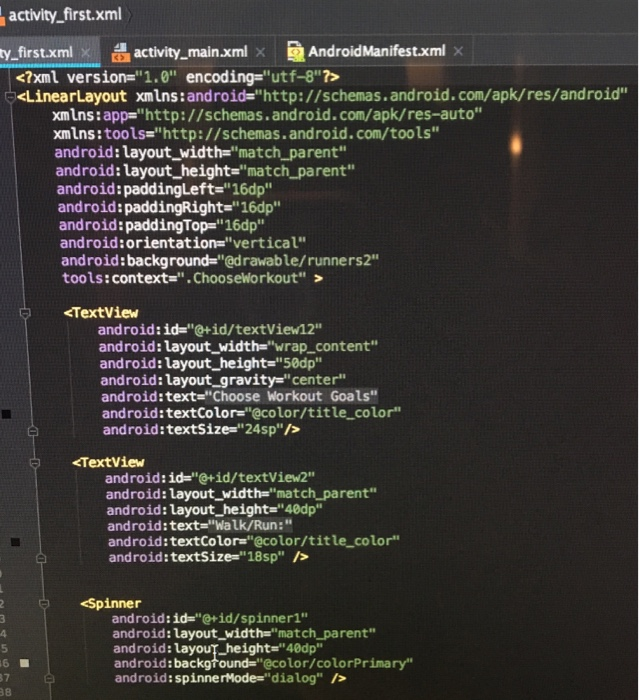
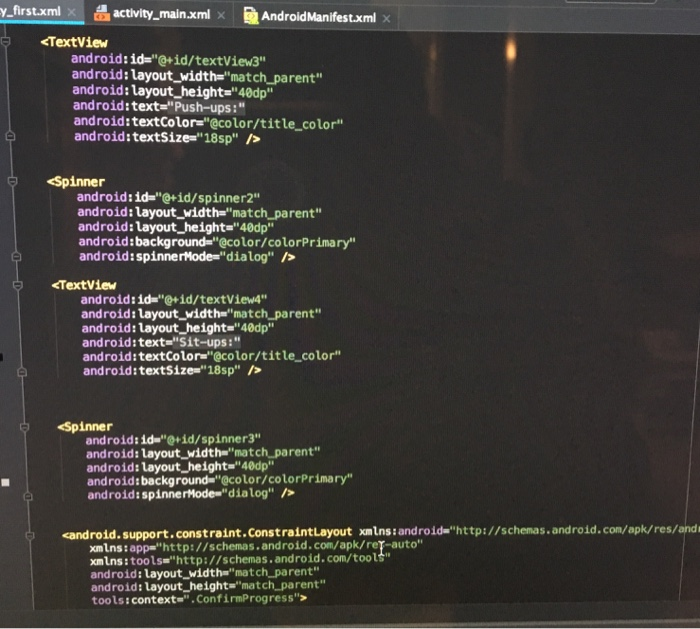
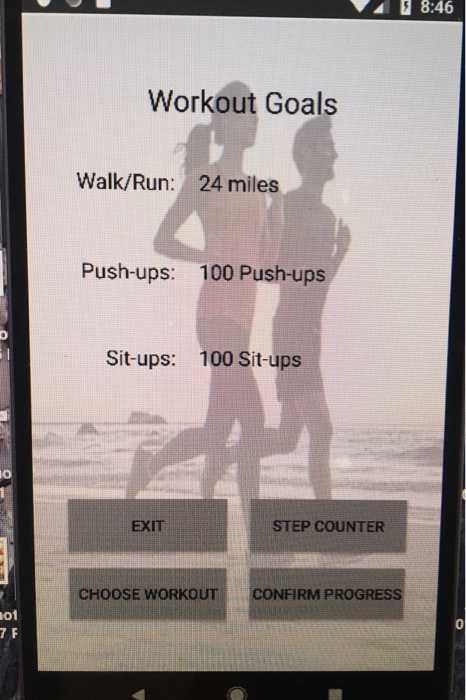
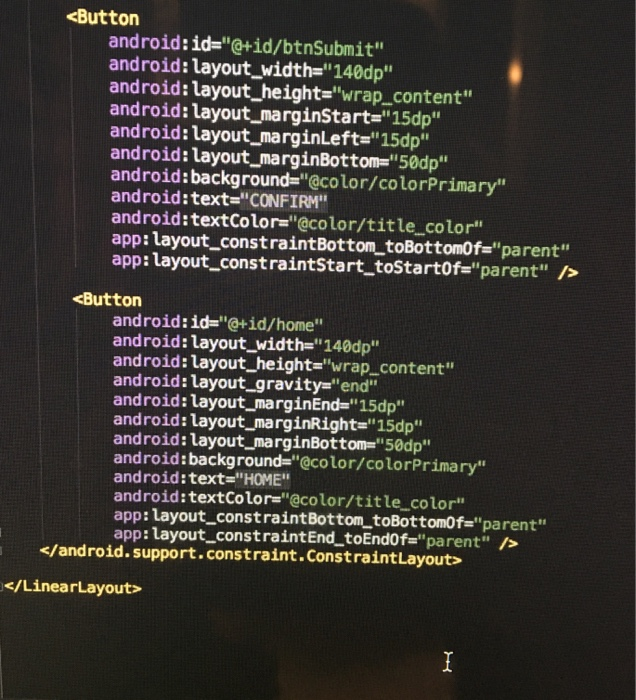
I am using Android studio and trying to put a 30% transparent overlay (android:background=ddffffff) on top of a picture but when I do it removed the buttons I have placed on the photo. It should look like the last photo. Any help is welcomed. Im really new to this.  I am using Android studio and trying to put a 30%
transparent overlay (android:background=ddffffff) on top of a picture but when I do
it removed the buttons I have placed on the photo. It should
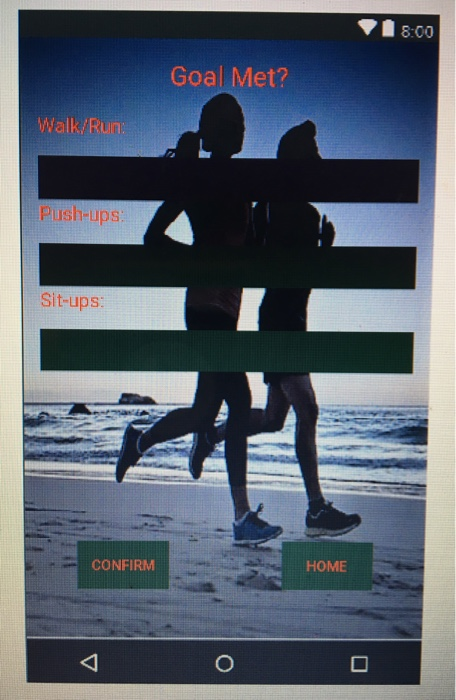
look like the last photo. Any help is welcomed. Im really new
to this. activity_first.xml ty-first.xml activity-main.xml AndroidManifest.xml . LinearLayout xmins : android="http://schemas.android.com/apk/res/android" xmIns

activity_first.xml ty-first.xml activity-main.xml AndroidManifest.xml . LinearLayout xmins : android="http://schemas.android.com/apk/res/android" xmIns : app="http: //schemas. and roid. com/apk/ res-auto" xmins : tools="http://schemas. android.com/tools.. android: layout width-"match_ parent" android: layout_height-"match parent" android:paddingLeft-'16dp" android:paddingRight-"16dp android: paddingTop="16dp" android:orientation-"vertical android:background-"@drawable/runners2" tools:context-". ChooseWorkout" > TextView android:id "@+id/textView2" android: layout_width"match parent" android: layout height- 40dp" android:text-'Walk/Run:" android:textColor-"@color/title color" android: textsize="18sp" /> Spinnerthmatch android:id-"+id/spinner1" android: layout_width"match_parent" android : ua you-height="40dp" android:background-"@color/colorPrimary android: spinnerMode- "dialog" /> 5 7 38 .first.xml activity-main.xmlAndroidManifest.xml x Spinner android: ida"@+id/ spinner2" android: layout_width-"match parent" android: layout_height "40dp android:background-"@color/colorPrimary" android:spinnerMode- "dialog" /> support.constraint.ConstraintLayout> 8:00 Goal Met? Walk/Run Push-ups Sit-ups: CONFIRM HOME 8:46 Workout Goals Walk/Run: 24 miles Push-ups: 100 Push-ups Sit-ups: 100 Sit-ups 0 EXIT STEP COUNTER CHOOSE WORKOUT CONFIRM PROGRESS ot 7 F 0

Step by Step Solution

There are 3 Steps involved in it

1 Expert Approved Answer
Step: 1 Unlock blur-text-image
Question Has Been Solved by an Expert!

Get step-by-step solutions from verified subject matter experts

Step: 2 Unlock
Step: 3 Unlock

Students Have Also Explored These Related Databases Questions!