







Question: I NEED A CHASE PLAN, LEVEL - UTILIZATION PLAN AND MIXED PLAN. DO NOT COPY AND PASTE A DIFFERENT ANSWER THAT USES DIFFERENT FORECAST DATA.
I NEED A CHASE PLAN, LEVELUTILIZATION PLAN AND MIXED PLAN. DO NOT COPY AND PASTE A DIFFERENT ANSWER THAT USES DIFFERENT FORECAST DATA. USE MY FORECAST DATA I PROVIDED!!!
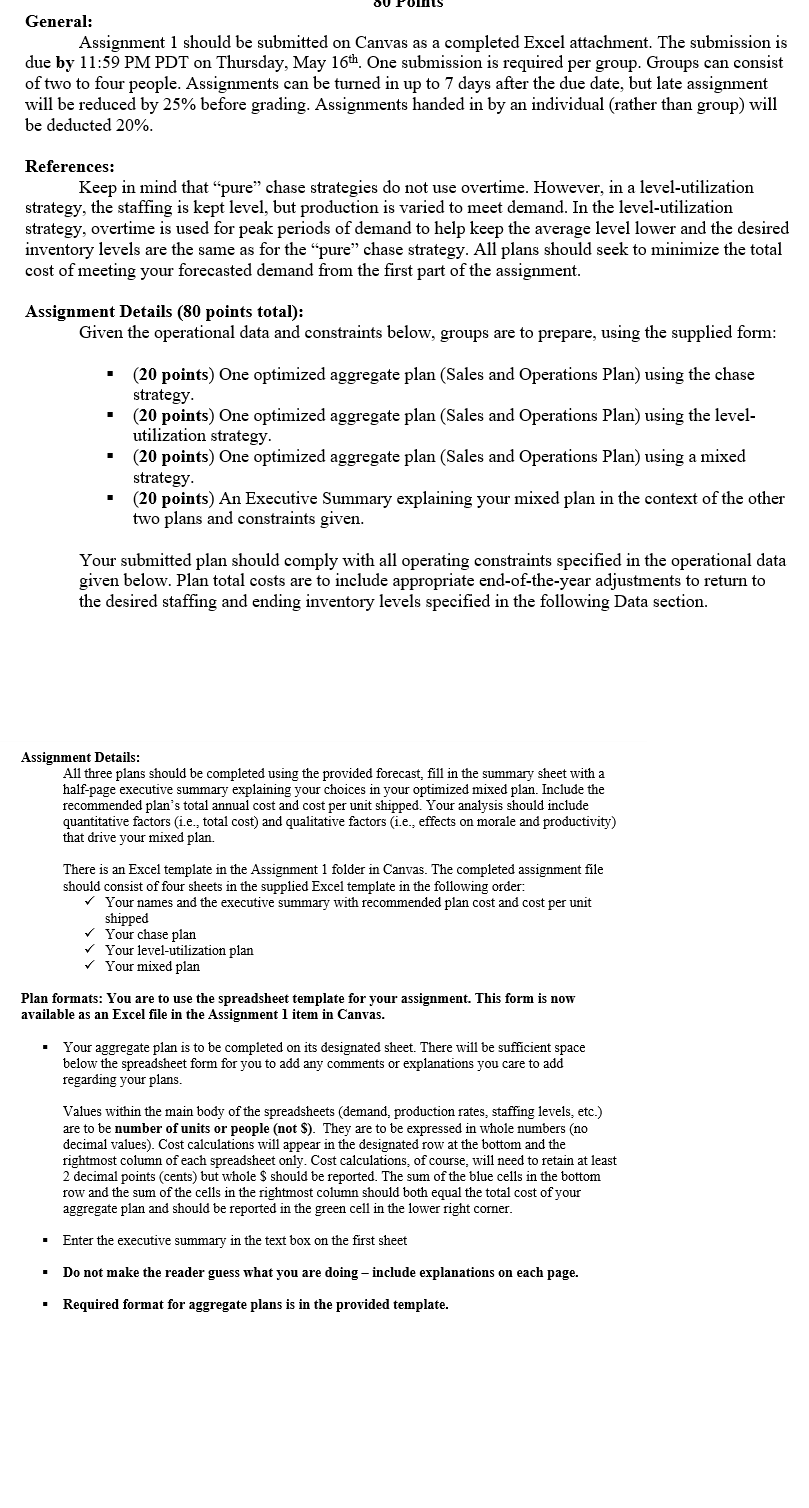
Assignment Details:
All three plans should be completed using the provided forecast, fill in the summary sheet with a
halfpage executive summary explaining your choices in your optimized mixed plan. Include the
recommended plan's total annual cost and cost per unit shipped. Your analysis should include
quantitative factors ie total cost and qualitative factors ie effects on morale and productivity
that drive your mixed plan.
There is an Excel template in the Assignment folder in Canvas. The completed assignment file
should consist of four sheets in the supplied Excel template in the following order:
Your names and the executive summary with recommended plan cost and cost per unit
shipped
Your chase plan
Your levelutilization plan
Your mixed plan
Plan formats: You are to use the spreadsheet template for your assignment. This form is now
available as an Excel file in the Assignment item in Canvas.
Your aggregate plan is to be completed on its designated sheet. There will be sufficient space
below the spreadsheet form for you to add any comments or explanations you care to add
regarding your plans.
Values within the main body of the spreadsheets demand production rates, staffing levels, etc.
are to be number of units or people not $ They are to be expressed in whole numbers no
decimal values Cost calculations will appear in the designated row at the bottom and the
rightmost column of each spreadsheet only. Cost calculations, of course, will need to retain at least
decimal points cents but whole $ should be reported. The sum of the blue cells in the bottom
row and the sum of the cells in the rightmost column should both equal the total cost of your
aggregate plan and should be reported in the green cell in the lower right corner.
Enter the executive summary in the text box on the first sheet
Do not make the reader guess what you are doing include explanations on each page.
Required format for aggregate plans is in the provided template. Assignment Data:
Use the following monthly forecast to create your aggregate plans:
Forecast:
Assume production days per month weeks of days each
The ending inventory for December of is units
Assume units on backorder at the end of
The number of units produced by each worker is units per month
The desired safety stock level is units you can only fall below this level to avoid having
backorders, even in the Chase Strategy
Average pay applies for the first hours an employee works in a week. Overtime pay applies for
any time over hours in a given week. The maximum level of overtime any employee can work
in a month is hours.
You must employ whole people there are no part time employees. However you can
underutilize.
Employees do not produce more per month than is required by the plan ie no efficiency gains
however they can underproduce to satisfy the conditions of the type of plan that you choose.
The firm wants exactly units to be left in inventory at the end of the fiscal year after
forecasted December demand is satisfied This is a firm requirement for all plans.
The staffing level at the beginning of is to be the same as the original staffing level given
below any staffing changes needed to achieve this are made after the forecasted December
demand is satisfied This is a firm requirement for all plans.
Any backorder negative onhand inventory is shown as a positive value in the backorder column
instead of in the inventory column since it has a different monthly cost per unit. That is if there is
backorder for a period, there will be zero onhand inventories for that period. Be sure to fulfill
backorders as soon as possible in the plan.
Assignment Cost Information Table:
Assignment Operating Constraints Table: These two Cells should
equal each other as a checksum
Fill in white, blue and green cells only. Do not put values in the grey cells. These two Cells should
equal each other as a checksum
Fill in white, blue and green cells only.
Do not put values in the grey cells.These two Cells should
Step by Step Solution
There are 3 Steps involved in it
1 Expert Approved Answer
Step: 1 Unlock

Question Has Been Solved by an Expert!
Get step-by-step solutions from verified subject matter experts
Step: 2 Unlock
Step: 3 Unlock
 Study Help