







Question: I need help to create this one on VBA on Excel espeacially code. I need help with explanation. . An Active X button should start
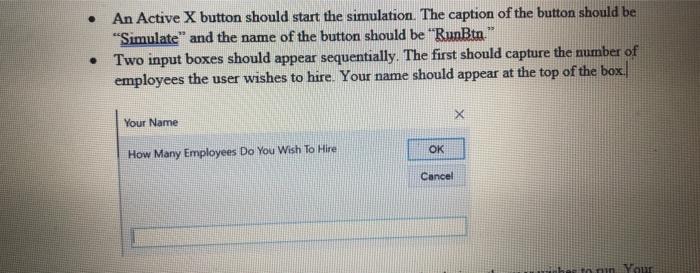
. An Active X button should start the simulation. The caption of the button should be "Simulate and the name of the button should be "RunBtn." Two input boxes should appear sequentially. The first should capture the number of employees the user wishes to hire. Your name should appear at the top of the box. X Your Name OK How Many Employees Do You Wish To Hire Cancel her tonun You . An Active X button should start the simulation. The caption of the button should be "Simulate and the name of the button should be "RunBtn." Two input boxes should appear sequentially. The first should capture the number of employees the user wishes to hire. Your name should appear at the top of the box. X Your Name OK How Many Employees Do You Wish To Hire Cancel her tonun You
Step by Step Solution
There are 3 Steps involved in it

Get step-by-step solutions from verified subject matter experts
 Study Help