







Question: i need some help please (10 . Part-11 Marks) Open Microsoft Visual Studio 2019 and create new project named Lab5B. Add new source file Lab4_part2.c
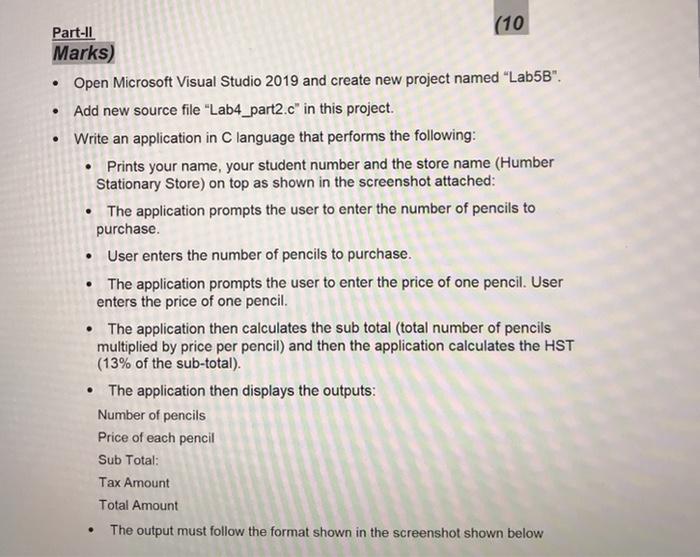
(10 . Part-11 Marks) Open Microsoft Visual Studio 2019 and create new project named "Lab5B". Add new source file "Lab4_part2.c" in this project. Write an application in C language that performs the following: Prints your name, your student number and the store name (Humber Stationary Store) on top as shown in the screenshot attached: The application prompts the user to enter the number of pencils to purchase User enters the number of pencils to purchase. The application prompts the user to enter the price of one pencil. User enters the price of one pencil. The application then calculates the sub total (total number of pencils multiplied by price per pencil) and then the application calculates the HST (13% of the sub-total). The application then displays the outputs: Number of pencils Price of each pencil Sub Total: Tax Amount Total Amount . The output must follow the format shown in the screenshot shown below
Step by Step Solution
There are 3 Steps involved in it

Get step-by-step solutions from verified subject matter experts
 Study Help