







Question: I need source code and form design in Visual Basic .NET Video Bonanza Design and code a project to calculate the amount due The Clear
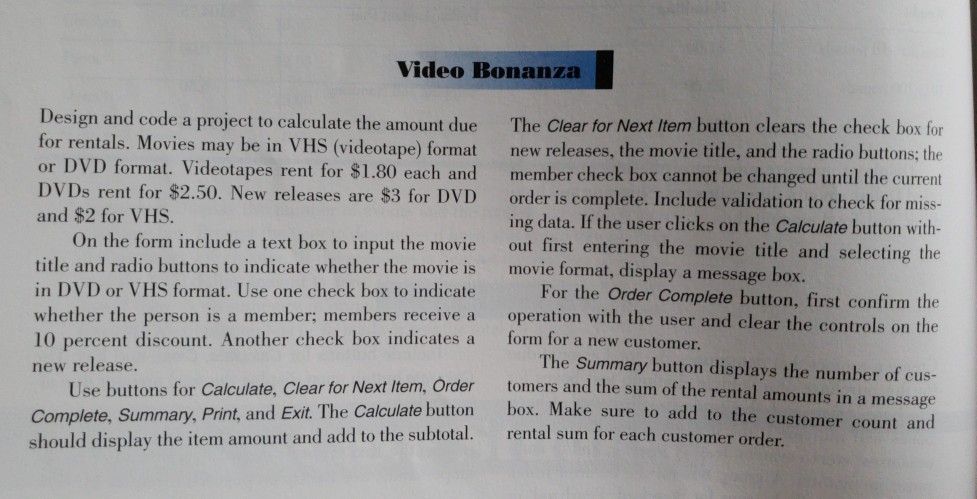
I need source code and form design in Visual Basic .NET
Video Bonanza Design and code a project to calculate the amount due The Clear for Next Item button clears the check box for for rentals. Movies may be in VHS (videotape) format new releases, the movie title, and the radio buttons; the or DVD format. Videotapes rent for $1.80 each and member check box cannot be changed until the current DVDs rent for $2.50. New releases are $3 for DVD order is complete. Include validation to check for miss. and $2 for VHS. ing data. If the user clicks on the Calculate button with- out first entering the movie title and selecting the movie format, display a messa On the form include a text box to input the movie title and radio buttons to indicate whether the movie is in DVD or VHS format. Use one check box to indicate whether the person is a member; members receive a 10 percent discount. Another check box indicates a ge box. For the Order Complete button, first confirm the operation with the user and clear the controls on the form for a new customer. The Summary button displays the number of cus- tomers and the sum of the rental amounts in a message box. Make sure to add to the customer count and new release. r Next Item, Order Use buttons for Calculate, Clear fo Complete, Summary, Print, and Exit. The Calculate should display the item amount and add to the subtotal. rental sum for each customer order. button
Step by Step Solution
There are 3 Steps involved in it

Get step-by-step solutions from verified subject matter experts
 Study Help