







Question: I seem to be having trouble doing this assignment. I really need someone to help me out here Chapter 8: C# Windows Forms Applicatin and
I seem to be having trouble doing this assignment. I really need someone to help me out here
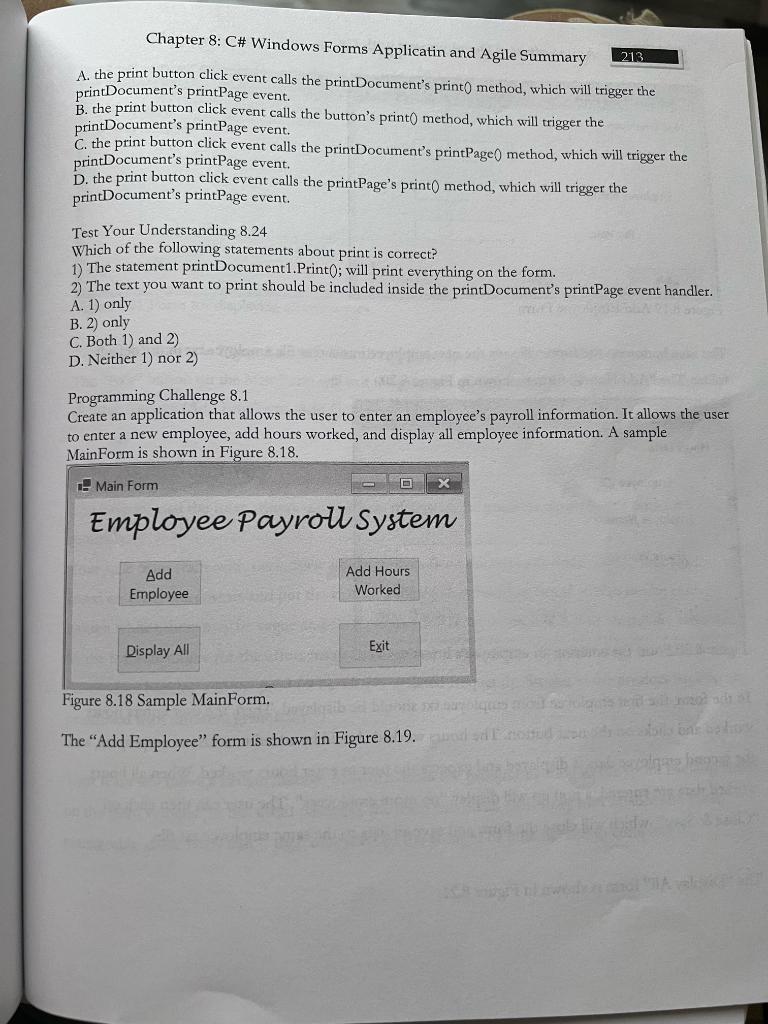
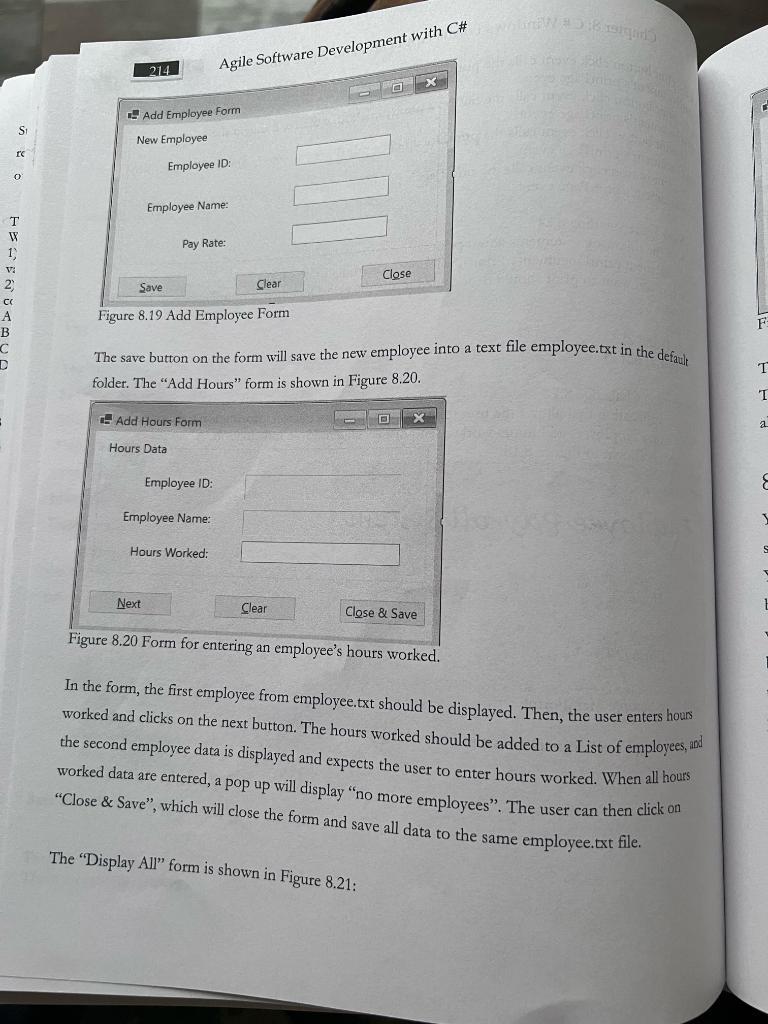
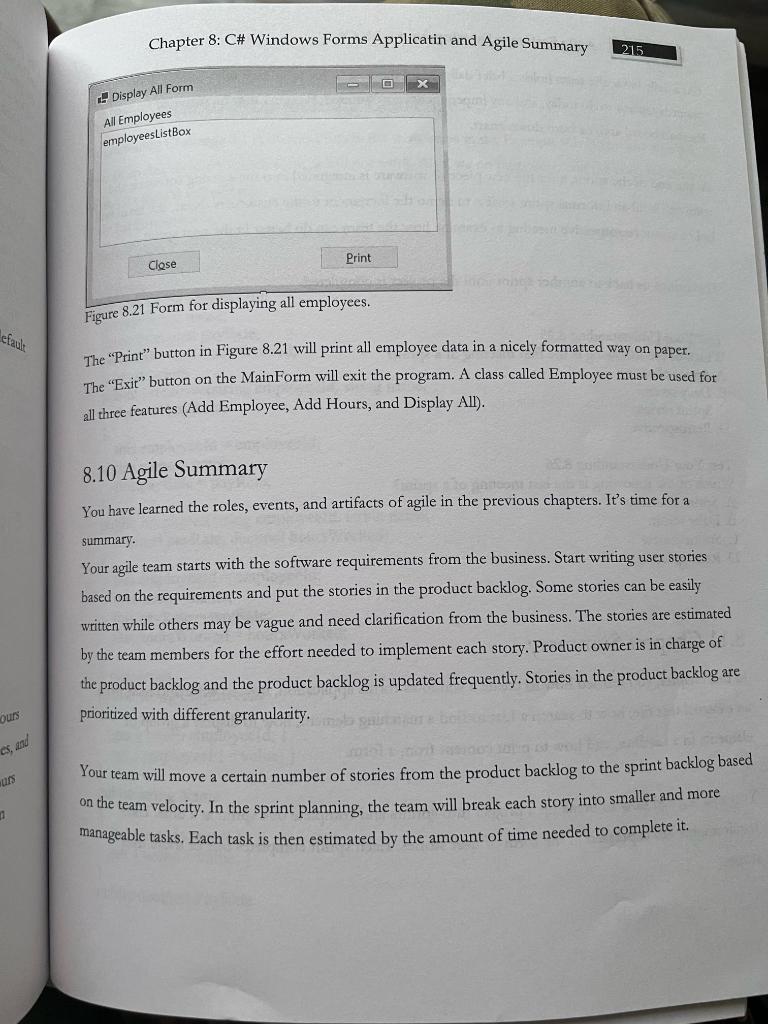
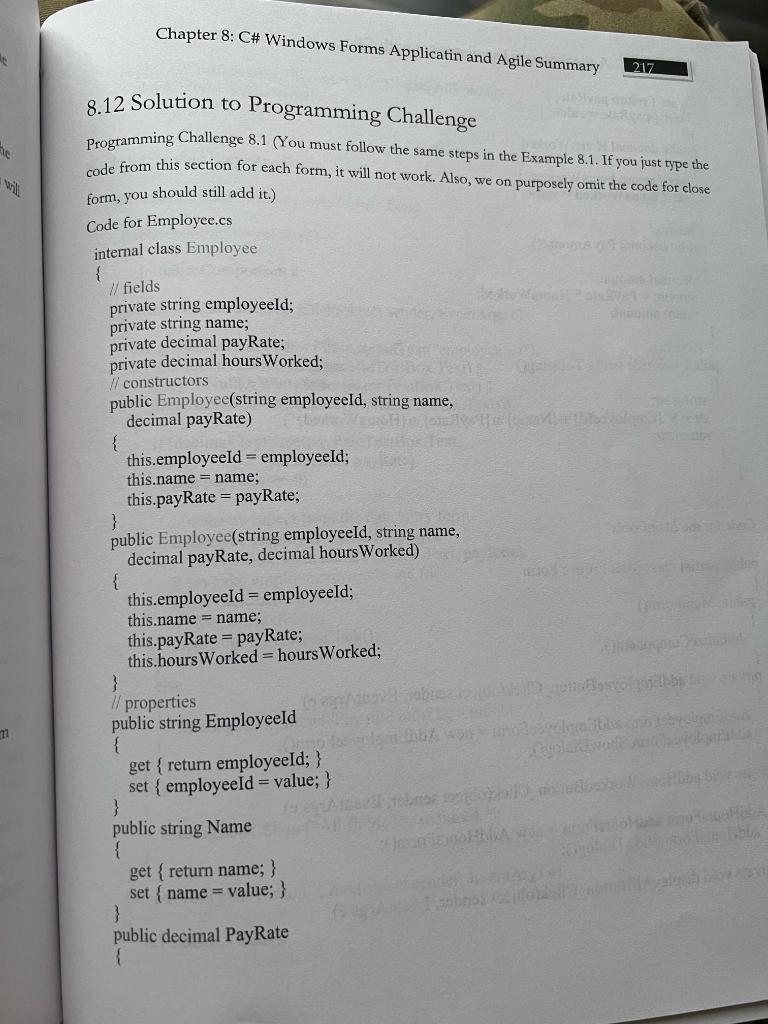
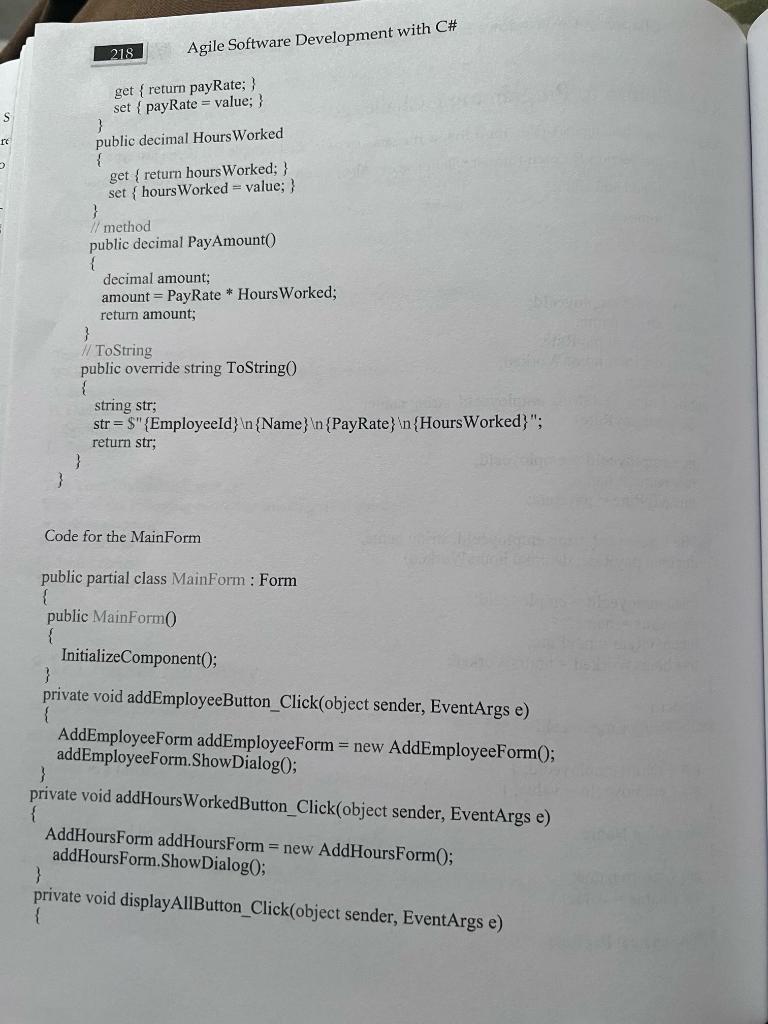
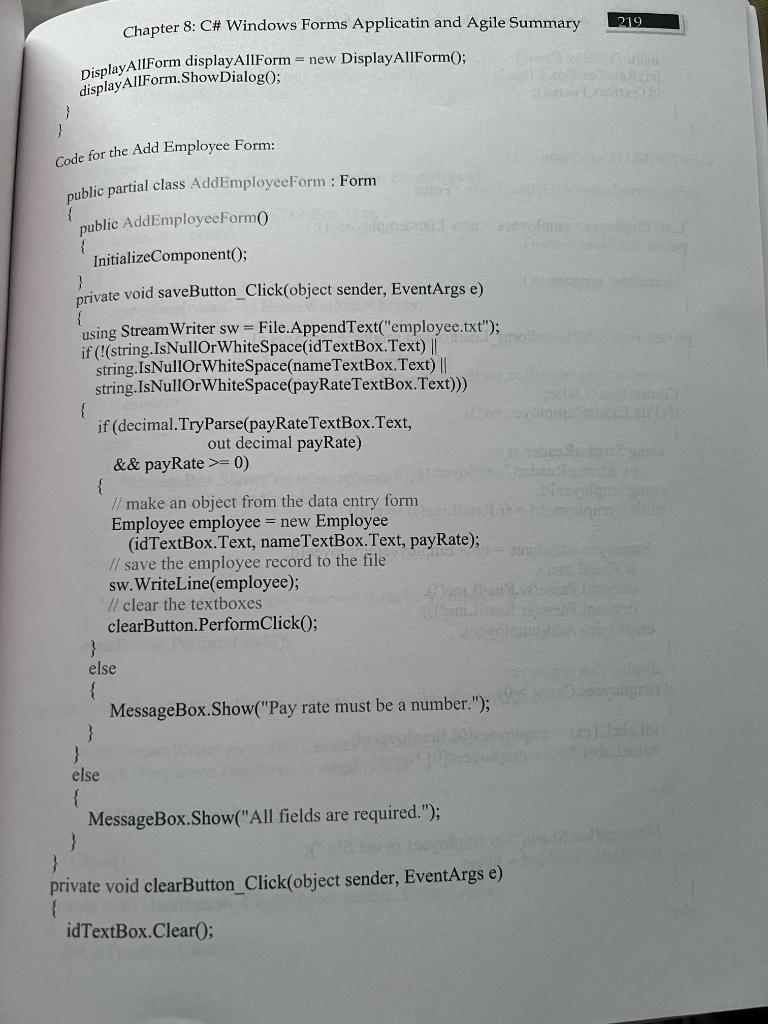
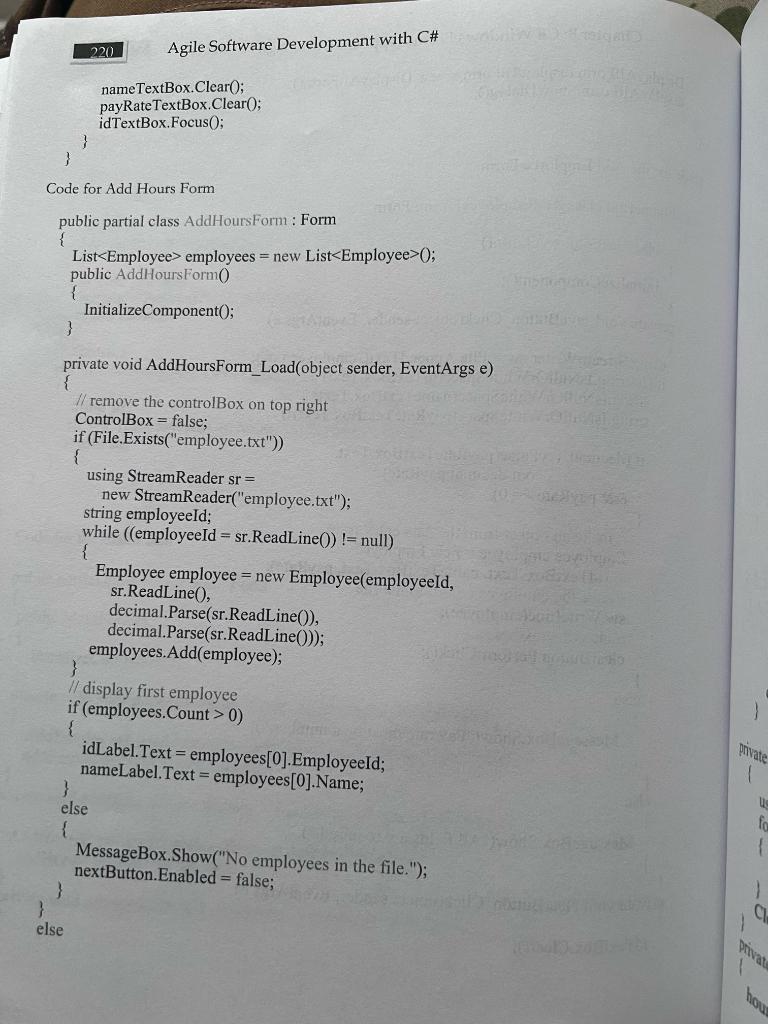
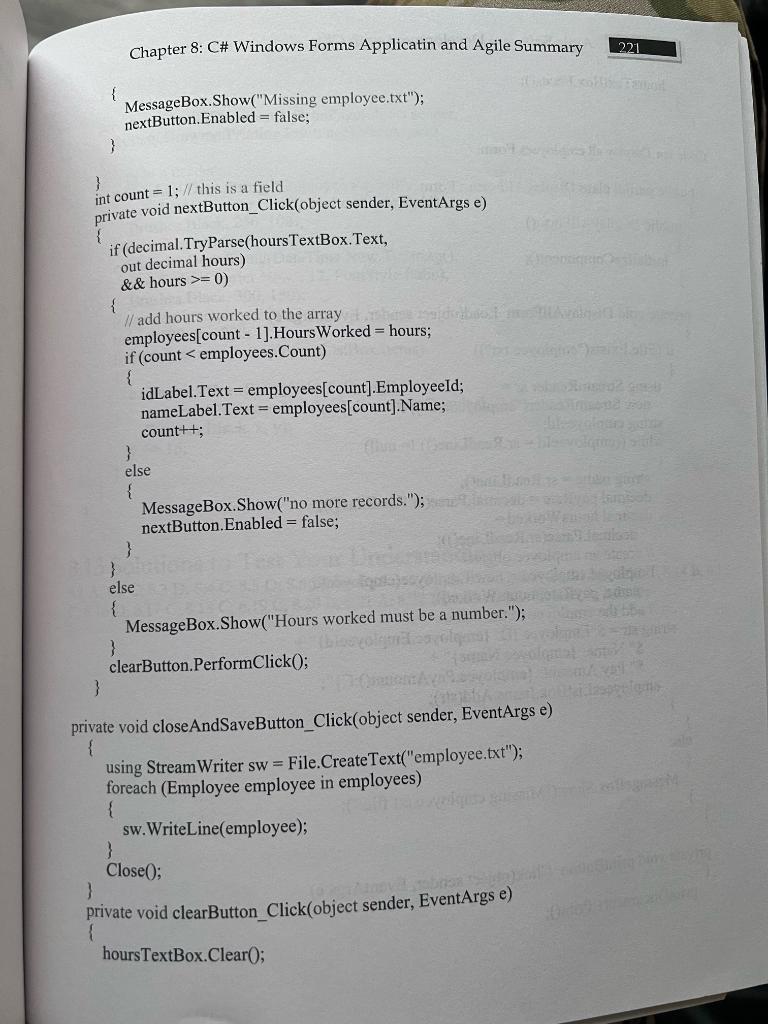
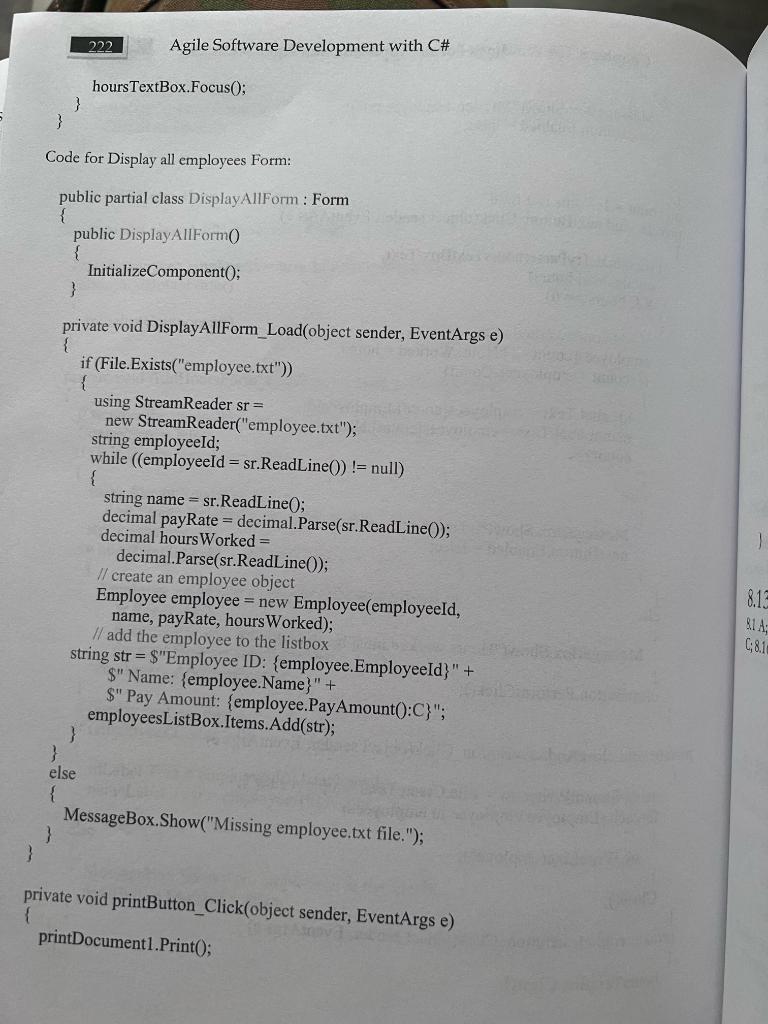
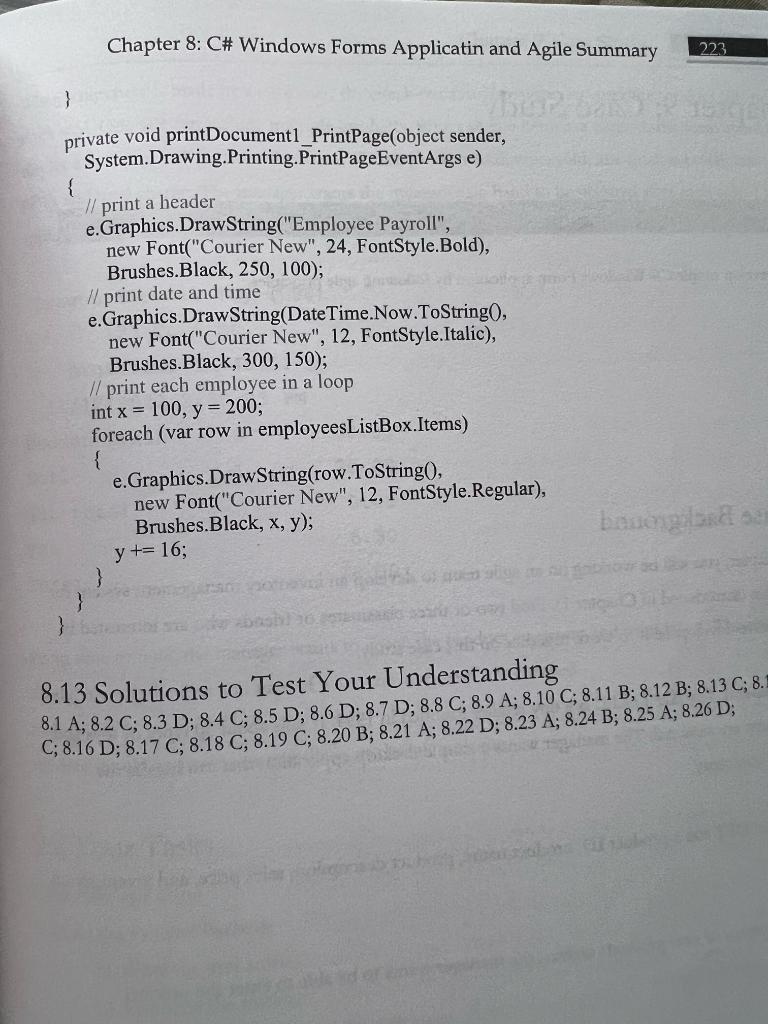
Chapter 8: C\# Windows Forms Applicatin and Agile Summary 213 A. the print button click event calls the printDocument's print0 method, which will trigger the printDocument's printPage event. B. the print button click event calls the button's print 0 method, which will trigger the printDocument's printPage event. C. the print button click event calls the printDocument's printPage0 method, which will trigger the printDocument's printPage event. D. the print button click event calls the printPage's print 0 method, which will trigger the printDocument's printPage event. Test Your Understanding 8.24 Which of the following statements about print is correct? 1) The statement printDocument1.Print 0 ; will print everything on the form. 2) The text you want to print should be included inside the printDocumen's printPage event handler. A. 1) only B. 2) only C. Both 1) and 2) D. Neither 1) nor 2) Programming Challenge 8.1 Create an application that allows the user to enter an employee's payroll information. It allows the user to enter a new employee, add hours worked, and display all employee information. A sample MainForm is shown in Figure 8.18. Figure 8.18 Sample MainForm. The "Add Employee" form is shown in Figure 8.19. Figure 8.19 Add Employee Form folder. The "Add Hours" form is shown in Figure 8.20. Figure 8.20 Form for entering an employee's hours worked. In the form, the first employee from employee.txt should be displayed. Then, the user enters hours worked and clicks on the next button. The hours worked should be added to a List of employees, and the second employee data is displayed and expects the user to enter hours worked. When all hours worked data are entered, a pop up will display "no more employees". The user can then click on "Close \& Save", which will close the form and save all data to the same employee.txt file. The "Display All" form is shown in Figure 8.21: Chapter 8: C\# Windows Forms Applicatin and Agile Summary 215 Figure 8.21 Form for displaying all employees. The "Print" button in Figure 8.21 will print all employee data in a nicely formatted way on paper. The "Exit" button on the MainForm will exit the program. A class called Employee must be used for all three features (Add Employee, Add Hours, and Display All). 8.10 Agile Summary You have learned the roles, events, and artifacts of agile in the previous chapters. It's time for a summary. Your agile team starts with the software requirements from the business. Start writing user stories based on the requirements and put the stories in the product backlog. Some stories can be easily written while others may be vague and need clarification from the business. The stories are estimated by the team members for the effort needed to implement each story. Product owner is in charge of the product backlog and the product backlog is updated frequently. Stories in the product backlog are prioritized with different granularity. Your team will move a certain number of stories from the product backlog to the sprint backlog based on the team velocity. In the sprint planning, the team will break each story into smaller and more manageable tasks. Each task is then estimated by the amount of time needed to complete it. 8.12 Solution to Programming Challenge Programming Challenge 8.1 (You must follow the same steps in the Example 8.1. If you just type the code from this section for each form, it will not work. Also, we on purposely omit the code for close form, you should still add it.) Code for Employee.cs internal class Employee \{ // fields private string employeeId; private string name; private decimal payRate; private decimal hoursWorked; 1/ constructors public Employee(string employeeId, string name, decimal payRate) \{ this.employeeId = employeeId; this.name = name; this.payRate = payRate; \} public Employee(string employeeId, string name, decimal payRate, decimal hoursWorked) \{ this.employeeId = employeeId; this.name = name; this.payRate = payRate; this.hoursWorked = hours Worked; \} // properties public string EmployeeId \{ get { return employeeId; } set { employeeId = value ;} \} public string Name \{ get { return name; } set { name = value; } ) public decimal PayRate \{ 218 Agile Software Development wit get { return payRate; } set { payRate = value; } ) public decimal Hours Worked { get \{ return hoursWorked; \} set { hoursWorked = value; } \} I/ method public decimal PayAmount() \{ decimal amount; amount = PayRate HoursWorked; return amount; ) // ToString public override string ToString() ( string str; str=\( s t r=\$ "\{ \)quot;{ EmployeeId } { Name } { PayRate }ln{ HoursWorked }"; return str; 3 \} Code for the MainForm public partial class MainForm : Form \{ public MainForm0 \{ InitializeComponent(); 3 private void addEmployeeButton_Click(object sender, EventArgs e) \{ AddEmployeeForm addEmployeeForm = new AddEmployeeForm () ; \} addEmployeeForm.ShowDialog (; private void addHoursWorkedButton_Click(object sender, EventArgs e) \{ AddHoursForm addHoursForm = new AddHoursForm(; \} addHoursForm. ShowDialog0; private void displayAllButton_Click(object sender, EventArgs e) \{ Chapter 8: C\# Windows Forms Applicatin and Agile Summary 219 DisplayAllForm displayAllForm = new DisplayAllForm(); displayAllForm.ShowDialog(); 3 Code for the Add Employee Form: public partial class AddEmployeeForm : Form \{ \} private void clearButton_Click(object sender, EventArgs e) idTextBox.Clear() 220 Agile Software Development with CH nameTextBox.Clear(); payRateTextBox.Clear() idTextBox.Focus(; \} Code for Add Hours Form public partial class AddHoursForm : Form \{ List employees = new List 0; public AddHoursForm( ) \{ InitializeComponent); ) private void AddHoursForm_____(object sender, EventArgs e) \{ // remove the controlBox on top right ControlBox = false; if (File.Exists("employee.txt")) \{ using StreamReader sr= new StreamReader("employee.txt"); string employeeId; while (( employeeId = sr.ReadLine ())!= null ) \{ Employee employee = new Employee (employeeld, sr.ReadLine(), decimal.Parse(sr.ReadLine ()), decimal.Parse(sr.ReadLine())); \} employees.Add(employee); // display first employee if (employees.Count >0 ) \{ idLabel. Text = employees [0].EmployeeId; \} nameLabel.Text = employees[0]. Name; else \{ MessageBox.Show("No employees in the file."); \} nextButton.Enabled = false; Chapter 8: C\# Windows Forms Applicatin and Agile Summary 221 \{ MessageBox.Show("Missing employee.txt"); nextButton.Enabled = false; \} int count =1; // this is a field ) private void nextButton_Click(object sender, EventArgs e) if (decimal.TryParse(hoursTextBox.Text, out decimal hours) \& \& hours >=0 ) // add hours worked to the array employees[count - 1].HoursWorked = hours; if (count employees = new List 0; public AddHoursForm( ) \{ InitializeComponent); ) private void AddHoursForm_____(object sender, EventArgs e) \{ // remove the controlBox on top right ControlBox = false; if (File.Exists("employee.txt")) \{ using StreamReader sr= new StreamReader("employee.txt"); string employeeId; while (( employeeId = sr.ReadLine ())!= null ) \{ Employee employee = new Employee (employeeld, sr.ReadLine(), decimal.Parse(sr.ReadLine ()), decimal.Parse(sr.ReadLine())); \} employees.Add(employee); // display first employee if (employees.Count >0 ) \{ idLabel. Text = employees [0].EmployeeId; \} nameLabel.Text = employees[0]. Name; else \{ MessageBox.Show("No employees in the file."); \} nextButton.Enabled = false; Chapter 8: C\# Windows Forms Applicatin and Agile Summary 221 \{ MessageBox.Show("Missing employee.txt"); nextButton.Enabled = false; \} int count =1; // this is a field ) private void nextButton_Click(object sender, EventArgs e) if (decimal.TryParse(hoursTextBox.Text, out decimal hours) \& \& hours >=0 ) // add hours worked to the array employees[count - 1].HoursWorked = hours; if (count
Step by Step Solution
There are 3 Steps involved in it

Get step-by-step solutions from verified subject matter experts
 Study Help