







Question: import pandas as pd import numpy as np Read in trip data 1) read in tripdata.csv 2) print last 7 rows of trip data 3)
import pandas as pd import numpy as np
Read in trip data
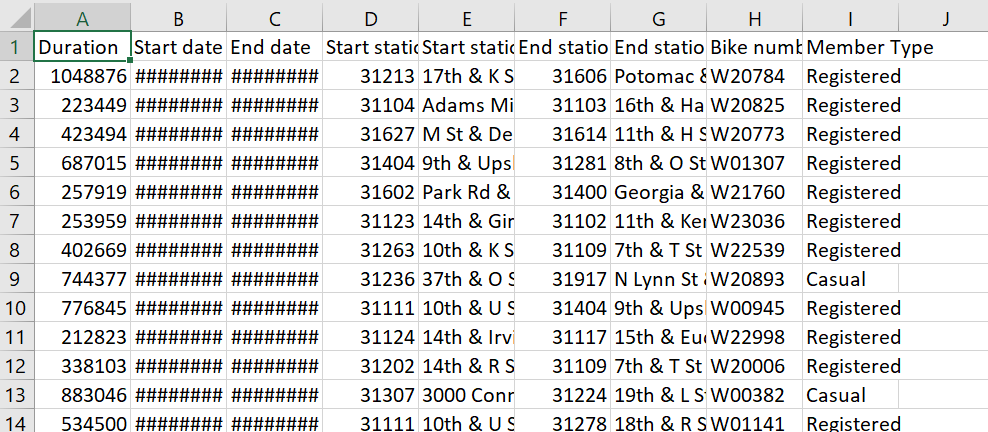
1) read in tripdata.csv
2) print last 7 rows of trip data
3) print dimensions of trip data
4) slice data - save only the start date (Start date) and the duration (Duration) into a new dataframe
5) write the dataframe to a new file lab3b.csv
J 1 2 3 4 5 6 7 8 A B D E F G . Duration Start date End date Start static Start static End statio End statio Bike numt Member Type 1048876 ######## ######## 31213 17th & KS 31606 Potomac & W20784 Registered 223449 ######## ######## 31104 Adams Mi 31103 16th & Ha W20825 Registered 423494 ######## ######## 31627 M St & De 31614 11th & H SW20773 Registered 687015 ######## ######## 31404 9th & Ups 31281 8th & O St W01307 Registered 257919 ######## ######## 31602 Park Rd & 31400 Georgia & W21760 Registered 253959 ######## ######## 31123 14th & Gin 31102 11th & Ker W23036 Registered 402669 ######## ### 31263 10th & KS 31109 7th & T St W22539 Registered 744377 ######## ######## 31236 37th & OS 31917 N Lynn St W20893 Casual 776845 ######## ######## 31111 10th & US 31404 9th & Ups W00945 Registered 212823 ######## ######## 31124 14th & Irv 31117 15th & Eu. W22998 Registered 338103 ######## ######## 31202 14th & RS 31109 7th & T St W20006 Registered 883046 ################ 31307 3000 Conr 31224 19th & LS W00382 Casual 534500 ######## ### 31111 10th & US 31278 18th & RSW01141 Registered 9 10 11 12 13 14
Step by Step Solution
There are 3 Steps involved in it

Get step-by-step solutions from verified subject matter experts
 Study Help