Question: In cell J8, insert a text function that displays the college name from cell A8 with just the first letter capitalized, such as Engineering. Copy
In cell J8, insert a text function that displays the college name from cell A8 with just the first letter capitalized, such as Engineering. Copy the function to the range J9:J35.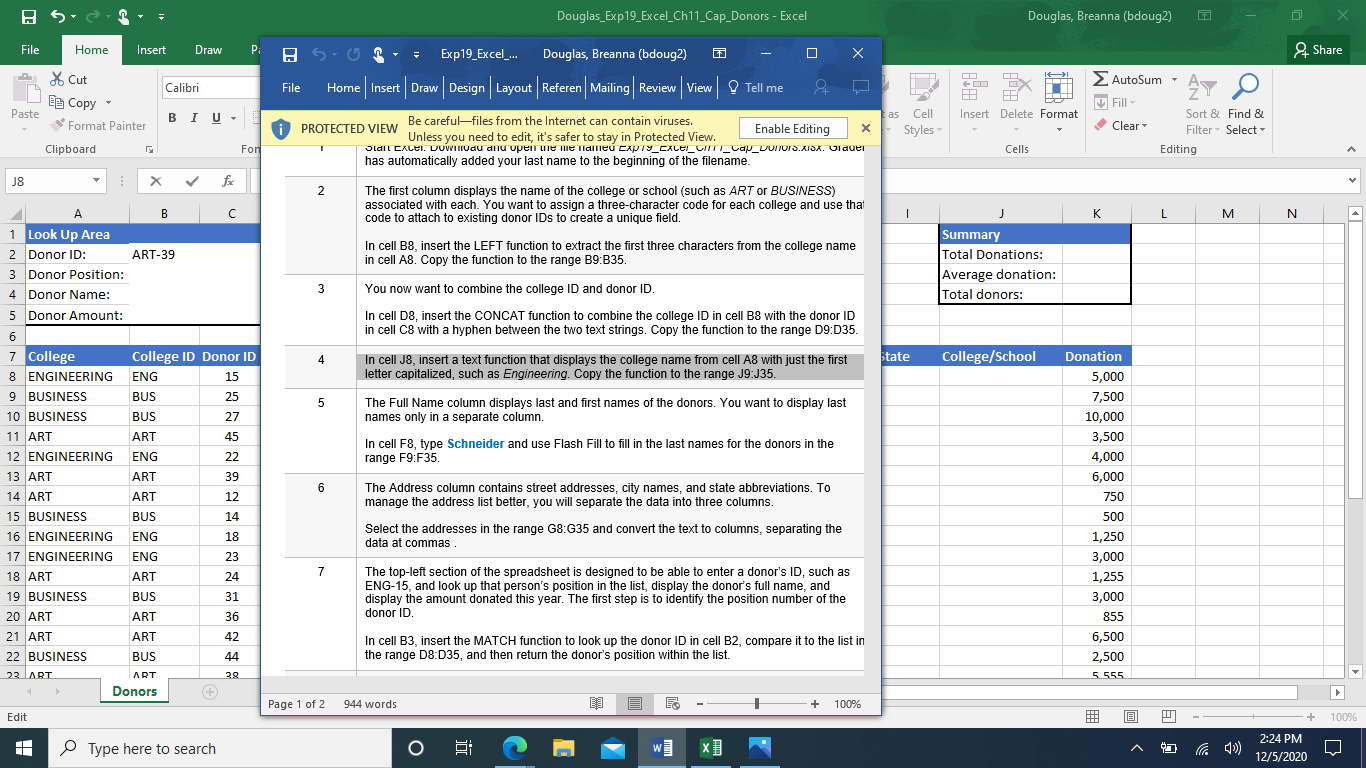
BS Douglas_Exp19_Excel_Ch11_Cap_Donors - Excel Douglas, Breanna (bdoug2) File Home Insert Draw P & Share Exp19_Excel_... Douglas, Breanna (bdoug2) Home Insert | Draw | Design | Layout | Referen|Mailing | Review | View. Tell me > AutoSum - A Calibri File & HH * Cut e Copy Format Painter Fill - Paste BIU as Insert Delete Format i Cell Styles Clear PROTECTED VIEW Be carefulfiles from the Internet can contain viruses. Enable Editing X Unless you need to edit, it's safer to stay in Protected View. Sant Cxcel. DUwmvau anu upeir me me llameu cap19_cxler_CI_Lav_DONUTS.XISX. Glauer has automatically added your last name to the beginning of the filename. Sort & Find & Filter Select Editing Clipboard Fon Cells J8 f 2 The first column displays the name of the college or school (such as ART or BUSINESS) associated with each. You want to assign a three-character code for each college and use that code to attach to existing donor IDs to create a unique field. B C 1 K L M N Summary Total Donations: Average donation: Total donors: In cell B8, insert the LEFT function to extract the first three characters from the college name in cell A8. Copy the function to the range B9:B35. You now want to combine the college ID and donor ID In cell D8, insert the CONCAT function to combine the college ID in cell B8 with the donor ID in cell C8 with a hyphen between the two text strings. Copy the function to the range 09:035. 3 4 State College/School In cell J8, insert a text function that displays the college name from cell A8 with just the first letter capitalized, such as Engineering. Copy the function to the range J9:J35. 5 The Full Name column displays last and first names of the donors. You want to display last names only in a separate column. 22 1 Look Up Area 2 Donor ID: ART-39 3 Donor Position: 4 Donor Name: 5 Donor Amount: 6 7 College College ID Donor ID 8 ENGINEERING ENG 15 9 BUSINESS BUS 25 10 BUSINESS BUS 27 11 ART ART 45 12 ENGINEERING ENG 13 ART ART 39 14 ART ART 12 15 BUSINESS BUS 14 16 ENGINEERING ENG 17 ENGINEERING ENG 23 18 ART ART 24 19 BUSINESS BUS 31 20 ART ART 36 21 ART ART 42 22 BUSINESS BUS 44 22 ART ART 28 Donors + In cell F8, type Schneider and use Flash Fill to fill in the last names for the donors in the range F9:F35. 6 The Address column contains street addresses, city names, and state abbreviations. To manage the address list better, you will separate the data into three columns. Select the addresses in the range G8:G35 and convert the text to columns, separating the data at commas Donation 5,000 7,500 10,000 3,500 4,000 6,000 750 500 1,250 3,000 1,255 3,000 855 6,500 2,500 18 7 The top-left section of the spreadsheet is designed to be able to enter a donor's ID, such as ENG-15, and look up that person's position in the list, display the donor's full name, and display the amount donated this year. The first step is to identify the position number of the donor ID In cell B3, insert the MATCH function to look up the donor ID in cell B2, compare it to the list in the range 08:D35, and then return the donor's position within the list. 5 555 Page 1 of 2 944 words + + 100% Edit + 100% Type here to search j O w 2:24 PM 12/5/2020









 Study Help